
gamell14582756
Participant
October 20, 2017
Question

Classic CC Range Mask not applied in Library or Export

  • October 20, 2017
  • 2 replies
  • 1093 views

So I was giving this a try and I noticed that it's not applying the Luminance Range Mask when I switch back to Library or when I export the picture

I tried deleting the smart previews and 1:1 for the picture and the problem persists.
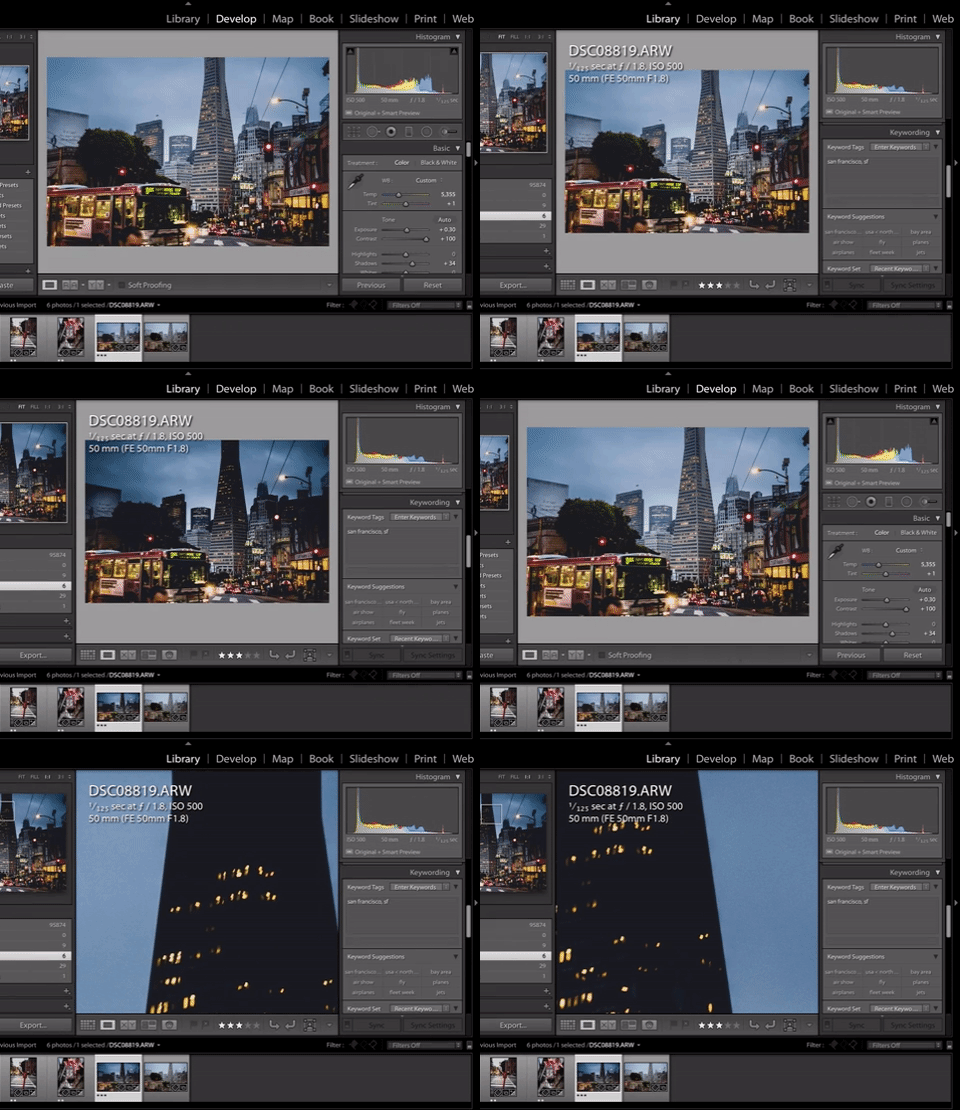
giphy.gif

via GIPHY

Does anyone have the same issue?

Message was edited by: Joan Gamell - Fixing GIF embed

This topic has been closed for replies.

2 replies

austinp4774561
Participant
October 20, 2017

Did you change the process version to "Version 4 (Current)" in the Camera Calibration panel?  Range Mask won't work properly with the older process versions.  I hope this helps.

gamell14582756
Participant
October 20, 2017

Hi Austin, yeah I double checked and the version is correct. The Mask is applied correctly when in the Develop Module, it's only when you switch to Library that it does not render correctly.

gamell14582756
Participant
October 21, 2017

Ok, so after restarting the app, it seems like it got unstuck.

The problem was not that the Library was rendering the Mask wrong, it was that somehow the settings in Develop mode got "stuck" with a different baseline luminosity (maybe before I made exposure, and other adjustments to the picture?) so the Library was correctly rendering the picture, but not Develop module (i.e. it was the inverse problem I initially thought it was).

Still, the fact is that I had inconsistent renderings of the same picture with the same adjustments in Develop vs Library/Export

Akash Sharma
Legend
October 20, 2017

Hi gamell,

Thanks for reporting this issue with all the detials.

Are you a Windows or Mac user? I'll try to reproduce this issue at my end and will get back to you with more update.

Thanks,

Akash

gamell14582756
Participant
October 20, 2017

Hi Akash and thanks for the quick reply. I am a Mac user, just updated to LR Classic CC 7.0 yesterday.

I also tried changing the settings of the Mask (smoothness, luminance, exposure, etc.) to try to "force" a refresh of the cached image in Library but the problem persists.

Thank you!

Joan