
Geotsaou
Participating Frequently
October 22, 2022
Answered

Clipping warning.

  • October 22, 2022
  • 4 replies
  • 1296 views

Hello, i am experiencing a problem in Lightroom Classic with clipping warnings.. Even when they are turned on either hitting the J shortcut or using the Histogram and i raise the exposure, even all the way and all i see is white, it does not show me any clipping areas (red) and it is the same when i am underexposing the images, any image.

There are no updates available and i've just created the catalog after installing the program today. 

I do not know if it is a bug, or just something on my preferences.


I appreciate any help.
This topic has been closed for replies.
Correct answer Jao vdL

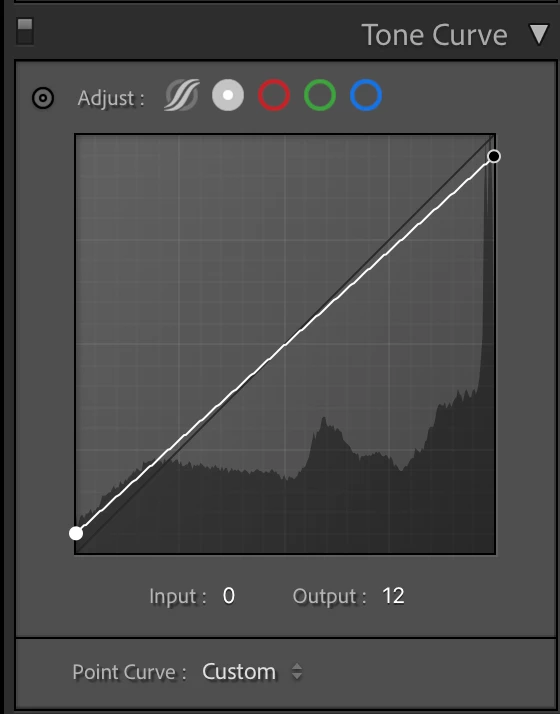
Presets can prevent the clipping warning from working when a tone curve is dialed in that prevents pixels from being full white or full black (example below). Many presets do this as it is a popular instagram filter style.

4 replies

Participating Frequently
October 22, 2022

I was helping my friend the other day on his Lightroom images and I think I noticed this exact same issue.

Clipping warnings seemd to have gotten "stuck" and even if you hit the UP TRIANGLE symbol in the histogram area it didnt do anything to turn on/off toggle the clipping for BLACKS.

It was strange indeed and never saw that in my Lr v11 and below.

I have just helped him update to version 12 the previous day.


TheDigitalDog
Inspiring
October 22, 2022

Doesn't show red but another color or nothing at all?

Author “Color Management for Photographers" & "Photoshop CC Color Management/pluralsight"
Geotsaou
GeotsaouAuthor
Participating Frequently
October 22, 2022

i tried to upload some screenshots but it didn't work, i don't know why, anyway.


It just won't work and i am 99% sure it is the preset's fault. When i over or under expose the image it just shows nothing, not other colours , not red and blue as it was supposed to. It is like i have clipping disabled.

I imported a new image, with no adjustments, tried clipping and it worked. I applied the preset and it stopped showing the clipping areas. Applied a different preset and it worked again..

TheDigitalDog
Inspiring
October 22, 2022

OK so do as suggested, disable GPU in preferences. Do you see the clipping now (and does testing other images like this one work)?

http://www.digitaldog.net/files/2014PrinterTestFileFlat.tif.zip

Author “Color Management for Photographers" & "Photoshop CC Color Management/pluralsight"
GoldingD
Legend
October 22, 2022

1.Inquiry,  Info about your GPU. Make/Model, and driver version?

2. Inquiry about image selected, is this a smart preview, and is the original available? (actually that may be a stretch)


Geotsaou
GeotsaouAuthor
Participating Frequently
October 22, 2022

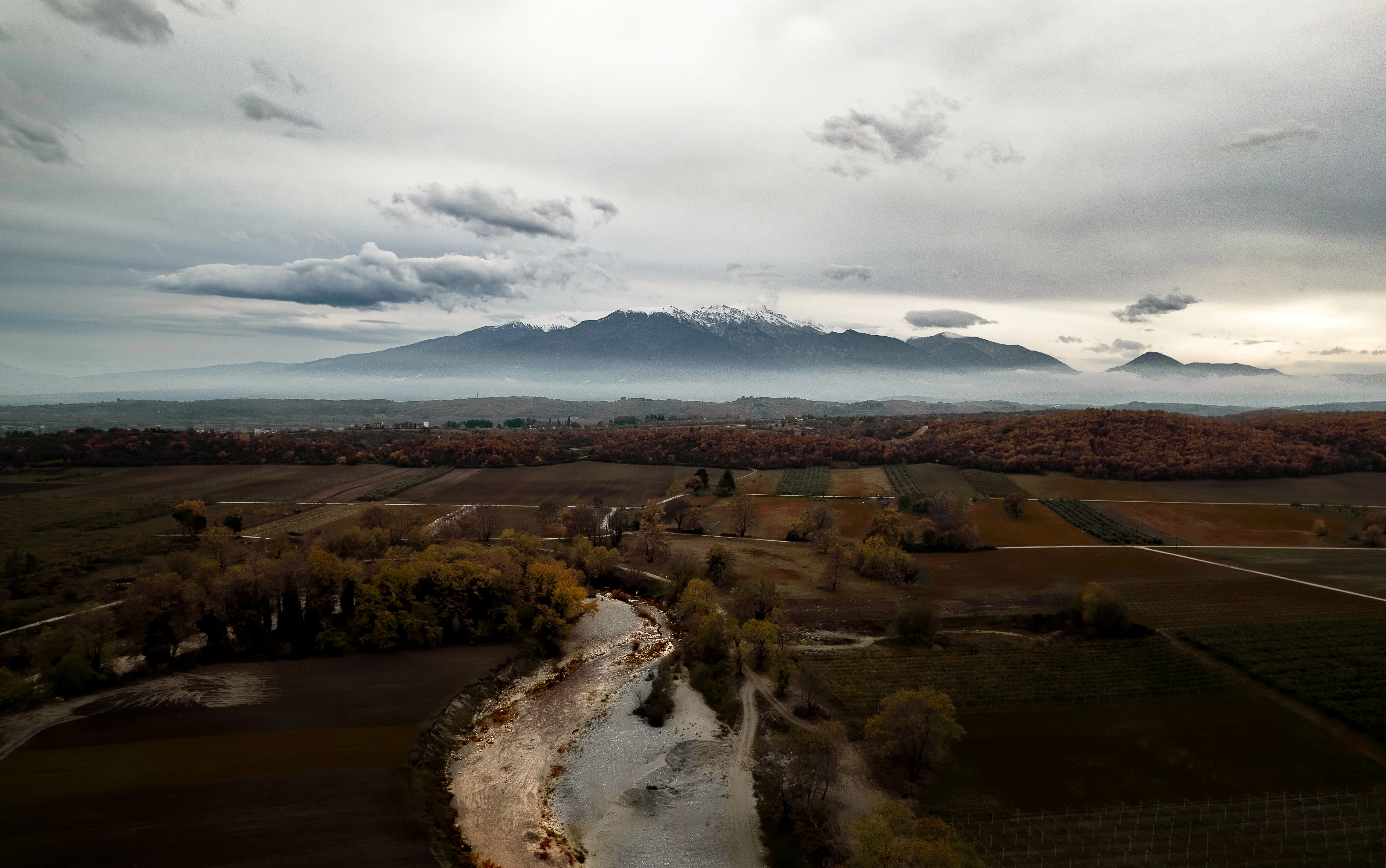
Thanks for your reply, this is just another photo just for example.


First one is just imported, second is using the preset that causes the issue and third is using a different preset.


And here is the informationg about GPU and lightroom version.


Lightroom Classic version: 12.0 [ 202210031128-9cb7185d ]
License: Creative Cloud
Language setting: en
Operating system: Windows 10 - Business Edition
Version: 10.0.22621
Application architecture: x64
System architecture: x64
Logical processor count: 6
Processor speed: 3,6GHz
SqLite Version: 3.36.0
CPU Utilisation: 6,0%
Built-in memory: 24524,6 MB
Dedicated GPU memory used by Lightroom: 3346,2MB / 6052,0MB (55%)
Real memory available to Lightroom: 24524,6 MB
Real memory used by Lightroom: 2856,0 MB (11,6%)
Virtual memory used by Lightroom: 7103,2 MB
GDI objects count: 904
USER objects count: 2132
Process handles count: 2051
Memory cache size: 242,1MB
Internal Camera Raw version: 15.0 [ 1261 ]
Maximum thread count used by Camera Raw: 4
Camera Raw SIMD optimization: SSE2,AVX,AVX2
Camera Raw virtual memory: 1128MB / 12262MB (9%)
Camera Raw real memory: 1239MB / 24524MB (5%)
System DPI setting: 96 DPI

Graphics Processor Info:
DirectX: NVIDIA GeForce GTX 1060 6GB (31.0.15.2230)
Init State: GPU for Image Processing supported by default
User Preference: Auto

Geotsaou
GeotsaouAuthor
Participating Frequently
October 22, 2022

Show i've tried using a different preset and it workes. Any idea why a preset would affect the clipping warnings? 

Jao vdLCommunity ExpertCorrect answer
Community Expert
October 22, 2022

Presets can prevent the clipping warning from working when a tone curve is dialed in that prevents pixels from being full white or full black (example below). Many presets do this as it is a popular instagram filter style.

Geotsaou
GeotsaouAuthor
Participating Frequently
October 22, 2022

thank you very much, that was the problem, although it is just a very simple preset the photographer i work for gave me :D. It worked. thanks a lot