
Color balance changes when toggling crop tool
LR 2015.9 CR 9.9 Windows 7x64 Pro i7-4790k 16gb mem
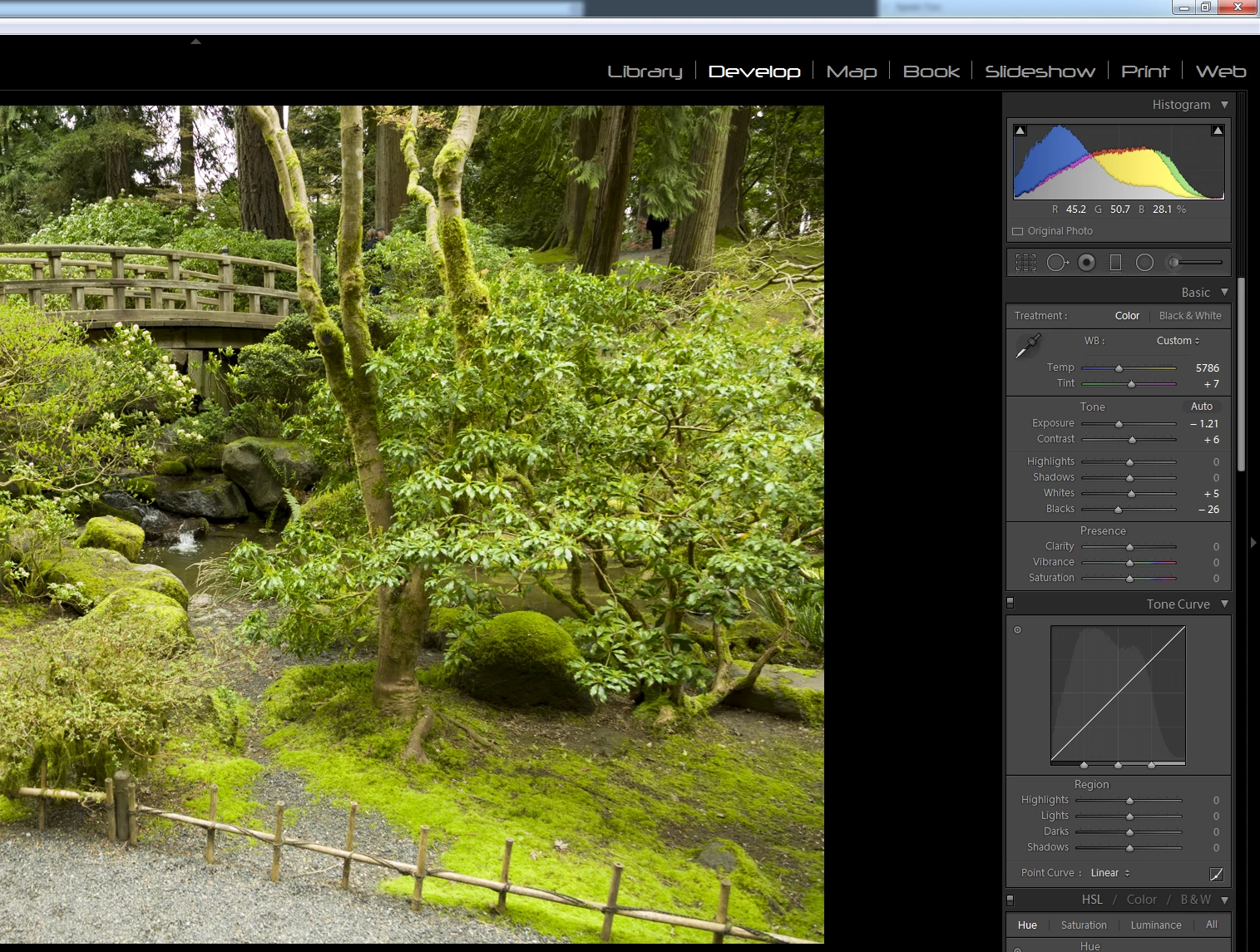
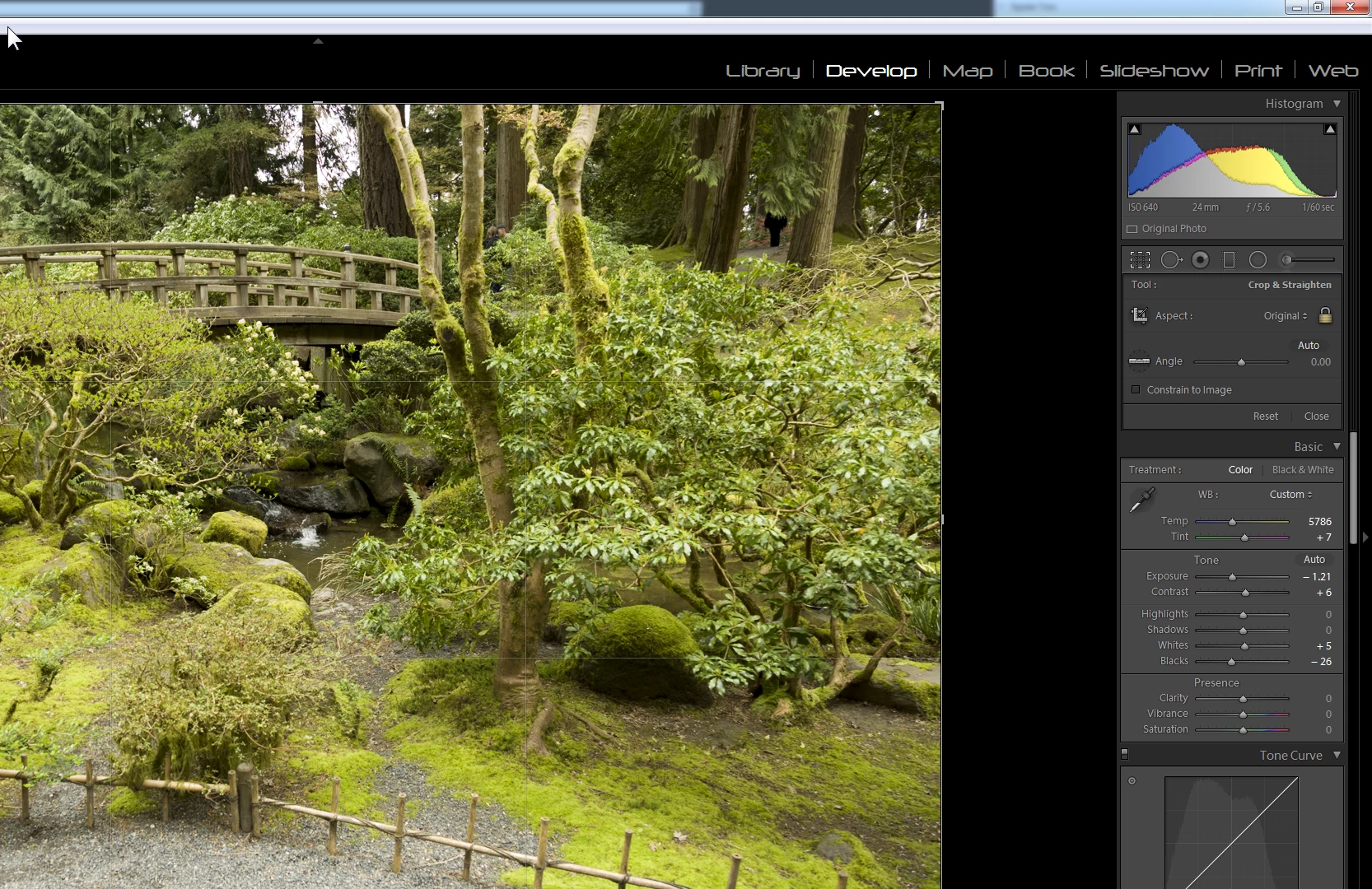
I just noticed that since the most recent update, there is a definite color shift in the image display when toggling the Crop tool ("R").
Here are two screenshots of an image, the only difference being that in the second one the Crop tool is selected while in the first one it is not. The shift is subtle, and seems to affect greens the most. On other shots with less green the shift is almost invisible. This happens on ALL images, regardless of whether any edits have been applied or any parameters changed. It is of course most obviously visible when actually toggling the Crop tool with the keyboard "R".
Note also that the color temperature settings do not change, which indicates to me that it's a preview rendering issue.
Crop tool not selected
Crop tool selected
 AdChoices