
Participant
March 15, 2022
Question

Color Profiles in Lightroom

  • March 15, 2022
  • 1 reply
  • 539 views

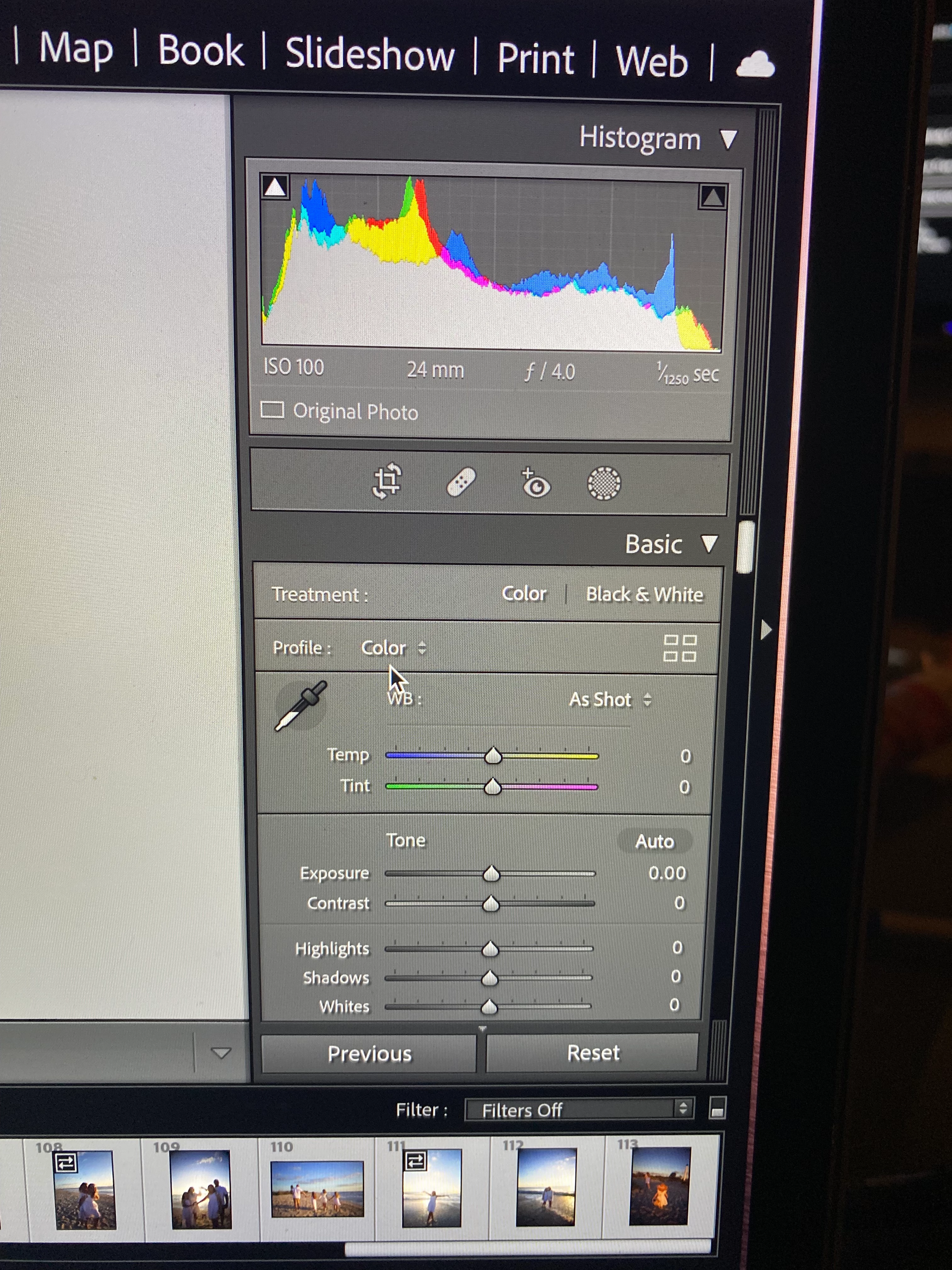
Hi, So I bought a new camera (Canon EOS R) and I absolutely love it but I am having issues with Ligthroom and the Color profiles. I shoot in RAW so when Import images from the SD drive in Lightroom some of my images give me Adobe Profiles (Adobe Color, Adobe Vivid, Etc) and some of the images just say color and doesn't give me an option to change. How can I get all of my images to come up with the different color profiles.. What am I doing wrong? It makes it impossible to edit and turns their faces red
This topic has been closed for replies.

1 reply

TheDigitalDog
Inspiring
March 15, 2022

You will never see "Adobe Color" or other such DCP profiles for non-raw files. I suspect you're viewing a camera-generated JPEG.

You can set LR to import and select a default color profile for raws.

https://laurashoe.com/2020/02/11/whats-new-in-lightroom-classic-9-2-raw-defaults/

Video: https://youtu.be/XGCnR9qEqA4

Author “Color Management for Photographers" & "Photoshop CC Color Management/pluralsight"
Participant
March 15, 2022

I only shoot in Raw. Some of the images in my gallery come up with the adobe profile and some only show the color. 

Participant
March 15, 2022

@tiffanymanus wrote:

I only shoot in Raw. Some of the images in my gallery come up with the adobe profile and some only show the color. 


You need to check your camera settings. This image definitely is not a raw image. You can see that by looking at the white balance sliders. A raw image has a temperature setting slider in degrees Kelvin, so for example 5500 K. This image shows a temperture correction slider (no correction, so set to zero), not a temperture setting slider. That is typical for RGB images (jpeg, tiff).


Oh i see that now. I know that it is set to RAW mode only but why would it pick and choose which images are RAW and JPEG? Should I shoot CRAW or RAW & JPEG?