
Colour difference between Develop Mode and Library
Hi everyone! I`ve had this problem since one of the updates of LR for Mac in december`21. I`ve already read all the simillar topics here and I`ve already did everything suggested in comments, all the methods that helped the others.
I know that tthe diffeerence of colours is possible, because of different colour space in these modes (ProPhoto RGB and Adobe RGB), but all the way before I didn`t have any problem like this. Everything was perfect.
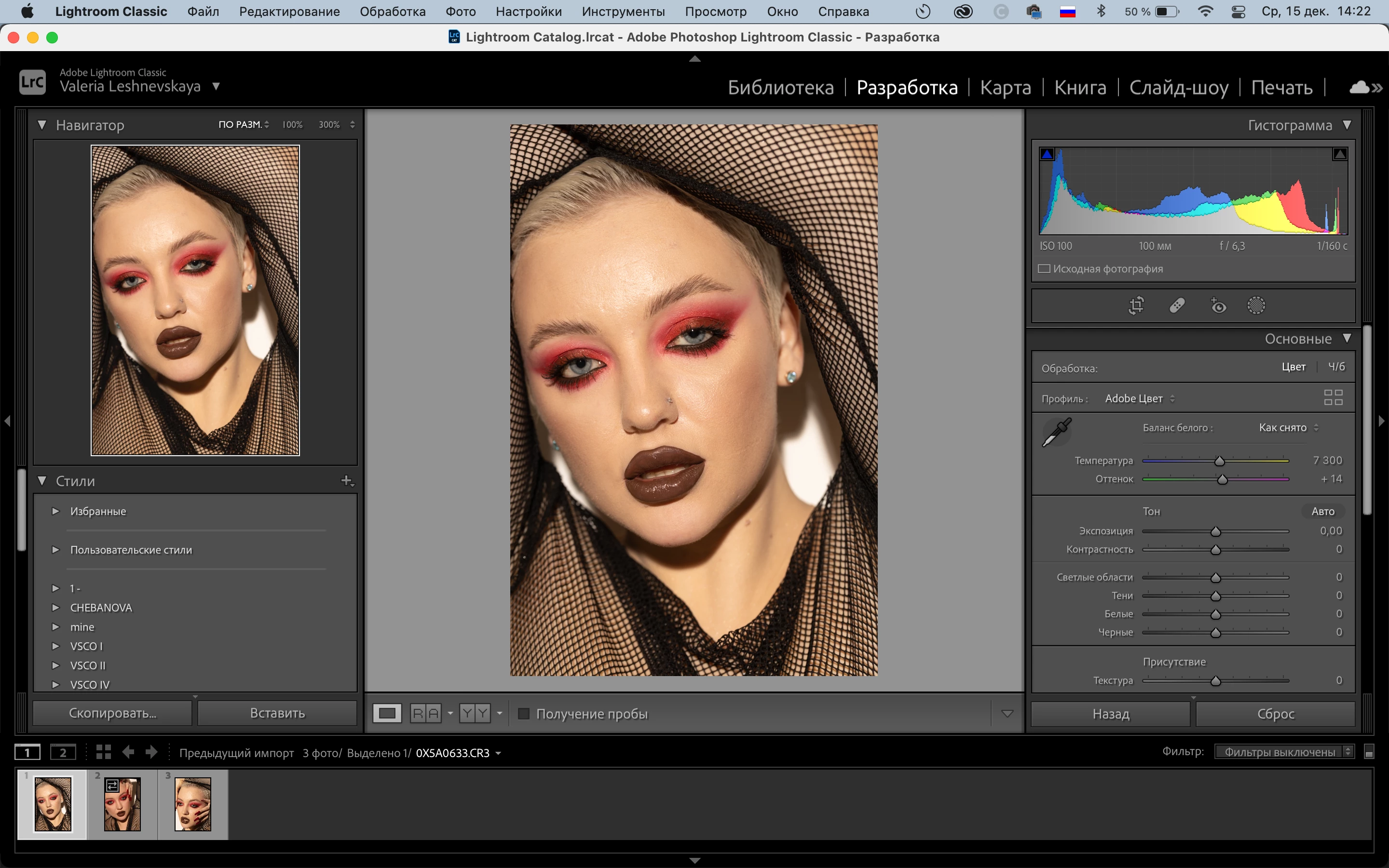
The problem is that The colors look correctly in the Library mode (naturally, as they always were), the picture is loaded slightly in the Develop mode and the color distortion occurs, the feeling is as if there is some preset. The faded warm filter seems to be applied and I can't change it in any way, because in fact no settings were applied. I`ve already changed the colour profile of my monitor, on/off grafic processor, reinstalled all new and previous versions of LR, wrote to the customers support. Nothing helped.
I need to pay specific attention, that in library mode the colours are true, in Develop mode they are false. I don`t need just to avoid the difference by deleting previews, in this case the colours just start look false in both mode. I need to correct this strange processing of colour of images.
I exported them and saw on my phone, the colour is distorted. I compared screenshots on Mac and on Iphone, I can see this false colour on both devices.
I can`t work because of the problem. I really hope that you will help me 🙏
1st picture: Develop mode - false colours
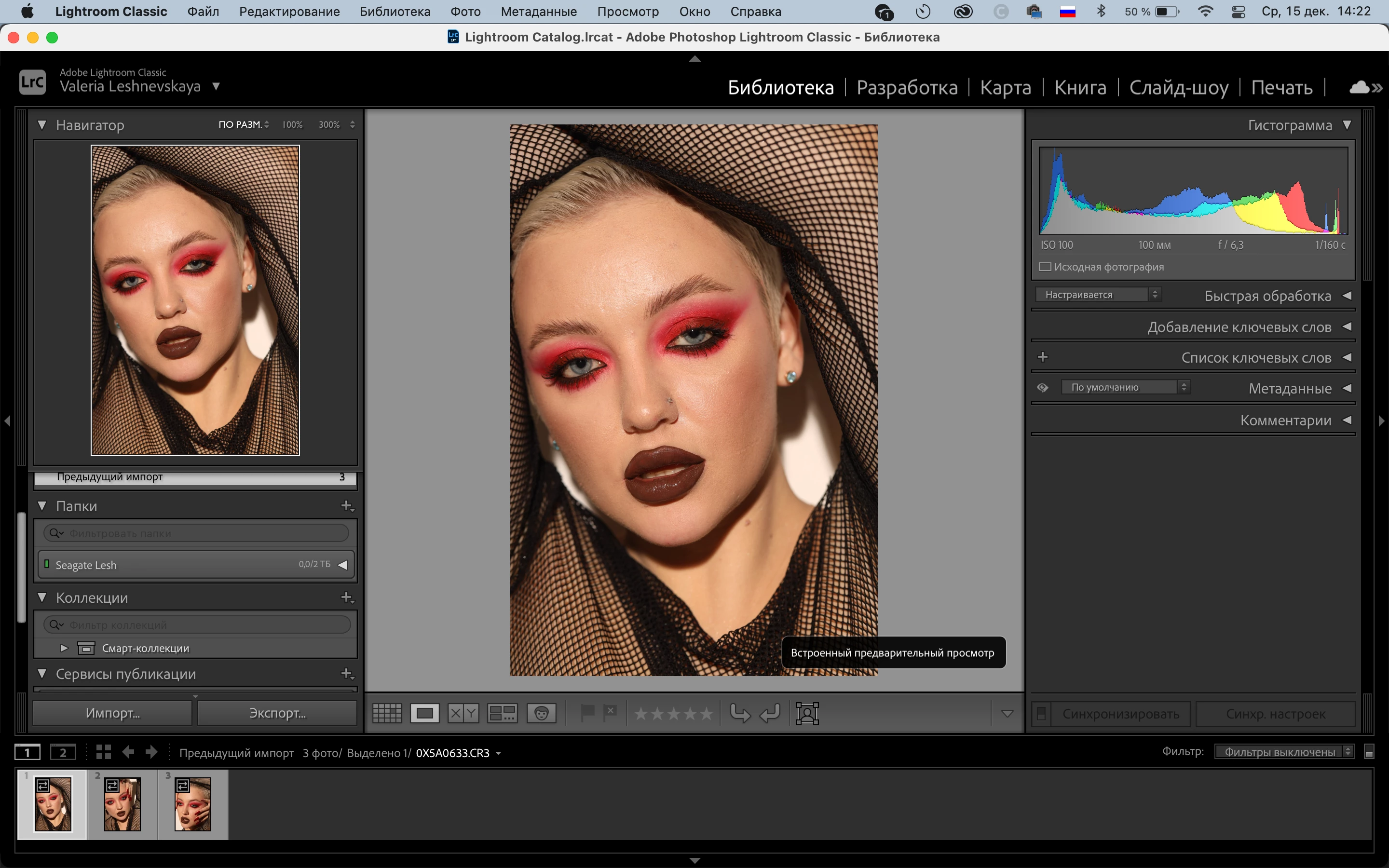
2nd picture: Library mode - true, natuural colours
 AdChoices