
Combining masks in Lightroom Classic
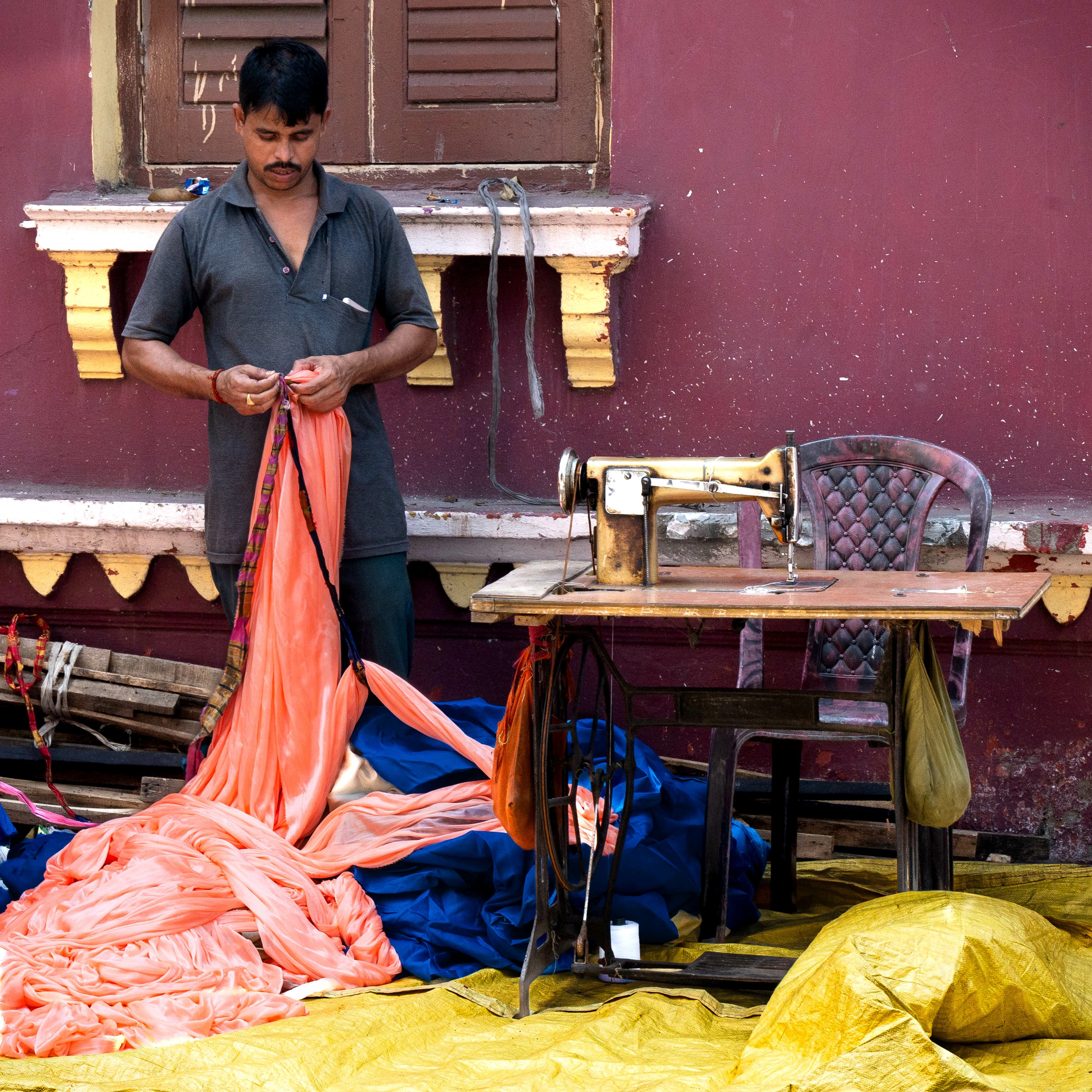
This image contains three vibrant fabric entities and everything else. I wanted to individually adjust the fabrics, then adjust everything except the fabrics, then adjust the image as a whole.
So I created masks for each of the fabrics. Each of the three fabric masks contained between ten and twenty individual object entities, because the interact and intertwine with the background and each other. So far so good.
Having made my individual fabric adjustments, then came the trouble.
My next step is to combine or group the three masks, then select the inverse of the group so I can adjust everything except the fabrics. It seems you can't do this. There is no way to group or combine three separate masks. Nor can you select more than one mask at a time.
My solution was to duplicate one of the masks, and call it 'all fabric', then copy and paste the individual elements of the other two masks into it. This is extremely time consuming as you cannot select/duplicate/drag the individual mask elements as a group. You have to duplicate and drag them one at a time it seems.
Having done that, I could do what I wanted. Invert the all fabrics mask, bring the background to where I want it, then deselect the mask and finish adjusting the image as a whole.
The inability to combine/group masks, which is common usage in Photoshop, seems odd? Am I missing something?
And yes. I've read the manual. Spent half the morning searching the Internet. And I'm not a beginner at this. Just haven't bumped into this question before.
All queries on this subject lead you to the intersect function. But as far as I can see, that doesn't give me a solution in this case.
Anyone else bumped into this and can give me any words of wisdom?
 AdChoices