


- Home
- Lightroom Classic
- Discussions
- Compare doesn't load the full photo
- Compare doesn't load the full photo
Compare doesn't load the full photo

Copy link to clipboard
Copied
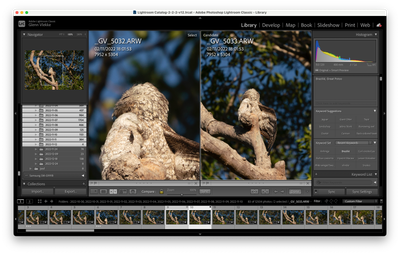
When I'm connected to my NAS and im using the compare functionality the one that I already checked in the develop mode is the full size image from the NAS and the other one is a lot smaller. When I go to the photo in develop mode and then get back it will show the full size.
My expectation was that as soon as Lightroom would see that the file is available that it will load the file but it isn't loading at all.


 11
Replies
11
11
Replies
11


Copy link to clipboard
Copied
Lightroom (Lr icon) or Lightroom Classic (LrC icon)? What version NUMBER?
Please show us a screen capture of the problem you are seeing; include the screen capture in your reply by clicking on the "Insert Photos" icon. Do NOT attach files.
Copy link to clipboard
Copied
ah sorry its Lightroom classic 12.2.1,will take a screenshot when it happens again.
Copy link to clipboard
Copied
So its lightroom classic 12.2.1 and here are the screenshots

Copy link to clipboard
Copied
some more info, the photo's are taken just 30 seconds apart, with a fixed lens and I din't move. So they should be the same size


Copy link to clipboard
Copied
Depending on how fast the access to your NAS is this can take a while. If you access it over wifi for example, it can take a long time for Lightroom to load the raw file and to render a full resolution preview before being able to show it to you. I've also see it take a long time to realize that it has access to the originals after mounting the NAS drive and you sometimes have to go back and forth between modules to shake it into action. A lot of this is caused by how crappily Mac OS X deals with network drives though. Make sure you mount through smb for best performance but mac OS X is fundamentally bad at this (love the OS otherwise).
Copy link to clipboard
Copied
thx for the tip but I don't see a loading icon anywhere and it's also not loading anything...

Copy link to clipboard
Copied
Try unlocking the padlock (by a mouse click) when you should then be able to zoom the images independently by clicking on and highlighting either the 'Select' or 'Candidate' images..
You may have locked the left image in 100% view.

Copy link to clipboard
Copied
@Rob_Cullen yeah I want both of them at 100%, that is where the lock is for right? So that when I zoom in on the left the right is also zoomed in at 100%?
Copy link to clipboard
Copied
That is exactly what I see. With the padlock closed- both images zoom to the set % when either image is clicked.
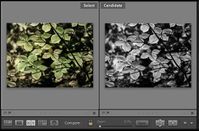

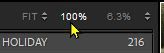
If you want 100%, then rather than using the Zoom slider- Click (on the navigator panel) on [Fit], then on [100%]- Now the [Spacebar] is a quick way to zoom 100%.
If your zoom function is not 'locking' both images as expected, maybe a reset of preferences might fix.
Copy link to clipboard
Copied
I can reproduce it now again,
2 photos with the same size,
flag one so its filtered out,
lightroom will take the next photo but without matching the zoom, even when im using the zoom slider at the bottom and have locked enabled.
What I tried to resolve it:
unlock en zooming out and then in again. This doesnt help as well.
Maybe it also has something to do with the smart previews, but i also have access to the original photo.
Copy link to clipboard
Copied
what works temporary btw is to exit compare mode and reenter the compare mode again. but that is really frustrating if you need to do that for a whole serie of photos


Find more inspiration, events, and resources on the new Adobe Community
Explore Now
 AdChoices