
Content aware crop - strange behaviour
Until yesterday, I had never used the "Content aware crop" tool. I was aware of it, but never used it.
I was experimenting with it yesterday, and having some problems.
In all cases, I was starting in LR. I had created a merge pano using LR, and straightened in in LR, but was looking for a better crop. Turned off Auto-crop, and sent it to PS (dng file of course). Auto-crop simply would not work. I reset the tool. No luck. Google then gave me a few hits of others with similar issues, but no clear solution. I did check I wasn't using a smart object or a background layer.
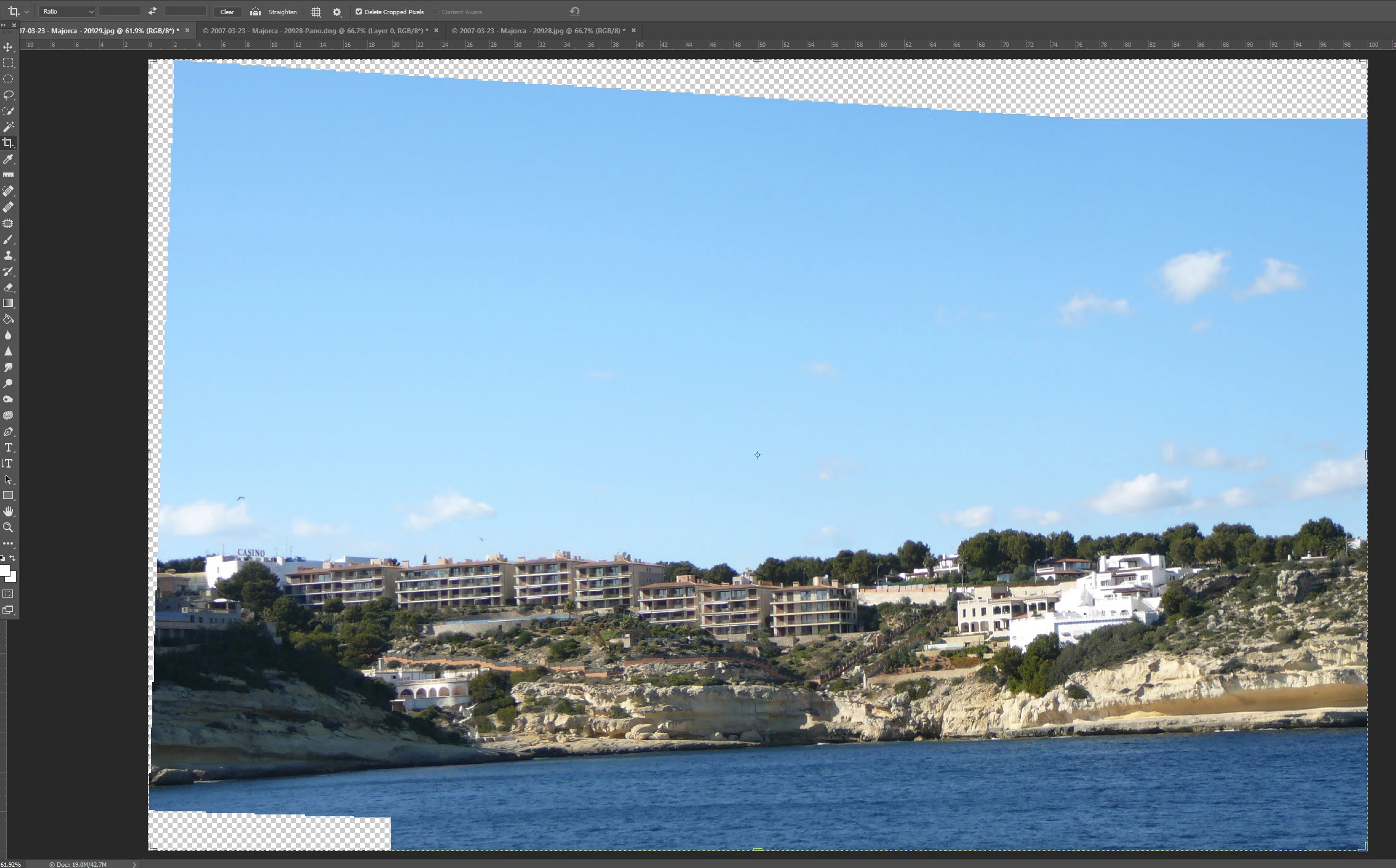
Next I sent the two individual images (jpgs) that I had used to merge in LR from LR to PS as "Merge to Panorama in PS". This gave me a pretty similar merged file. I flattened the layers and tried the Content aware crop, which this time decided to work, but produced some pretty strange results (see the sky in the sea at bottom left)
This image shows the result of PS merging to pano:
This image shows the result of PS Content aware crop:
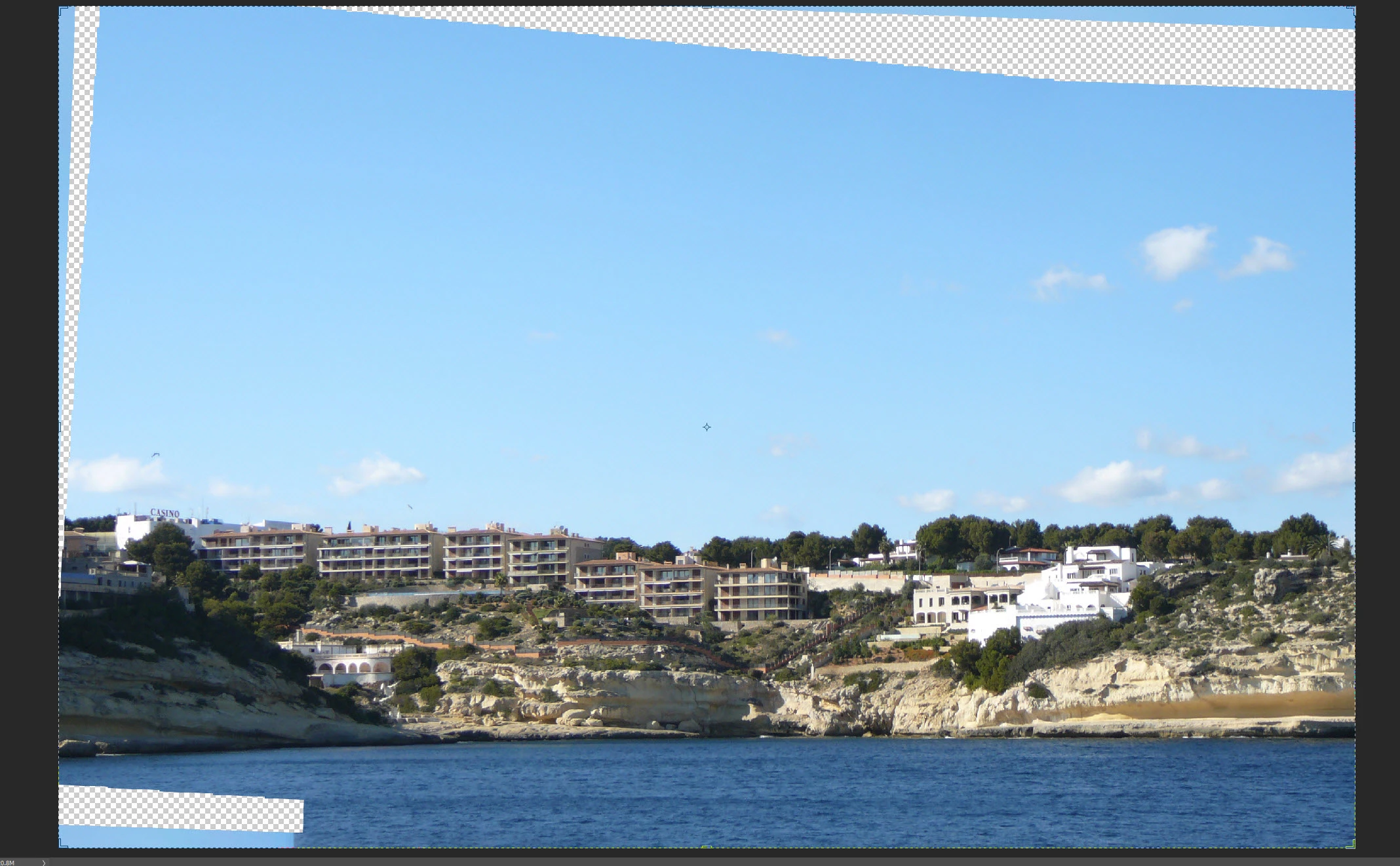
I appreciate that no tool is going to be perfect, but in my humble opinion, this is probably one of the easier CAC's that this tool would be asked to perform - essentially plain blue sky and smooth sea.
So next I decided to try the LR merged pano again. Still no luck. I then decided to use the crop but only rotate the image (even though it had been straightened in LR). This time CAC decided it would work.
This image shows the result of PS Content aware crop using rotate only on LR merged DNG file:
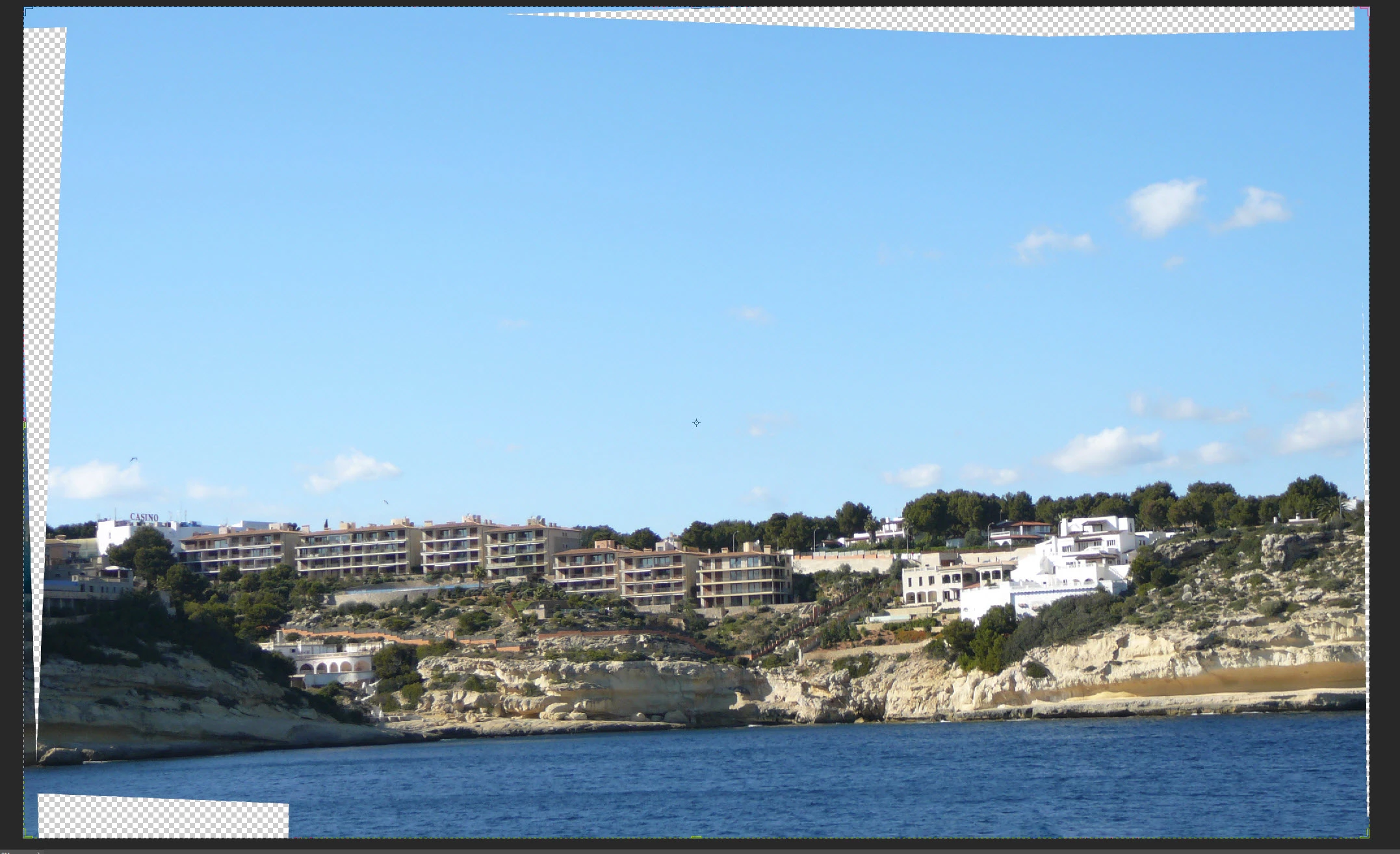
This produced similar but significantly different results (no sky in bottom left).
Finally, I sent one of the two jpgs used for the merge to PS, and did a Rotate CAC, and I got a perfect result.
jpg before rotate:
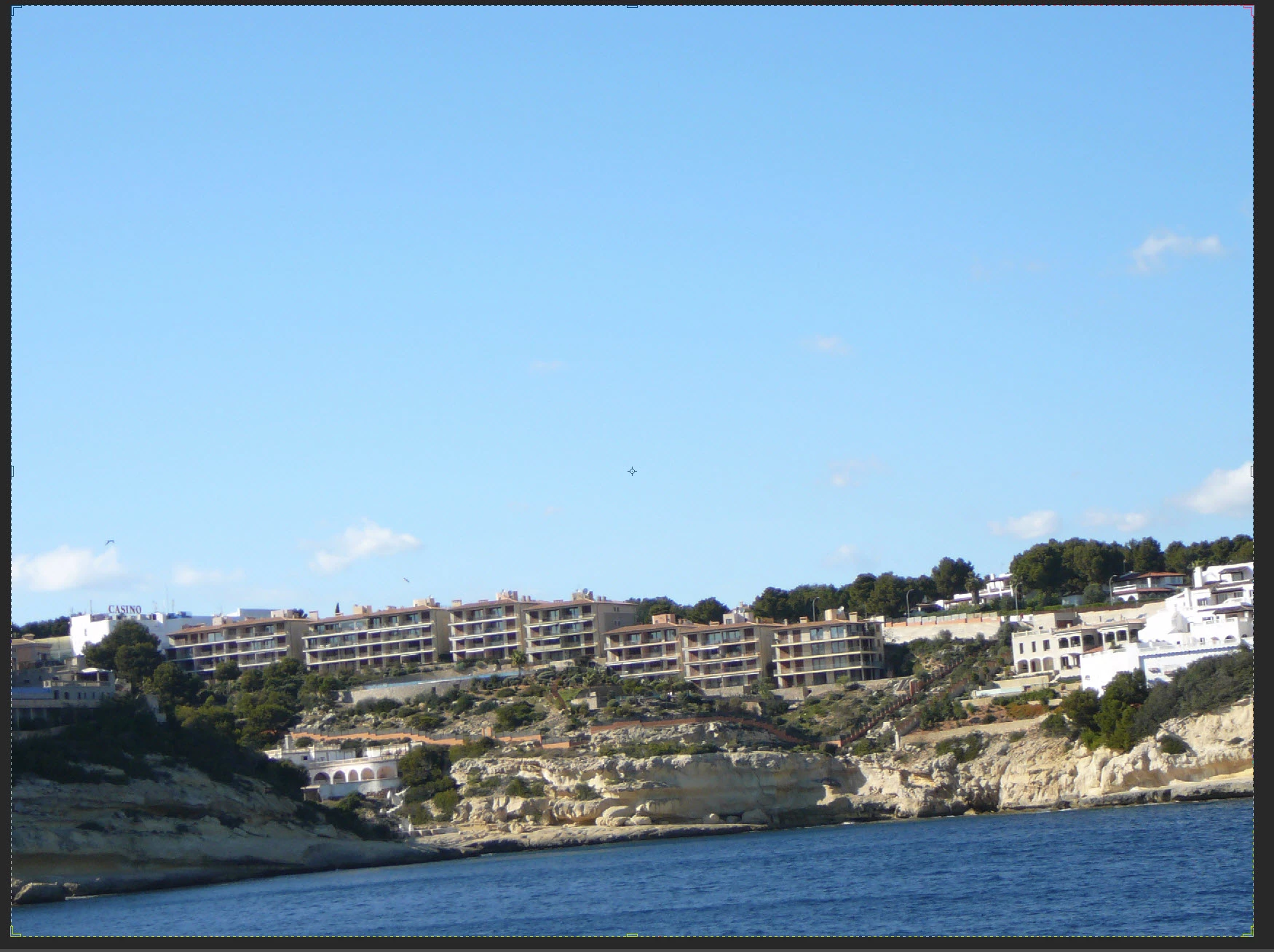
jpg after rotate CAC:
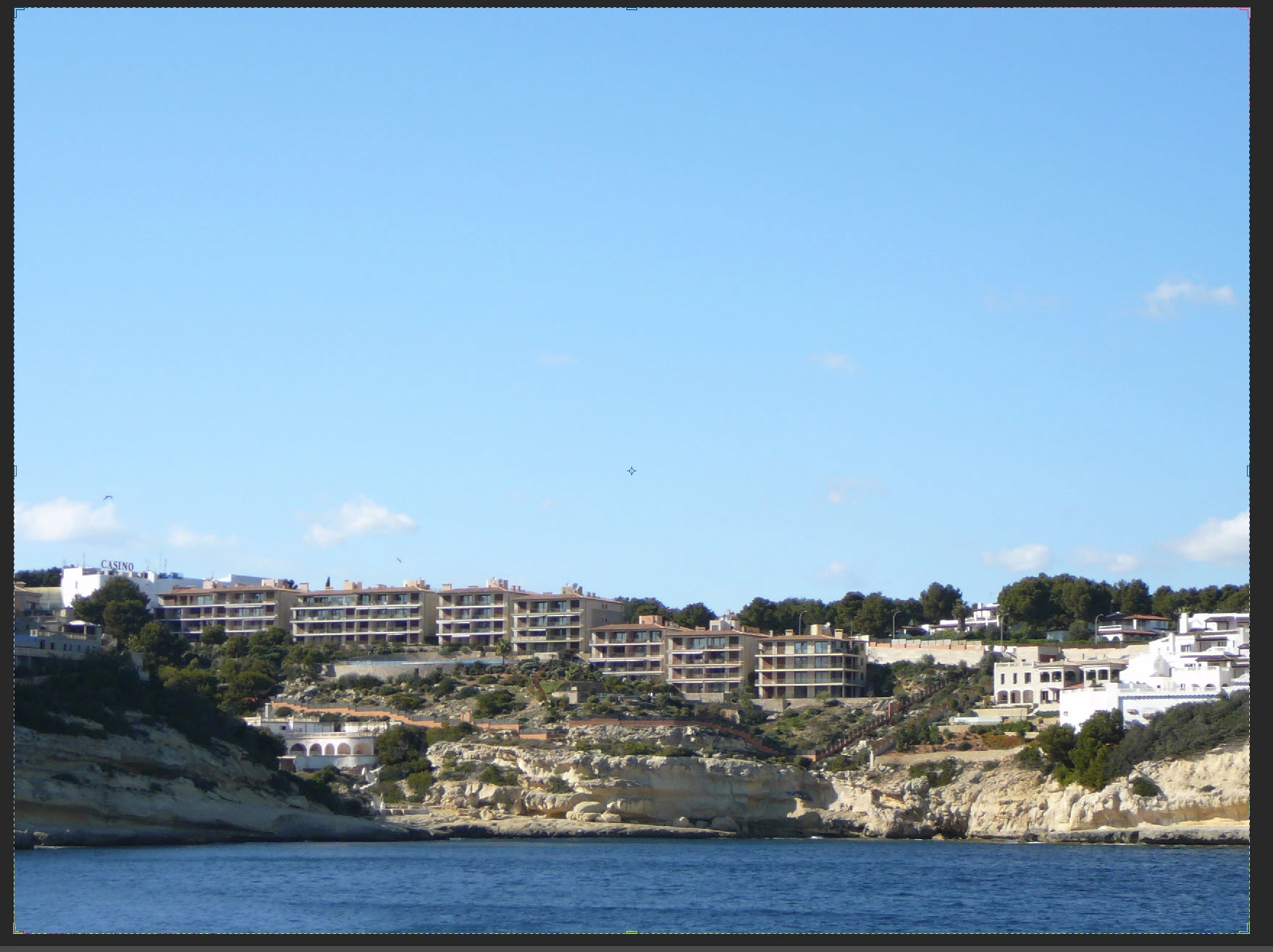
Odd behaviour?
Anyone any thoughts on this topic?
Thanks
Colin
 AdChoices