
Participant
January 17, 2017
Answered

Created, Modified Dates..

  • January 17, 2017
  • 2 replies
  • 958 views

Hi,

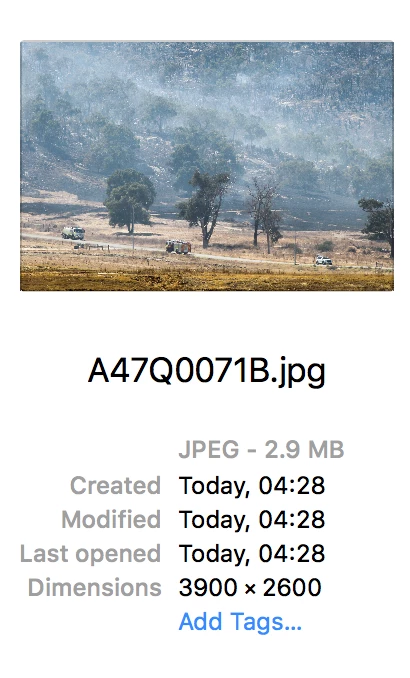
I'm switching from Aperture to Lightroom CC and on practicing I've noticed when I export to my MacBook Pro the Created Date is shown as the date it was imported into Lightroom rather than the original capture date.

I'd like it to show the Date Time Original not the date it was imported or modified in Lightroom..any suggestions how I can do this ? I understand that the Date Time Original is still embedded in the image but I'd like it show up on my Mac like Aperture does. I've attached examples below.

Thanks...

Example below.Pic taken on Jan 09 and exported in Aperture.
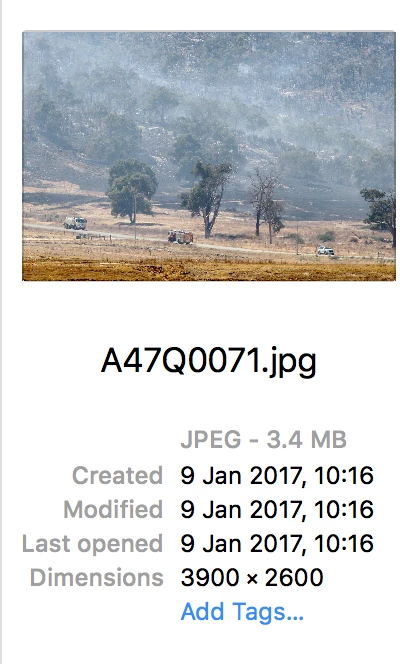
Same image taken on Jan 09. Imported then exported from LR. How to keep 9 Jan 2017 date as above..thanks..
    This topic has been closed for replies.
    Correct answer johnrellis

    I've noticed when I export to my MacBook Pro the Created Date is shown as the date it was imported into Lightroom rather than the original capture date. I'd like it to show the Date Time Original not the date it was imported or modified in Lightroom

    LR does not do anything special with the operating system's Date Created (the date/time the file was created by an application) or Date Modified (the date/time the file was last modified by an application).    In general, there is no relation between Date Created/Modified and the photo's capture date recorded in the photo's metadata (EXIF:DateTimeOriginal).  If you want the operating system's Date Created to match the metadata capture date, you could use the utility A Better Finder Attributes.

    Windows File Explorer is able to display the metadata capture date of photos, but unfortunately Mac Finder isn't. 

    2 replies

    johnrellis
    johnrellisCorrect answer
    Legend
    January 17, 2017

    I've noticed when I export to my MacBook Pro the Created Date is shown as the date it was imported into Lightroom rather than the original capture date. I'd like it to show the Date Time Original not the date it was imported or modified in Lightroom

    LR does not do anything special with the operating system's Date Created (the date/time the file was created by an application) or Date Modified (the date/time the file was last modified by an application).    In general, there is no relation between Date Created/Modified and the photo's capture date recorded in the photo's metadata (EXIF:DateTimeOriginal).  If you want the operating system's Date Created to match the metadata capture date, you could use the utility A Better Finder Attributes.

    Windows File Explorer is able to display the metadata capture date of photos, but unfortunately Mac Finder isn't. 

    Just Shoot Me
    Legend
    January 17, 2017

    You are looking at these dates/times in Finder which is showing the FILE created and modified date/time. Not sure if you can show the image capture date/time in Finder.