Known Participant
November 18, 2024
Answered

Creating a photo book with different size photos

  • November 18, 2024
  • 1 reply
  • 461 views

I would like to create a photo book in Lightroom and send to Blurb to be printed.  I don't want the same layout for every page.  I would like some full size, 4 to a page (2 x 2), 2 to a page (both laid out horizontally or vertically) or some combination of 3 photos.


I'm completely flummoxed by Lightroom's book module.  I'd like to start with a blank book, ,specify the overall size of each page, and then say for this page I want this layout and drag the photos on to the page.  Setup a new layout for the next page, and drag photos to it.  Is this possible?


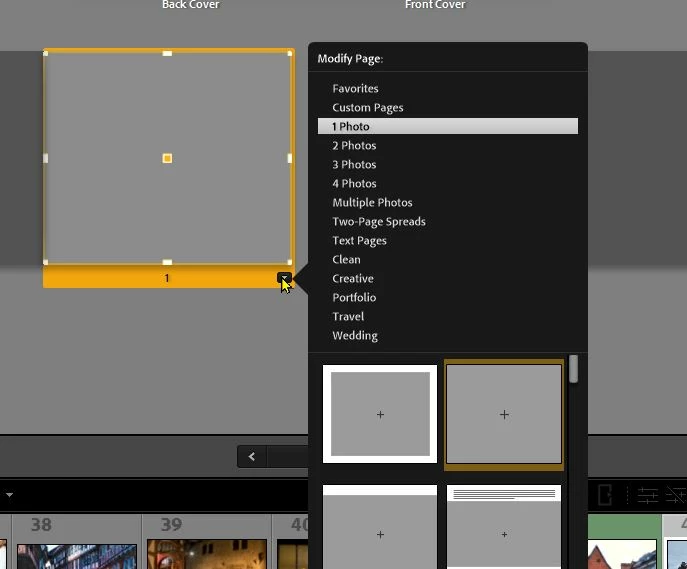
When I start the book module, I see this:
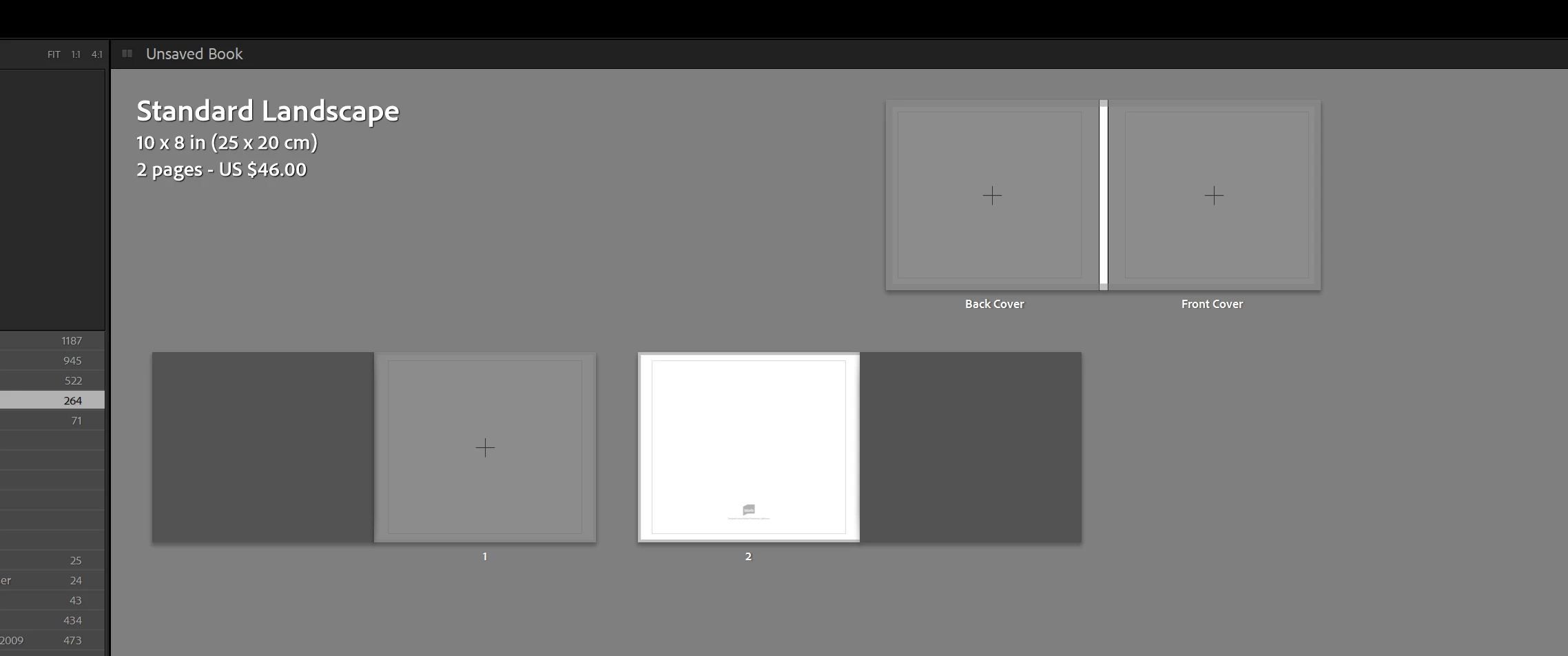
What do I do next?
This topic has been closed for replies.
Correct answer Rob_Cullen

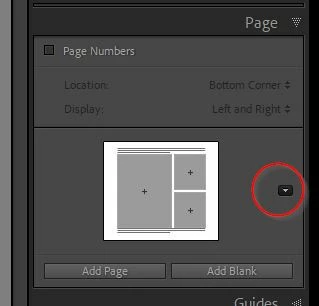
The grey pages can be used for photos, and many layout templates  are available if you select the page (yellow background) then you can select from the layout templates in the context (Drop-down) menu- Then see the [Add Page] button in the Page Panel, or [Right-Click] on a page to [Add a Page]

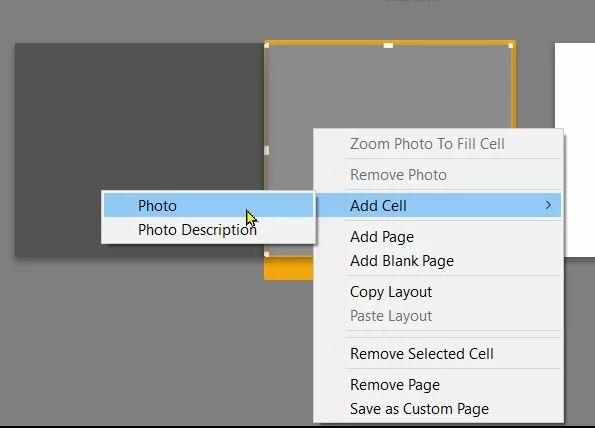
You can also 'Free-form' photo cells on a selected blank page with a [Right-Click]- Resizing and re-positioning cells on a page. You can also save your own free-form page as a Custom template Preset for future use.


Also in the Page panel you can choose and set a Page Template that make it easier to [Add Page] with the same template to many new pages.


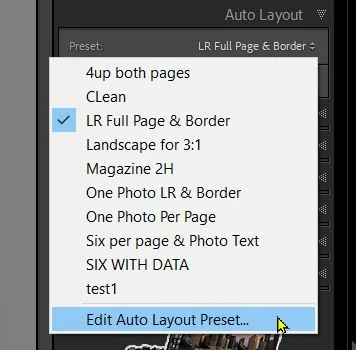
The Auto-Layout panel can also be edited to use a preferred Page Template that will automatically fill every photo to the book with the template in the Auto-Layout Preset.

Everything you Need to Know About the Book Module in Lightroom Classic

BOOK MAKING (Adobe Helpx)


1 reply

Rob_Cullen
Community Expert
Rob_CullenCommunity ExpertCorrect answer
Community Expert
November 18, 2024

The grey pages can be used for photos, and many layout templates  are available if you select the page (yellow background) then you can select from the layout templates in the context (Drop-down) menu- Then see the [Add Page] button in the Page Panel, or [Right-Click] on a page to [Add a Page]

You can also 'Free-form' photo cells on a selected blank page with a [Right-Click]- Resizing and re-positioning cells on a page. You can also save your own free-form page as a Custom template Preset for future use.


Also in the Page panel you can choose and set a Page Template that make it easier to [Add Page] with the same template to many new pages.


The Auto-Layout panel can also be edited to use a preferred Page Template that will automatically fill every photo to the book with the template in the Auto-Layout Preset.

Everything you Need to Know About the Book Module in Lightroom Classic

BOOK MAKING (Adobe Helpx)


Regards. My System: Windows-11, Lightroom-Classic 15.1.1, Photoshop 27.3.1, ACR 18.1.1, Lightroom 9.0, Lr-iOS 10.4.0, Bridge 16.0.2 .
Known Participant
November 20, 2024

Thanks for your help.  I didn't realize how you could customize the layout of cells on a page.  I was always constrained by the templates.