
Participant
October 25, 2021
Answered

Creative Cloud App does not detect Lightroom Classic 11.0

  • October 25, 2021
  • 5 replies
  • 1268 views

After updating Lightroom to version 11.0 I can not longer find the app among the Installed Apps list inside the Creative Cloud App (which is version 5.6.0.788 on my PC).
For reference:
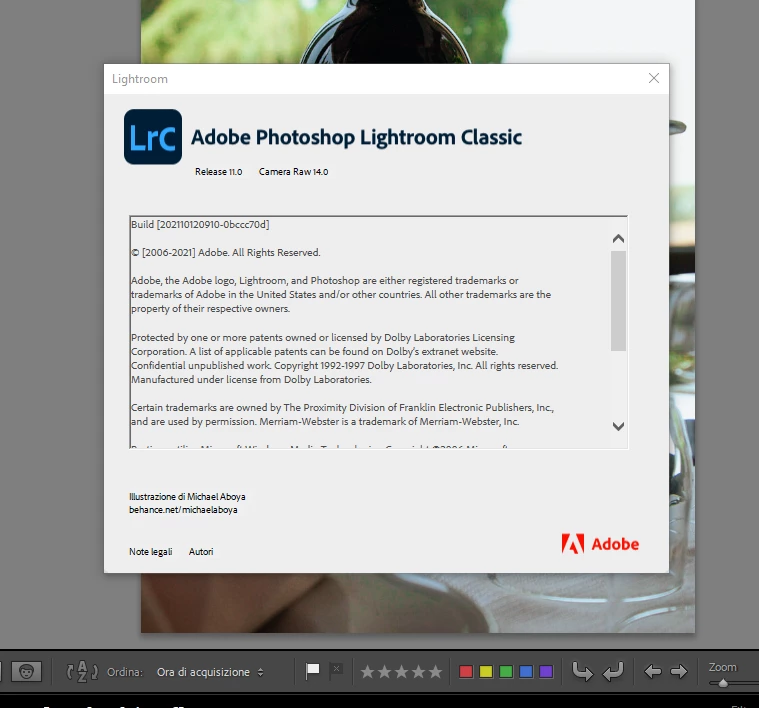
Installed Lightroom Classic is listed as Release 11.0

Meanwhile inside the Creative Cloud  Desktop App:
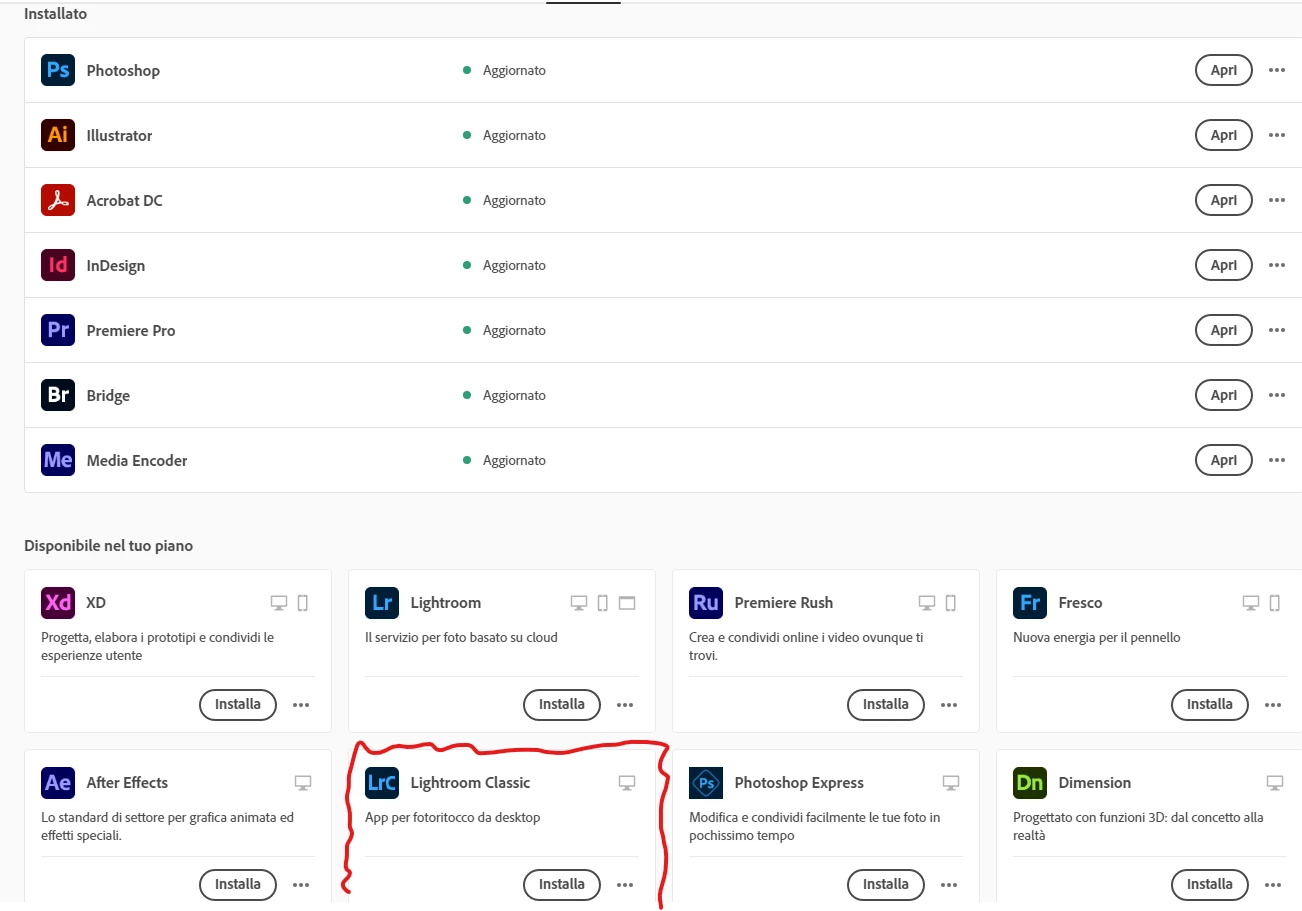
As you can see Lightroom Classic is not in the Installed Apps list, but it is available for download.

The latest listed version available for download is release 10.4.

I can open and use Lightroom Classic normally if I launch the app directly. The only problem is with the Creative Cloud Desktop App.

I had the same problem with other apps which I solved disinstalling them from the Windows Apps Settings (as Creative Cloud would not see them) and installing the most recent available version. I didn't do the same with Lightroom in fear there could be conflicts with the the Catalog format.

Can anyone help me with this issue?

This topic has been closed for replies.
Correct answer JohanElzenga

Just wait another day. Adobe is apparently releasing the new version a bit earlier for some users (probably to keep their servers from overloading) and that may affect how the CC app reacts to this. I expect that after a day or two everything should have been updated correctly.


5 replies

kentdesign
Community Expert
Community Expert
October 26, 2021

It will be great - I always wait  a day!

johnrellis
Legend
October 26, 2021

Or Adobe accidentally enabled downloads of LR 11 and Camera Raw 14 a little too early and then disabled them again (which has happened in the past).

Participating Frequently
October 25, 2021

Thank you, Johan ... I appreciate the information.


Dale

JohanElzenga
Community Expert
JohanElzengaCommunity ExpertCorrect answer
Community Expert
October 25, 2021

Just wait another day. Adobe is apparently releasing the new version a bit earlier for some users (probably to keep their servers from overloading) and that may affect how the CC app reacts to this. I expect that after a day or two everything should have been updated correctly.


-- Johan W. Elzenga
Participating Frequently
October 25, 2021

Sorry I can't solve your problem, but wanted to add that I upgraded Lightroom to version 11 (along with other updates) yesterday on a Mac Mini M1 and have noticed the same thing. Even though I can launch Lightroom V11 (and use its new features), it doesn't show as installed in Creative Cloud. Same is true for Photoshop, Bridge, and the cloud-based Lightroom app.


I was surprised to see the Lightroom V11 update available yesterday; I thought it wasn't coming out until October 26. And I have Creative Cloud and apps installed on another computer (a Macbook Air), but so far the updates aren't available for that machine. Creative Cloud (which is at version 5.6.0.788 on both systems) shows the correct status for the installed apps there.