
grhookphoto
Known Participant
June 5, 2024
Question

Crop mode shows the wrong image during cropping

  • June 5, 2024
  • 1 reply
  • 536 views

This one keeps happening.


After having LR open for some time (indeterminate, but a few days; amount of activity varies) I will get into a state where the crop preview shows an some past image, rather than the current image. Here's the starting point:
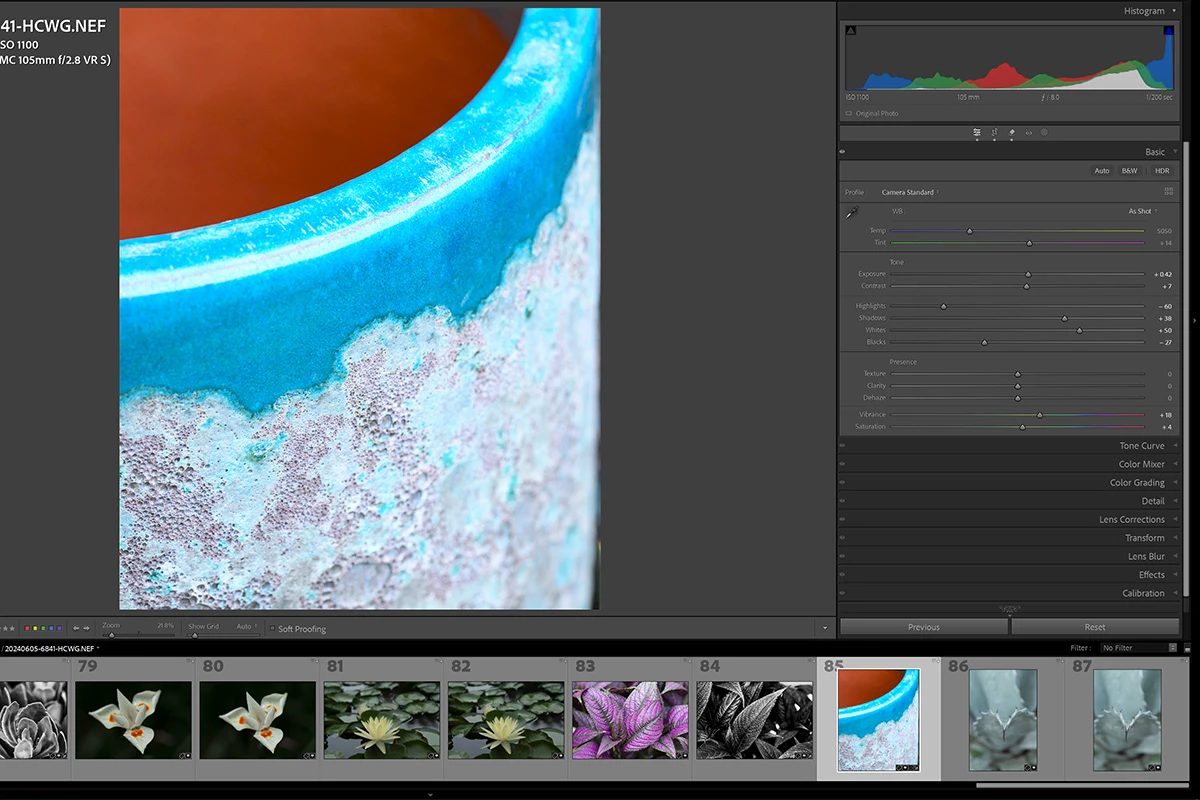
Then hit 'r':
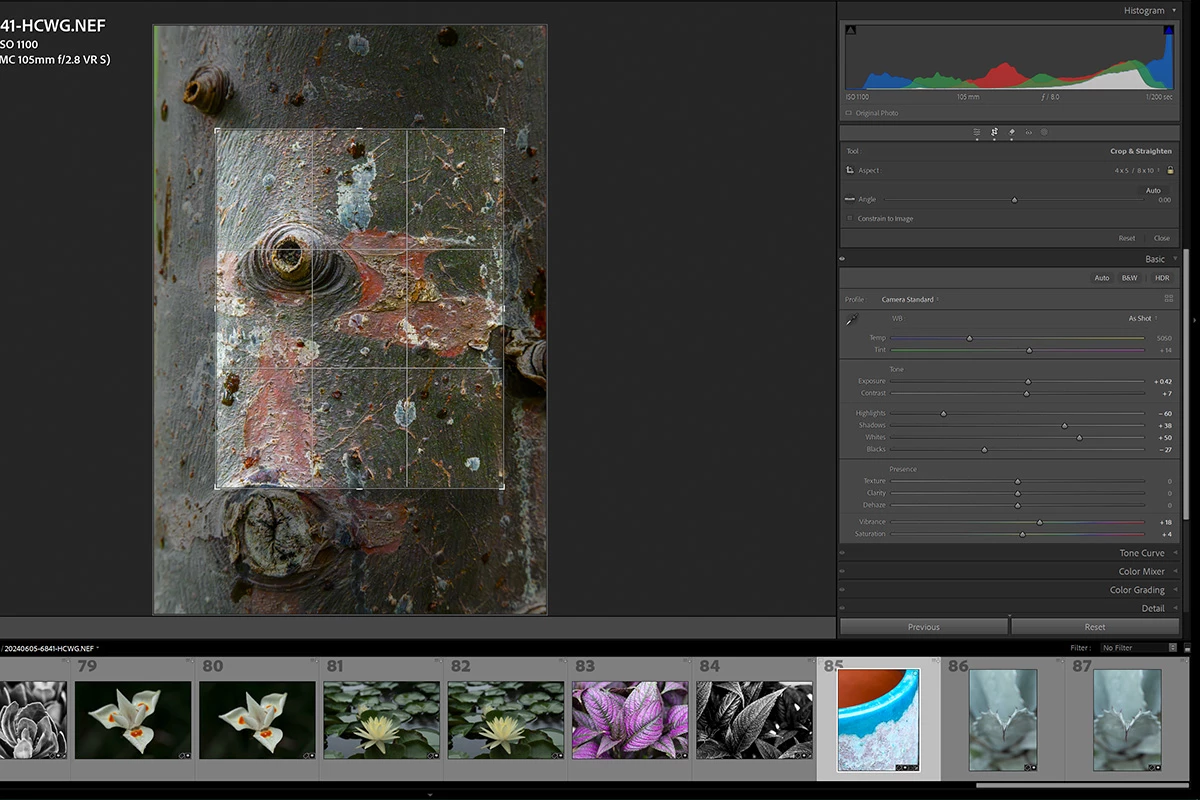
Select a different image on the strip:
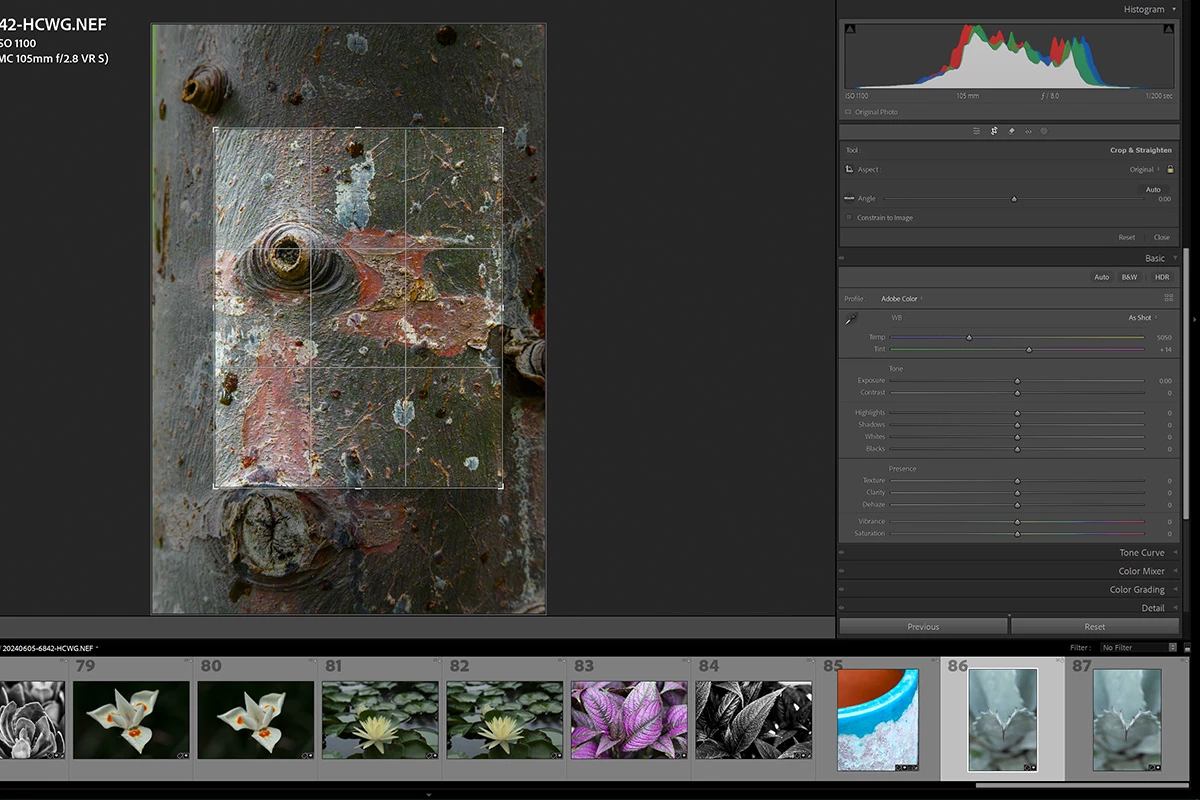
 

The preview image is from a prior edit (I don't remember how many edits ago, but it's irrelevant. The preview is clearly wrong. And no, the crop does not get applied in any case.


Yes, if I restart LR it works correctly (for a time). The point is that this is some sort of bug that shouldn't (and didn't used to) happen. At least before v13.


I hope someone in support or development sees this and accepts it as a problem. 😕😕

This topic has been closed for replies.

1 reply

grhookphoto
Known Participant
June 5, 2024

Oops.

LR 13.3 ACR 16.3

Windows 10.0.19045 Build 19045


No specific steps to recreate. The problem occurs randomly. And there's clearly a problem.


Expected behavior: the preview image should match the thumbnail. The crop should actually be applied.

johnrellis
Legend
June 5, 2024

When Loupe view gets out of sync with the the selected thumbnail in the filmstrip, resetting preferences usually fixes it:

https://www.lightroomqueen.com/articles-page/how-do-i-reset-lightrooms-preferences/


LR sometimes soils its preferences file, and resetting it can fix all sorts of wonky behavior. That article explains how to restore the old preferences if resetting doesn't help.

grhookphoto
Known Participant
June 6, 2024

That's all well and fine, but completely sidesteps the issue that there's clearly a problem to be solved.


I'll also point out that restarting LR makes it work again. I don't have to do a thing to the preferences file, per your suggested "fix" because the problem is (clearly) data corruption in the running process. This has nothing to do with the preferences, which read just fine the next time I start the application.


Appreciate your time and thoughts, but no. That's not it.