
Participant
November 18, 2024
Question

Cropped plus masking causing bad results during export.

  • November 18, 2024
  • 1 reply
  • 490 views

1. LrC  14.0.1

2. Windows 10 Pro v.22H2

3. Add masks to image then adjust crop?


Hello,

Is there a bug with cropped images and masks when exporting from LrC? I ask this because I'm running into this problem.  

This is a screen grab from LrC Development workspace.
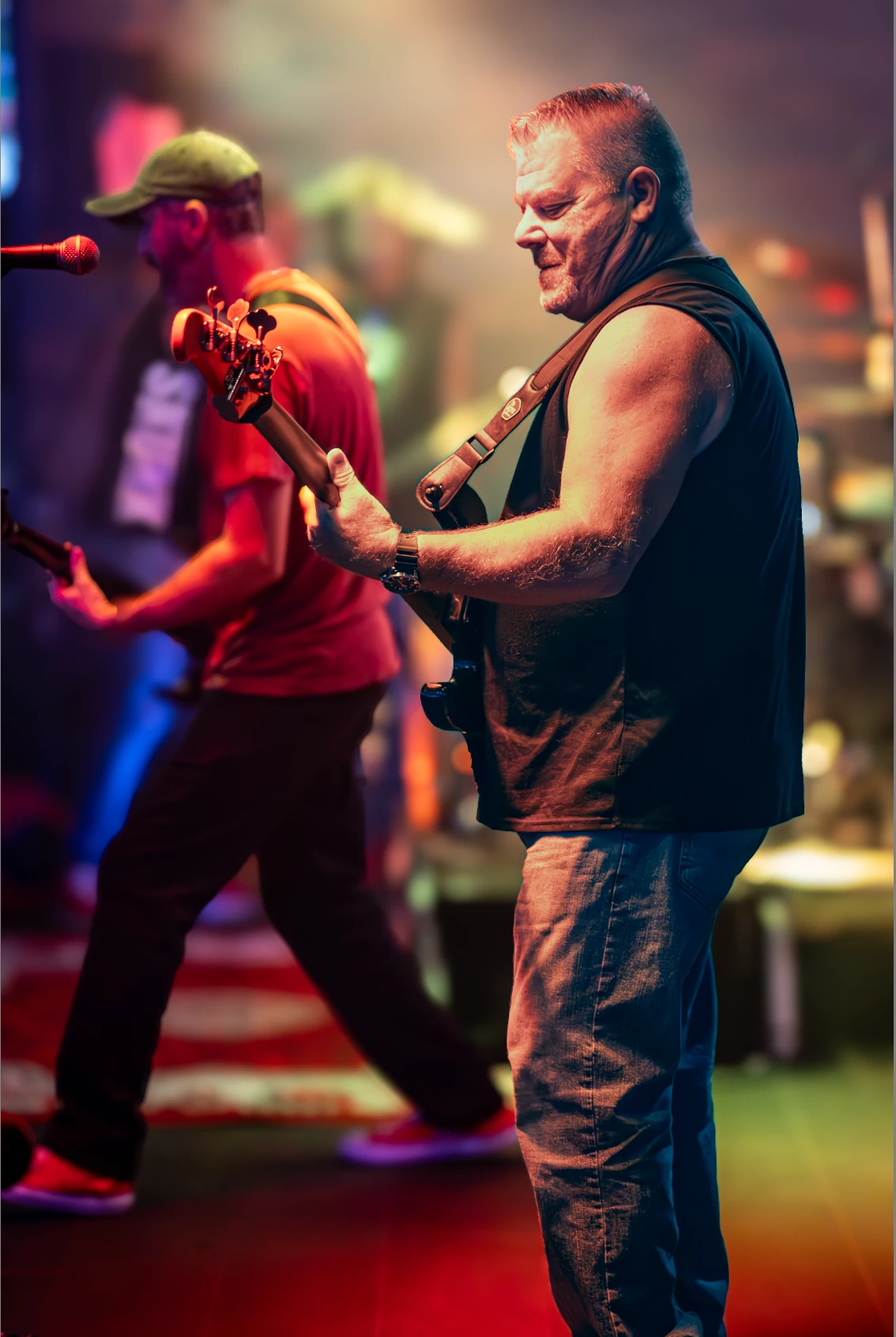
 

This is the exported image, if I delete the masks it doesn't do this.
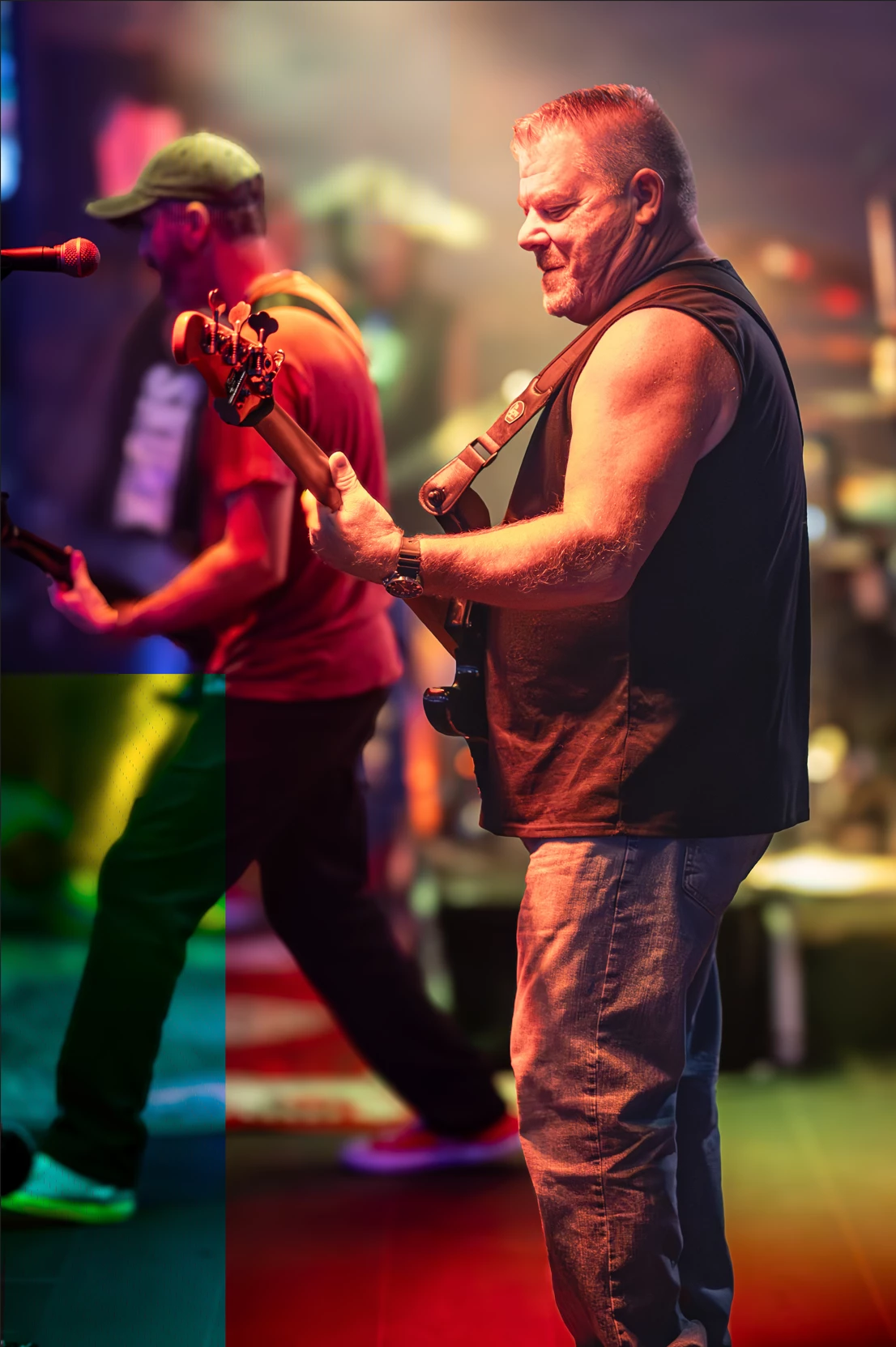


This topic has been closed for replies.

1 reply

JohanElzenga
Community Expert
Community Expert
November 18, 2024

Check that your GPU drivers are up to date.


-- Johan W. Elzenga
Participant
November 18, 2024

Thank you for the suggestion, there was an update but it didn't fix the problem. I have tried both the Studio and Game ready drivers and both give same result. LrC is behaving oddly and doesn't like masks when also enabling Lens Blur tool. The mask will randomly turn off like I'm clicking the hide eye while I'm working with other tools. 


After some troubleshooting, I can fix the problem by unticking the Lens Blur tool. I'm able to recreate the problem consistently with using the blur tool on different images, doesn't matter if I crop. My process is Denoise the image and then apply my masks which consists of a radial gradient and person subject mask. Then apply the Lens Blur tool. I'll get the top image issues everytime. 

Here's with Blur Tool:

Here's without Blur Tool:


johnrellis
Legend
November 23, 2024

Thanks again John,


Disabling GPU export was all I needed to do but nothing makes sense as to why, I have zero issues with my GPU in any other app. I've been using LrC on this exact PC setup since Feb. 5 of this year and now all of a sudden it's doing this.


My enhanced dng's are reporting a much lower resolution than their originals, they say 683x1024 vs the 4180x6264 of the CR3. 


1. No OC utils.


2. Yes, problem goes away by only disabling GPU export.


3. Here's the file if anyone would like to take a look. 8824-Enhanced-NR.zip 


Exporting that DNG (with all your settings) works fine on my Macbook Pro M2 Max / LR 14.0.1. That, combined with the fact that it exports correctly on your computer with the GPU disabled, points to a bug in the graphics driver or, possible but less likely, a bug in how LR is using the standard Windows API that only affects this particular GPU/driver (LR doesn't code for particular GPUs).


In general, LR uses GPUs much differently than other apps and trips over driver bugs that don't affect those apps. Games generate gazillions of little shaded triangles in real time, whereas LR is executing a complicated rendering pipeline to apply the various non-destructive develop settings to an array of pixels.  There are many, many posts here from people who have experienced driver issues with LR but not other app, and updating the driver fixed them.


As an immediate workaround, if you set Preferences > Performance > Use Graphics Processor to Custom and uncheck Use GPU For Export, you should get all the other benefits of the GPU except for export. (LR always uses the GPU for its AI commands -- denoise, masking, and lens blur -- ignoring the setting in Preferences.) 


Historically, new releases of Nvidia Studio drivers have been pretty well tested and don't introduce new problems for LR. But I recall a couple of instances in the past where a new Studio driver has introduced a bug LR tripped over.  You could try rolling back to an older Studio driver, say 6 months old, to see if that helps:

https://www.nvidia.com/en-us/drivers/results/


Or you could wait for a month or two and hope the problem gets fixed in the next monthly release.