nigelp4354156
Inspiring
November 4, 2016
Answered

Date and Time Change In Lightroom

  • November 4, 2016
  • 1 reply
  • 3693 views

Any help please?

I have seen the advice on batch changing metadata in Lightroom which does work but only in the catalogue.My problem is I can't work out how to translate into a change of the original file in Windows. I have tried syncing metadata and this changes the creation time to now. If I export as a new catalogue the contents revert to the original time.

I'm totally confused!

Nigel
    This topic has been closed for replies.
    Correct answer nigelp4354156

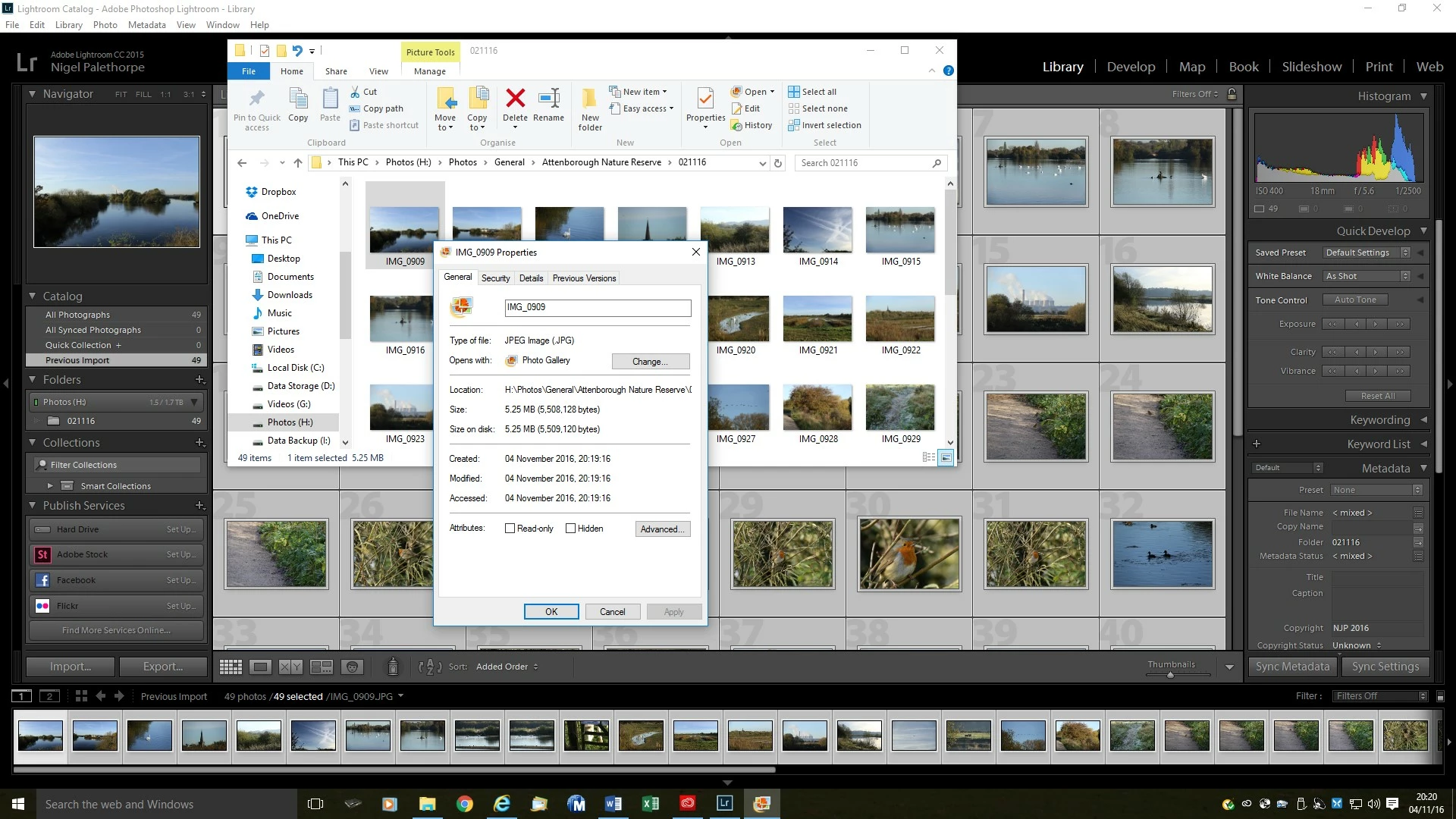
    Hope you can see this shows the current time (not sure whereabouts you are)

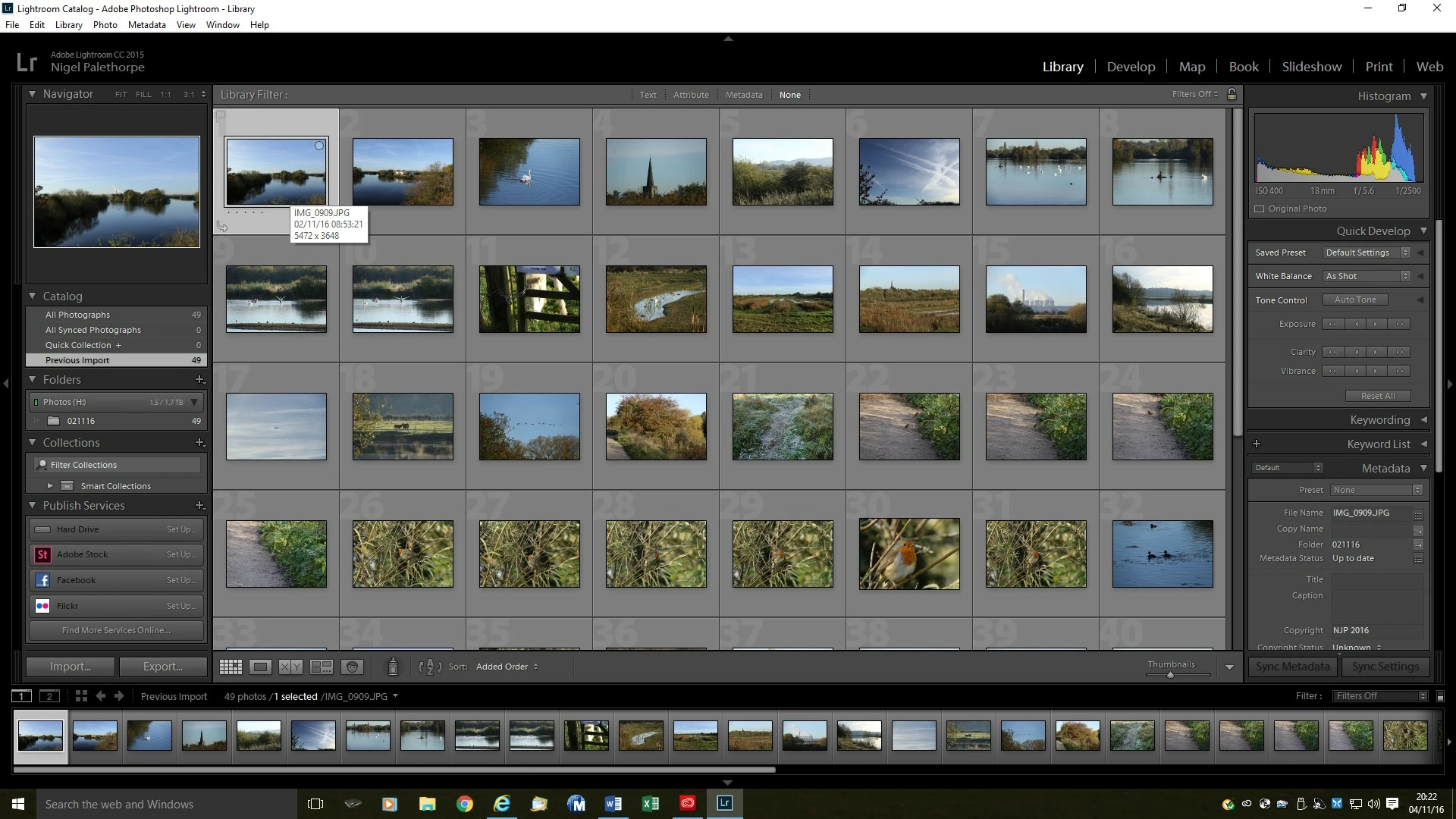
    The second image from Lightroom shows the date and time as changed in the catalogue view


    John,

    I do apologise. If I drill down further into the metadata I can see it has changed.

    I do thank you for your time and patience 

    1 reply

    johnrellis
    Legend
    November 4, 2016

    I can't work out how to translate into a change of the original file in Windows.

    In Library, select the photos and do Metadata > Save Metadata To File. Alternatively, in Edit > Catalog Settings > Metadata, check the option Automatically Write Changes Into XMP, and LR will write all changes to metadata (date/time, caption, keywords, etc.) and develop settings back to the file.

    Note that these changes are written directly to JPEGs, TIFFs, PNGs, and PSDs, but for raw files, they are written to a .xmp "sidecar" file of the same name. LR never writes out metadata for video.

    nigelp4354156
    Inspiring
    November 4, 2016

    Thanks John.

    I have tried both of these methods both before and after your reply.

    The metadata created changes the time of shooting to the current time as though just shot.

    Any further suggestions?

    I must be missing something somewhere

    johnrellis
    Legend
    November 4, 2016

    Take us through step by step, including what change you are making in LR and how you are checking for that change outside of LR.  Screenshots would be best (a thousand words, etc.).