
Participant
December 8, 2022
Question

Date for scanned pictures not showing

  • December 8, 2022
  • 2 replies
  • 1412 views

I need Date Created to show in my metadata all the time. How do I do that for scanned pics?
If the pic is from a digital camera, all is fine:
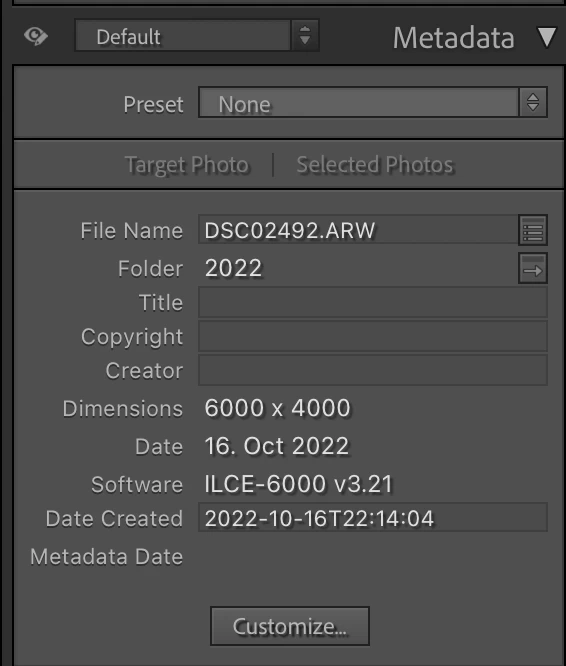

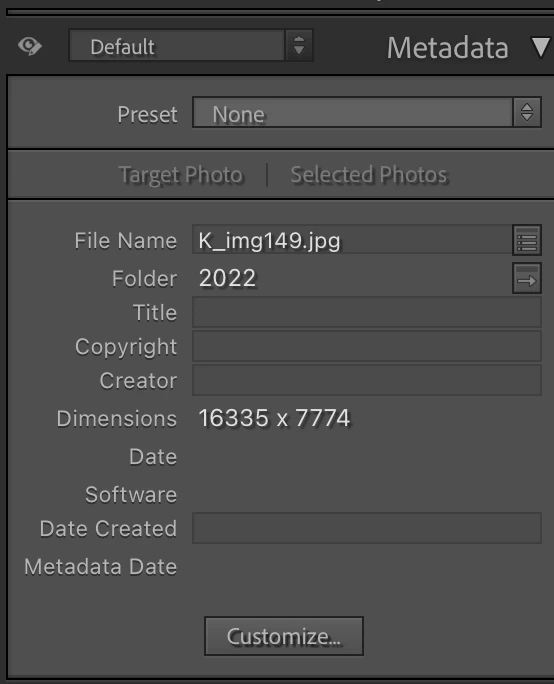
For my scanned pics I have no way to show it. What I currently do, is look at the name of the image, then go to my MAC Finder, search for that name, and look at the time stamp of the file. So, I'd like to somehow see the file created timestamp on my Lightroom Metadata. How? I'me pretty sure it was there a few updates ago but no more!
 

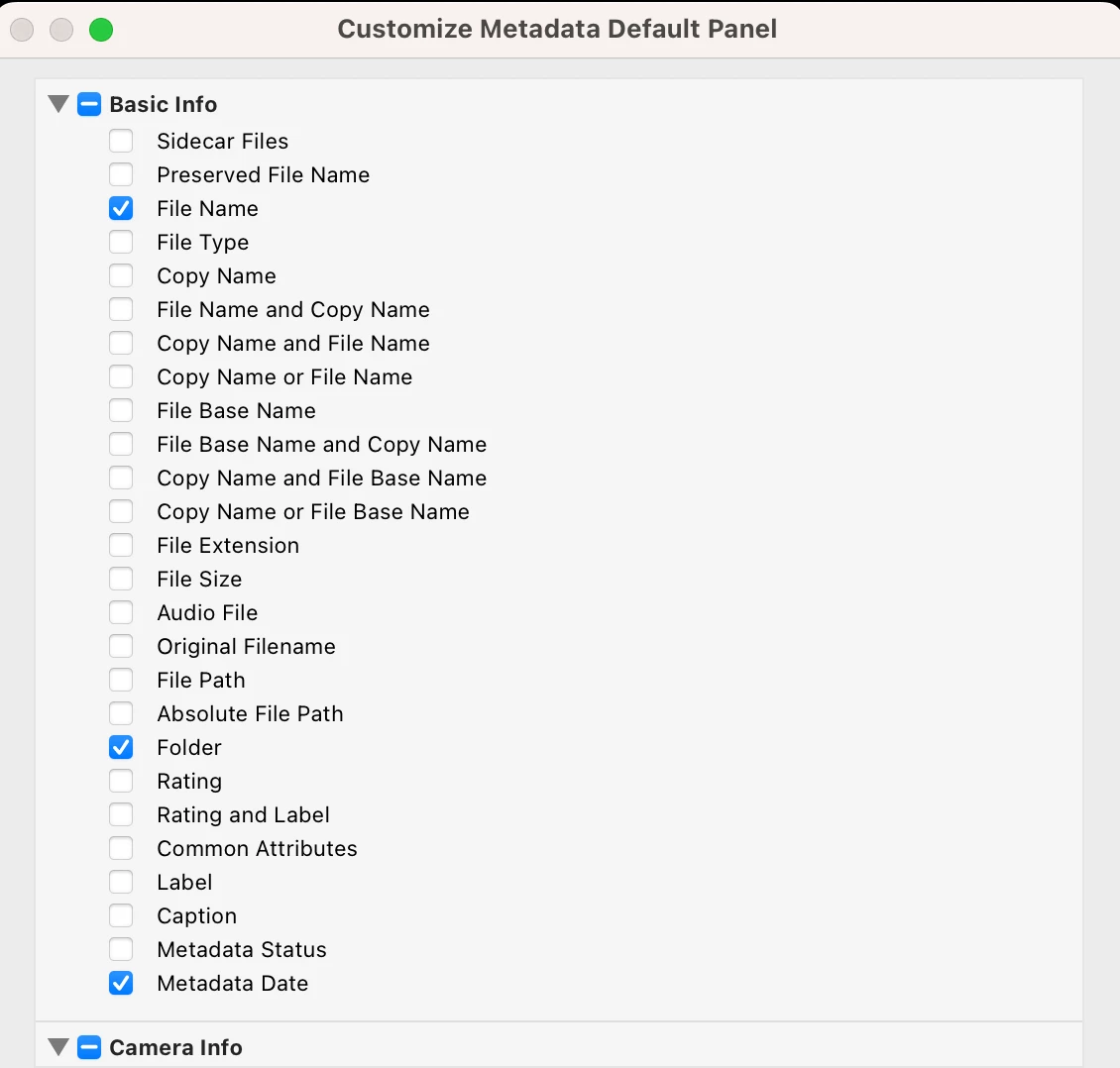
The Metadata Customize Panel also has all kinds of things including the file name, file size etc etc, but not file date. Why? That's what I need!


This topic has been closed for replies.

2 replies

F. McLion
Community Expert
Community Expert
December 8, 2022

- Mark all fotos needed

- Choose Metadata -> Edit Capture Time

- Select "Change To File Creation Date"


--- Got your issue resolved? Please label the response as 'Correct Answer' to help your fellow community members find a solution to similar problems. ---
Participant
December 8, 2022

... also, I noticed this is not really helping me, actually. Here is the problem:
I work with film & analog. I print my pictures in silver gelatin in my darkroom. I use LighRoom to manage the inventory of my negatives and often try different editing ideas before going to my dark room. The main use case is as follows:
-find the image I want to print from my LightRoom using keywords
-see the date
-based on that date, find the physical negative from my folders to work on

I've long time ago ran out of space on my MacBookPro, so many of my scans are on an external drive. This trick wont show the date if the file is on an extrenal drive. It shows all kind of things -- incluring the image size for crying out loud 😉 but not the date of the file -- if the right drive is not connected that is.

So unfortuately, this really forces me to go and look at the file name in Mac Folder.


Participant
December 8, 2022

Relying on Mac or Windows file-created dates in your workflow is very fragile, since many apps and utilities, including LR and Mac's built-in apps, can change the file-created dates behind your back.   For example, moving a file within LR from one folder to another, or saving metadata to the file, will change the file-created date.


A long time ago, it was a Mac convention that apps would preserve the file-created dates when they modified, renamed, or moved files, but that era is long passed.  Ditto for Windows.


For these reasons, the photo industry long ago decided not to rely on file-created dates, relying instead on metadata embedded within the files (such as EXIF and XMP). I suggest you move away from relying on file-created dates.  


The industry standard provides two important metadata date fields: capture date (when the shutter was pressed) and digitization date (when an image was put into digital form, e.g. scanned).  While LR, primarily intended for working with the output of digital cameras, displays digitization dates, it doesn't let you change them, and it makes it hard to search and sort by them.


Thus @F. McLion's suggestion to use LR's Capture Date is a good compromise.


...I'm scanning the files. My Rolleiflex camera won't embed any EXIF data .... neither does my scanner 🙂 ... 


yamato713108855
Community Expert
Community Expert
December 8, 2022

こちらのページに設定方法があります。

https://helpx.adobe.com/lightroom-classic/help/metadata-basics-actions.html