
Inspiring
October 30, 2023
Answered

Datum lässt sich nicht korrekt ändern

  • October 30, 2023
  • 2 replies
  • 478 views

Ich wähle alle Fotos aus bei denen ich das Datum ändern möchte und öffne dann folgenden Dialog:
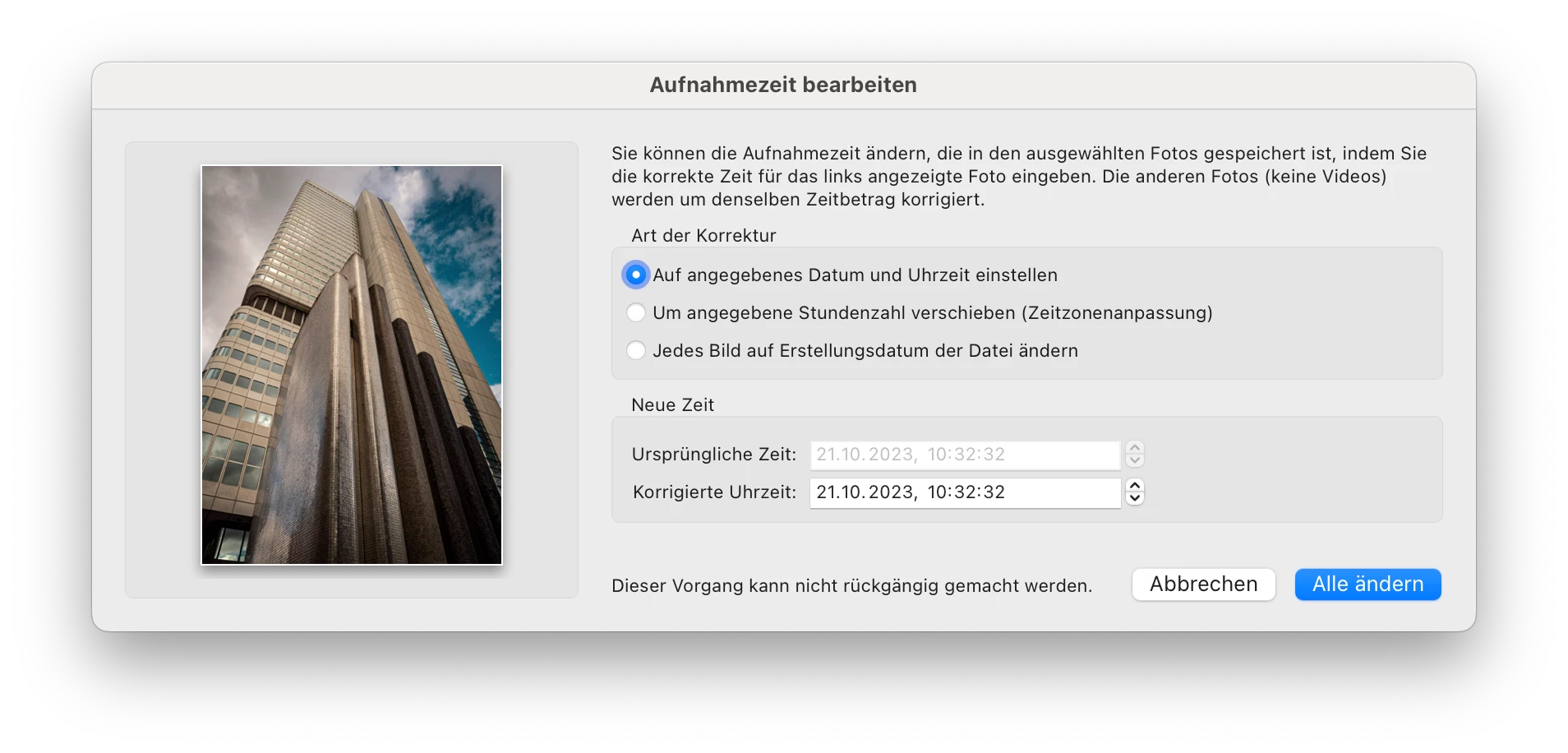
Eingestellt habe ich den 21.10.23 und klicke dann auf ALLE ÄNDERN.

Nun sollte das ursprüngliche Datum der 24.10.23 sein und das neue Datum der 21.10.23. In den EXIF-Daten erscheint es jedoch genau falsch herum.
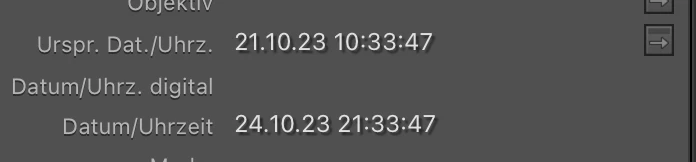
 

Ich gehe hier von einem Fehler aus. Ansonsten würde ich mich über Tipps freuen, was ich hier falsch mache. Danke.


This topic has been closed for replies.
Correct answer dirkz97066185

Meanwhile I know what the "issue" is. It has to do with my setup. I store my images on Synology NAS. There is time delay of synchronizing data locally with network and this causes issues with metadata synchronisation. Don't know exactly what to do here, but when I store my images on my local harddrive, there are no issues anymore with this.

2 replies

dirkz97066185AuthorCorrect answer
Inspiring
October 30, 2023

Meanwhile I know what the "issue" is. It has to do with my setup. I store my images on Synology NAS. There is time delay of synchronizing data locally with network and this causes issues with metadata synchronisation. Don't know exactly what to do here, but when I store my images on my local harddrive, there are no issues anymore with this.

JohanElzenga
Community Expert
Community Expert
October 30, 2023

The first screenshot shows no difference between the original time and the new time...


-- Johan W. Elzenga
JohanElzenga
Community Expert
Community Expert
October 30, 2023

Perhaps a bit more explanation is needed. If you select multiple images, then this dialog setting will not change all these images to the same date&time, but change them by the same amount of time. So if the first image was shot one day earlier than the other images, then that difference of one day remains when you change the date and/or the time.


-- Johan W. Elzenga
Inspiring
October 30, 2023

Sorry, I don't think so. I have shown this to Adobe Experts and they admit that this is strange. Shouldn't work like that. Have spent hours elaborating this with Adobe but they say on their side no issues. I have shared my screen and they agree that it shouldn't work like that.