
Question
Denoise AI causes dark box artifacts throughout the image
I'm using the AI Denoise feature in Lightroom Classic on an M1 Macbook Air with 16GB RAM. The resulting image has dark squares spread throughout the image. Here's a screenshot of what I'm seeing - I raised the exposure a few stops to make the boxes more obvious:
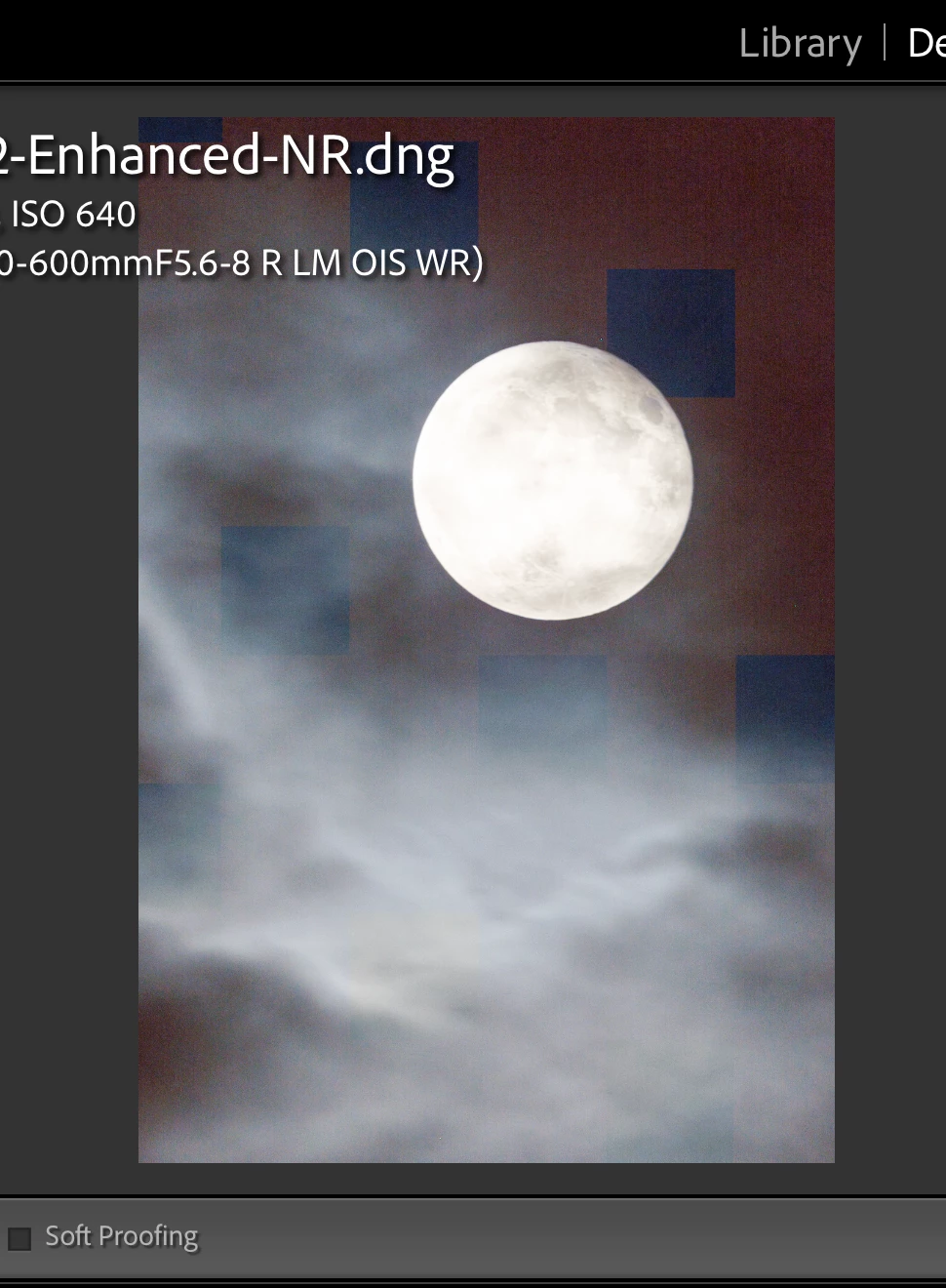
Things I've tried so far:
- Rebooted system
- Tried all possible permutations of graphics acceleration, from fully disabled to fully enabled
- Downgraded Lightroom Classic to n-1 and n-2 versions
- Tried using Lightroom Cloud instead
At this point, I'm at a loss, and can't process these photos.
 AdChoices