Copy link to clipboard
Copied
I think this occurs because I often use LR on an external 1080p monitor. When I switch back to using it on my laptop monitor which is 4k, the preview in the develop module only shows in the corner.
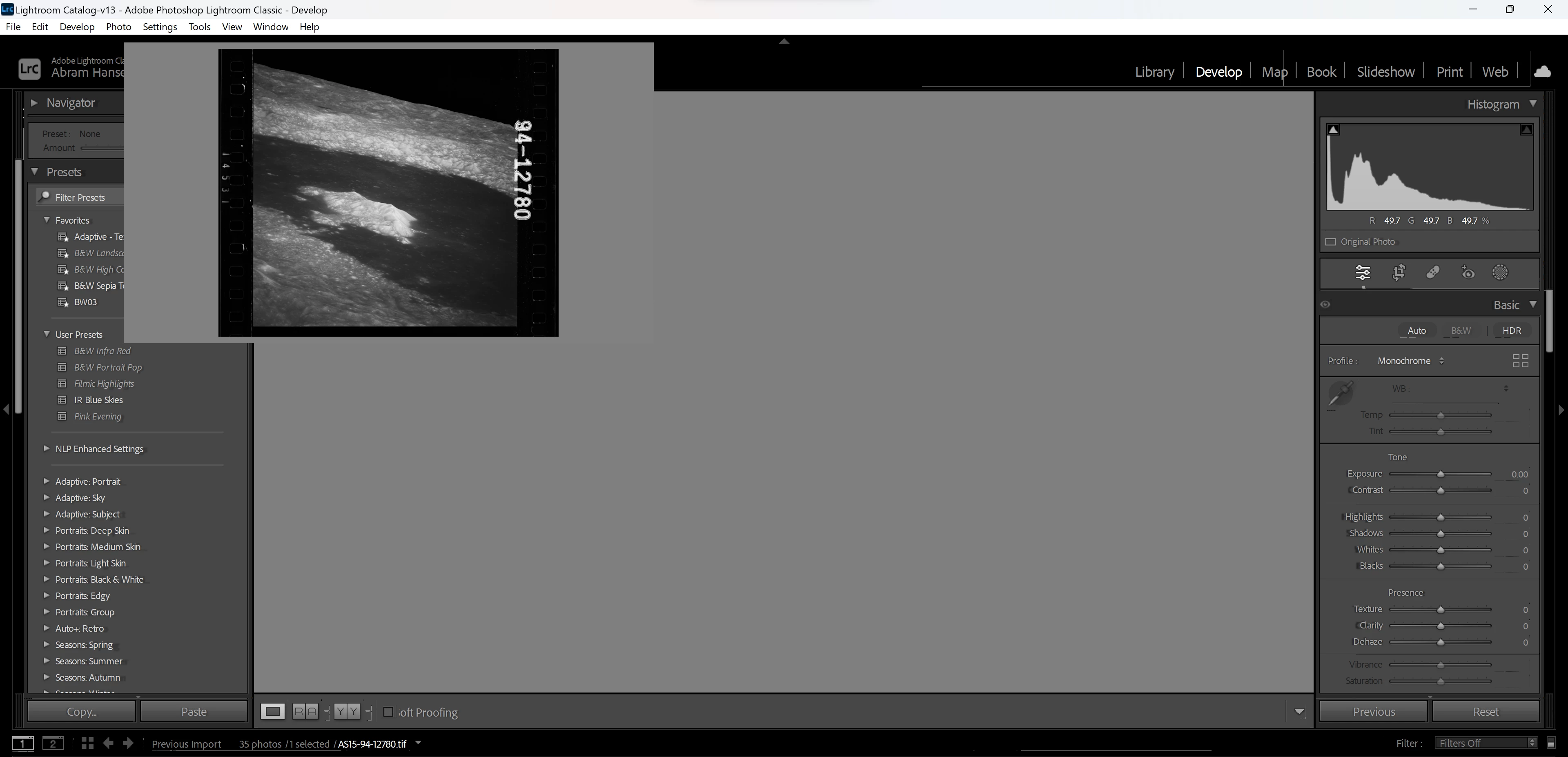
Copy link to clipboard
Copied
As another note when attached to my external monitor it runs through an external GTX 1070.
My laptop specs are:
i7-10510U
16bg RAM
GPU: Nvida MX250
Drivers are updated often
Copy link to clipboard
Copied
External GTX 1070. vs Internal MX250
Typical first diagnostic step and perhaps fix.
In LrC /preferences/performance, turn OFF the option to use graphics processor
Incidentally per the following link "Multiple graphics cards with conflicting drivers can cause problems with graphics processor accelerated features in Lightroom Classic"
Although in that article I think they are referring to actual GPU cards internal running two monitors. Not quite the same. And typically not the internal integrated video control vs a dedicated GPU. And normally in a laptop with an actual GPU (internal) the GPU would handle both the laptop screen and the external. But of course that MX250 is way to pitiful for LrC, hence the eGPU. Other than turning off use graphics processor, I doubt the additional steps in the above link will apply.
Copy link to clipboard
Copied
darn okay thanks!
Get ready! An upgraded Adobe Community experience is coming in January.
Learn more
