scottr33787824
Participant
June 21, 2020
Question

Develop module not working after latest update

  • June 21, 2020
  • 2 replies
  • 225 views

Hi all. Just updated to the latest version of Lightroom classic and my develop module is behaving very strangely. I am on a surface pro running windows 10.
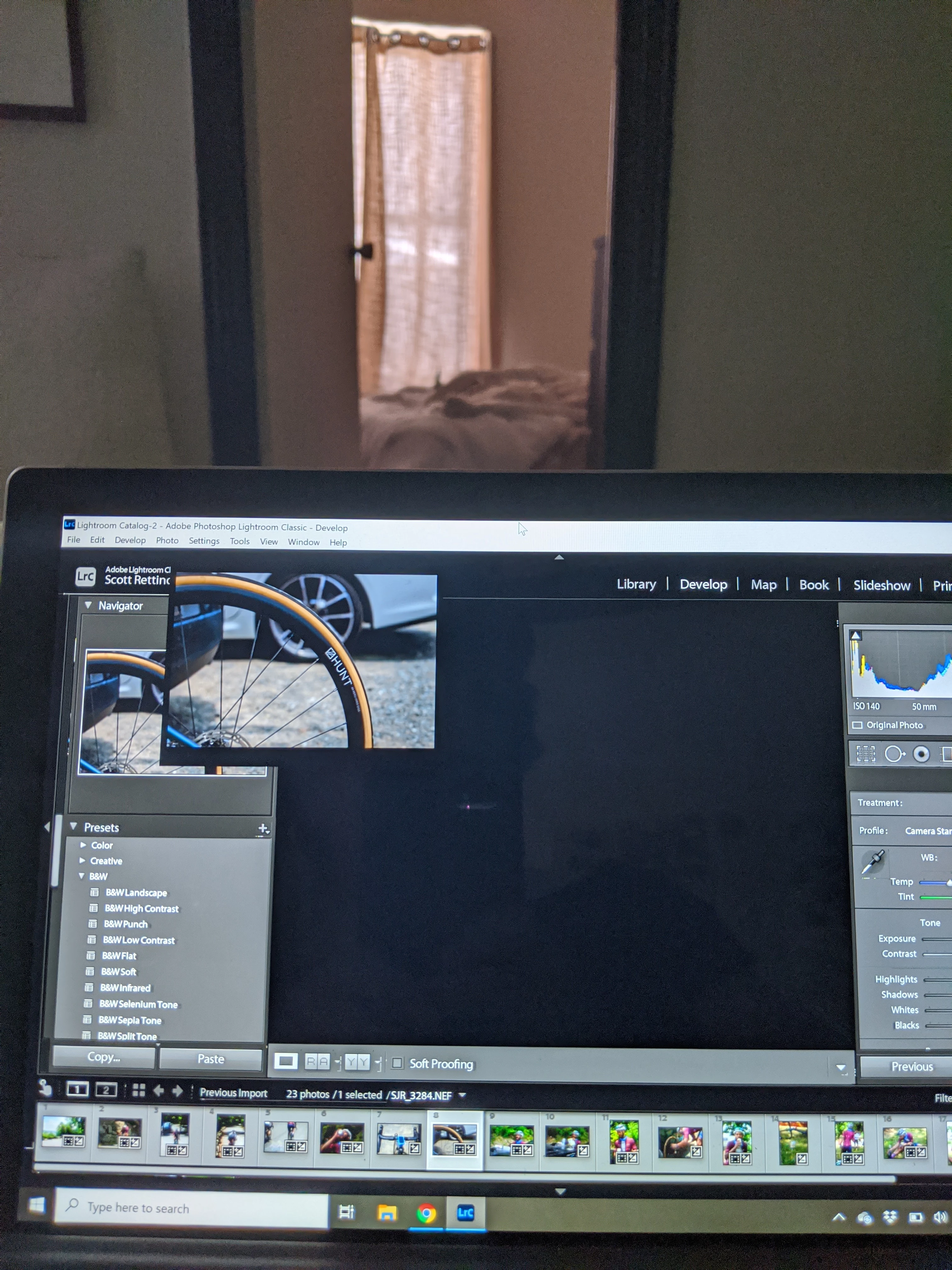

This topic has been closed for replies.

2 replies

Just Shoot Me
Legend
June 21, 2020

First try using the Windows Snip & Sketch app to take a real screen shot of what you are seeing on your screen or the Donation Ware Greenshot app to do the same instead of taking a picture with your phone or camera of you screen.

This will help fix your problem.


First thing to do is turn off the option to use the GPU in the LrC Preferences. It is on the Performance Tab.


Then Restart LrC and test.

If that doesn't solve the problem post back.


johnrellis
Legend
June 21, 2020

Initial troubleshooting steps:


- Restart the computer.


- Set the option Preferences > Performance > Use Graphics Processor to Off.


- Update the graphics driver by going directly to the manufacturer's web site rather than rely on Windows Update:

https://helpx.adobe.com/lightroom-classic/kb/troubleshoot-gpu.html#solution-4


- Reset LR's preferences:

https://www.lightroomqueen.com/articles-page/how-do-i-reset-lightrooms-preferences/


[Use the blue reply button under the first post to ensure replies sort properly.]