
Participant
March 3, 2017
Answered

Diagonal Red and Blue Lines Glitch

  • March 3, 2017
  • 2 replies
  • 2766 views

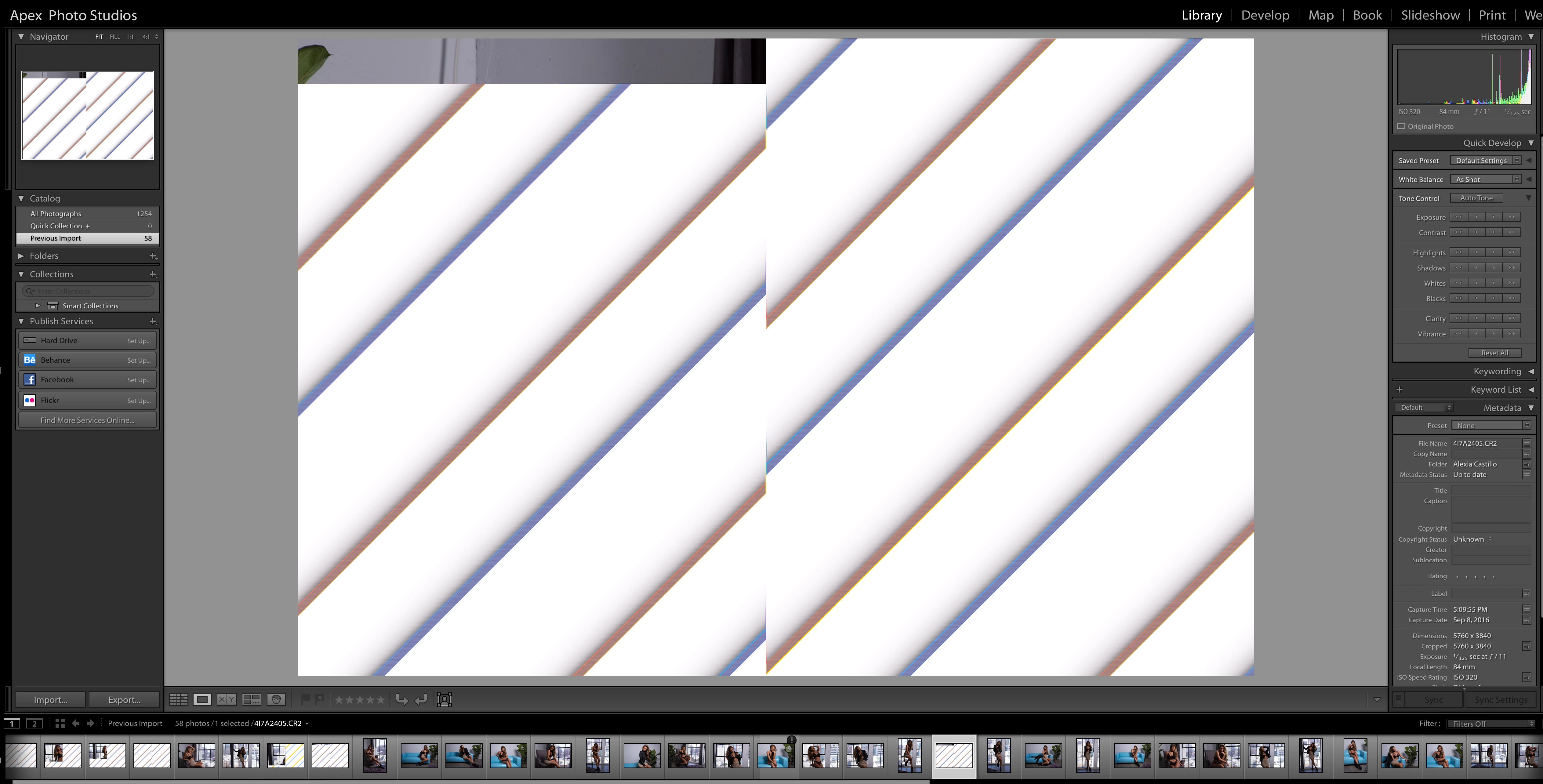
I recently started having an issue with images, randomly the image gets replaced by these large diagonal lines on a white background.

The images are from a Canon 5D mark 4 raw.

I've re installed the lightroom as well as my entire CC suite. The issue is persisting.
This topic has been closed for replies.
Correct answer dj_paige

This is a corrupted file. The reason it is corrupted is because of some hardware malfunction. It could be the camera card, card reader or USB cable/USB port, hard disk or computer memory.

You need to import the photos again using different hardware, and if possible using an entirely different computer, to see if you can isolate the problem.

2 replies

Community Expert
March 4, 2017

You can see that indeed this is a file corruption problem from the fact that the small previews in the film strip show the same artifact as does the navigator preview. If it were a Lightroom GPU problem that doesn't happen.

biancai67598608
Participant
August 17, 2022

I just had an instance where it only effected the bottom of the image and when I moved my mouse across the different photo previews it varied between showing the full preview and the damaged preview.  So the fact it's showing sometimes suggests the image is still saved somewhere.  I'd love to know a workaround to retrieve images when this happens.

dj_paige
Legend
August 17, 2022
quote

I'd love to know a workaround to retrieve images when this happens.


By @biancai67598608


Restore a backup copy of this photo file.

johnrellis
Legend
March 3, 2017

Try unchecking the option Preferences > Performance > Use Graphics Processor.

Participant
March 3, 2017

Seems to persist after unchecking, reopening the program.

dj_paige
dj_paigeCorrect answer
Legend
March 3, 2017

This is a corrupted file. The reason it is corrupted is because of some hardware malfunction. It could be the camera card, card reader or USB cable/USB port, hard disk or computer memory.

You need to import the photos again using different hardware, and if possible using an entirely different computer, to see if you can isolate the problem.