Rebecca5E3B
Known Participant
March 21, 2022
Question

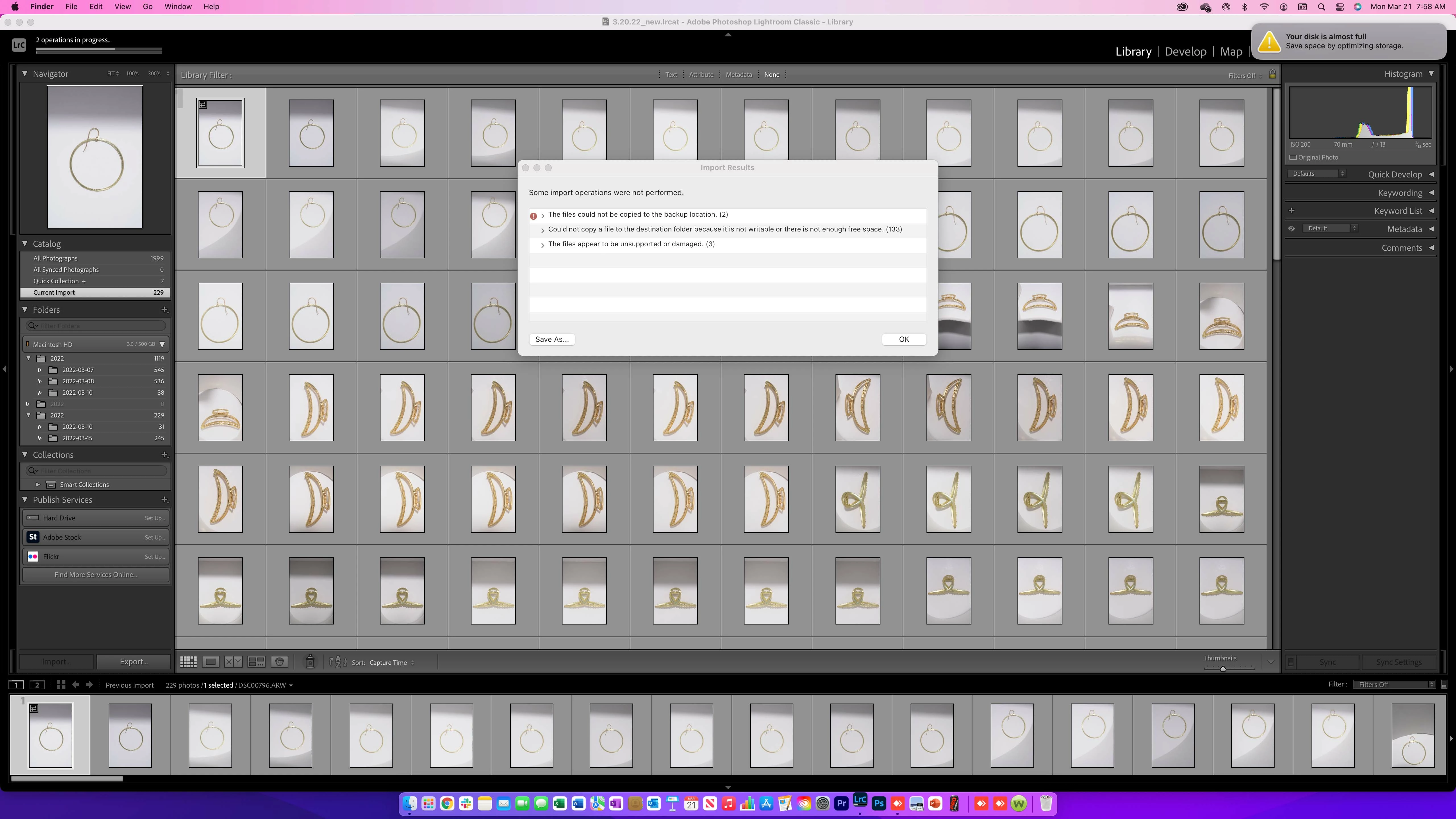
Disk is almost full.

  • March 21, 2022
  • 2 replies
  • 484 views

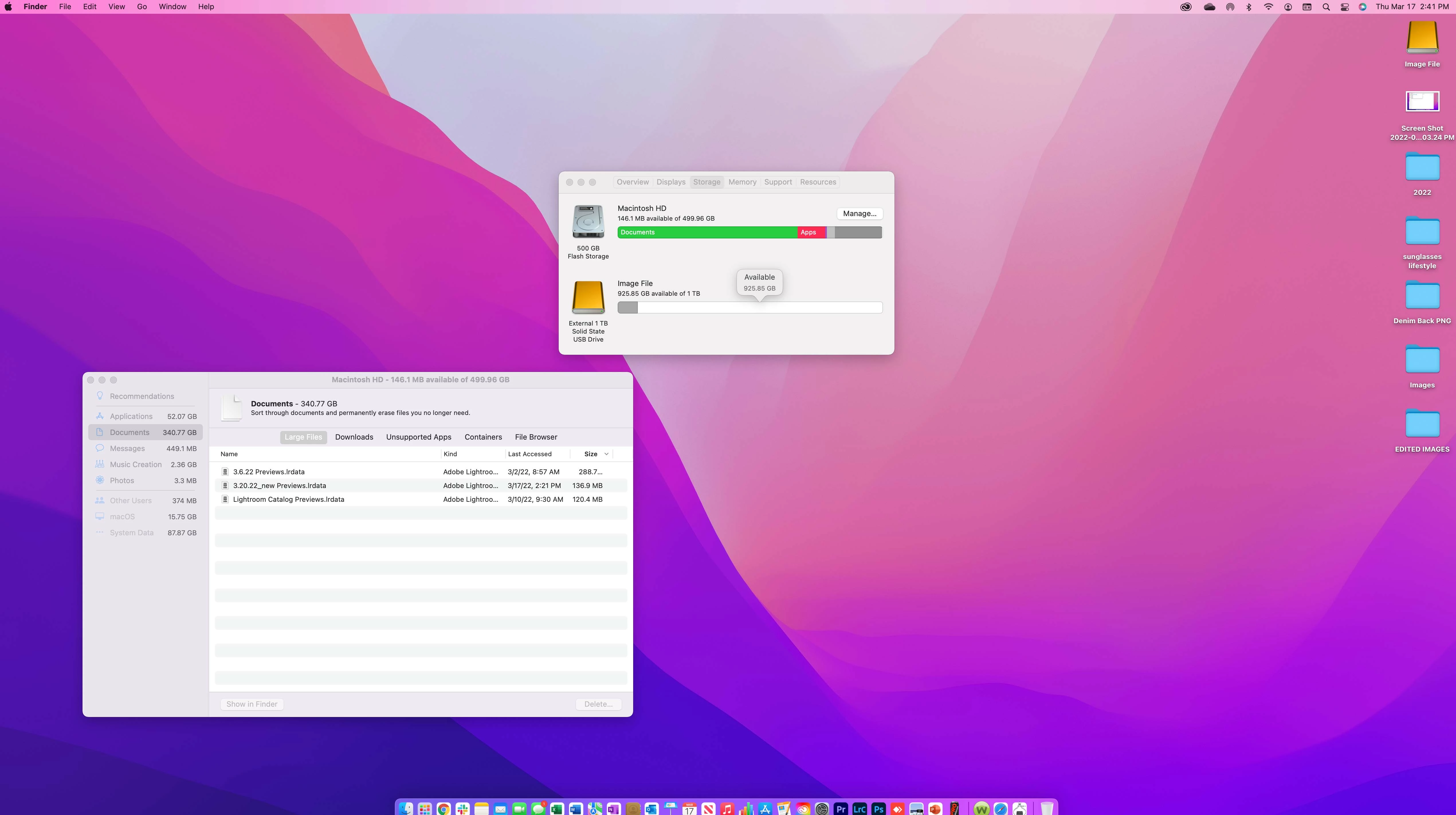
I can not import files into Lightroom. I keep getting this error message. Am I importing files incorrectly? I thought if I imported a catalog to an external HD or OneDrive, the amount of space left on my computer would not be an issue because I’m using another source to store it?  


So how do I clear Disk Space? Please help. 
 

This topic has been closed for replies.

2 replies

Rebecca5E3B
Known Participant
March 21, 2022


Hello Johan, 

Thank you for your replay. I deleted all the backup imports within my catalog settings of lightroom and now LR wont import certain files. Stating they are damaged. What am I doing wrong here? This has been an issue since last Thrusday. 


Best,

Rebecca

JohanElzenga
Community Expert
Community Expert
March 21, 2022

You import the images to your external disk, but the catalog is on your internal disk by default. Lightroom needs space on that local disk to create previews, and that disk is full.


-- Johan W. Elzenga
Rebecca5E3B
Known Participant
March 21, 2022

I'm importing from Onedrive and all the files are there and seemly fine. 

Walt Thirion Photography
Known Participant
March 21, 2022

When you say you're "importing from Onedrive", do you have a OneDrive folder on your internal SSD? I'm not as familiar with OneDrive on the Mac but on a PC, if you access the contents of a OneDrive sync'd folder, then the contents are downloaded from the 'cloud' to the sync folder first so all of those images may be downloaded to your local SSD as part of the import process. LrC cannot import directly from the OneDrive cloud and the download is automatic so you won't see it.

So, first question is where are you keeping the OneDrive sync folder? on the internal SSD or the external drive?

If you want to add photos from your OneDrive into the LrC catalog, I'd suggest manually getting them onto the external drive then import them into LrC but use the "Add" function, not the "Move" function so the images will stay on the external drive but LrC will know that's where they are.