
DJI mini pro 4 files - Previews suddenly change
Recently, I'll be reviewing images in LRC (version 14.2 on Windows 11) when the preview will suddenly change to a washed out desaturated one right in front of my eyes without my doing anything.
- It happens weeks after initial import and after I've already edited and exported.
- It seems to affect only images from my drone (DJI mini pro 4)
- It doesn't happen in Library mode, only when I enter Develop, and seems to be irreversible
- If I've taken the image into PS to work on and then brought back into LRC for further edits, these files seem to be immune to the sudden change. When these files come back from PS, the profile is simply 'Colour' rather than 'Adobe Colour'
I cannot find any explaination in any forums. Why would this happen at this point? I'd understand if it happened straight after import. Have Adobe been changing the 'Adobe Colour' profile? Or have they introduced a profile for the DJI Mini Pro 4 that is being applied retrospectively?
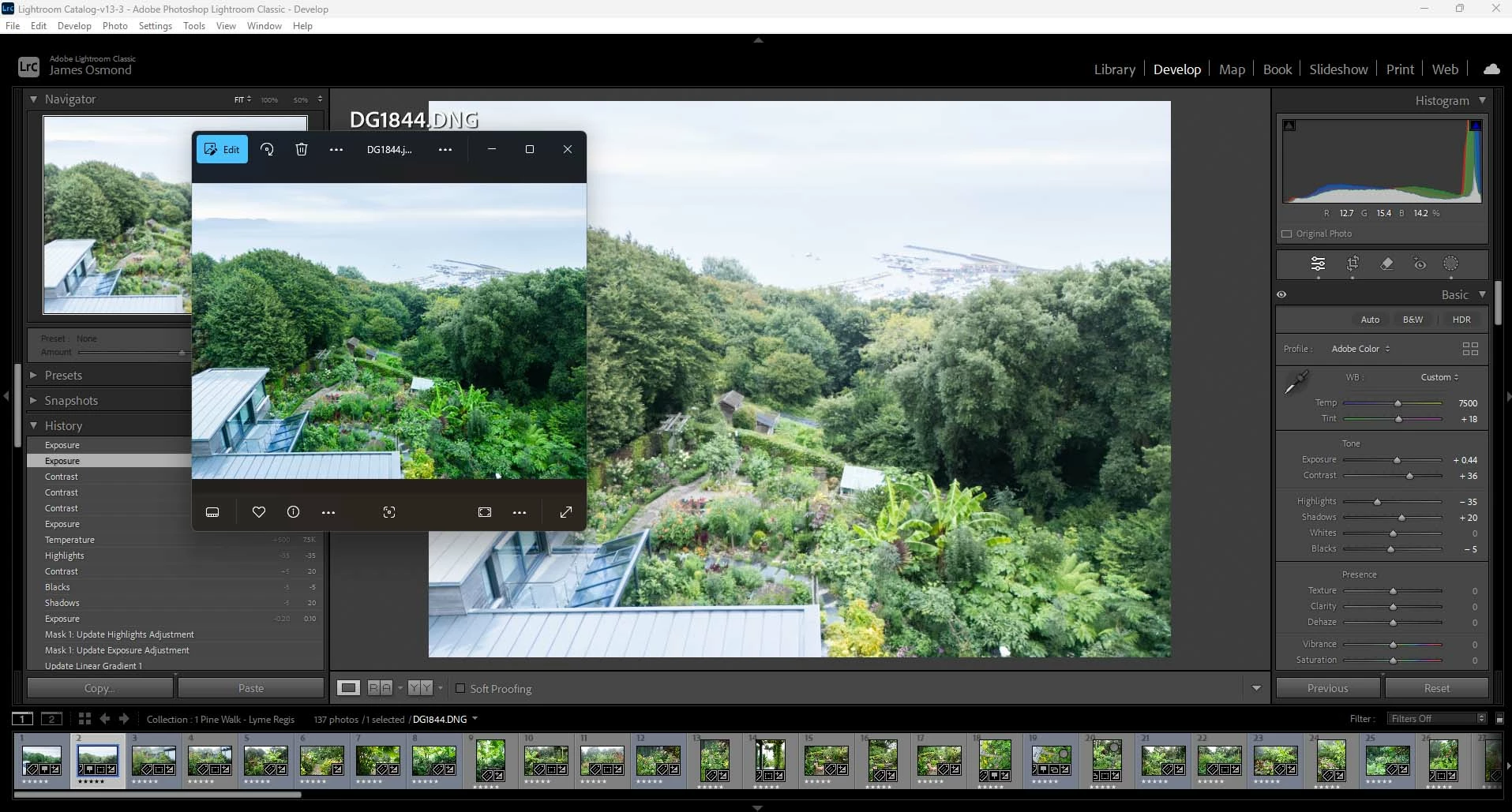
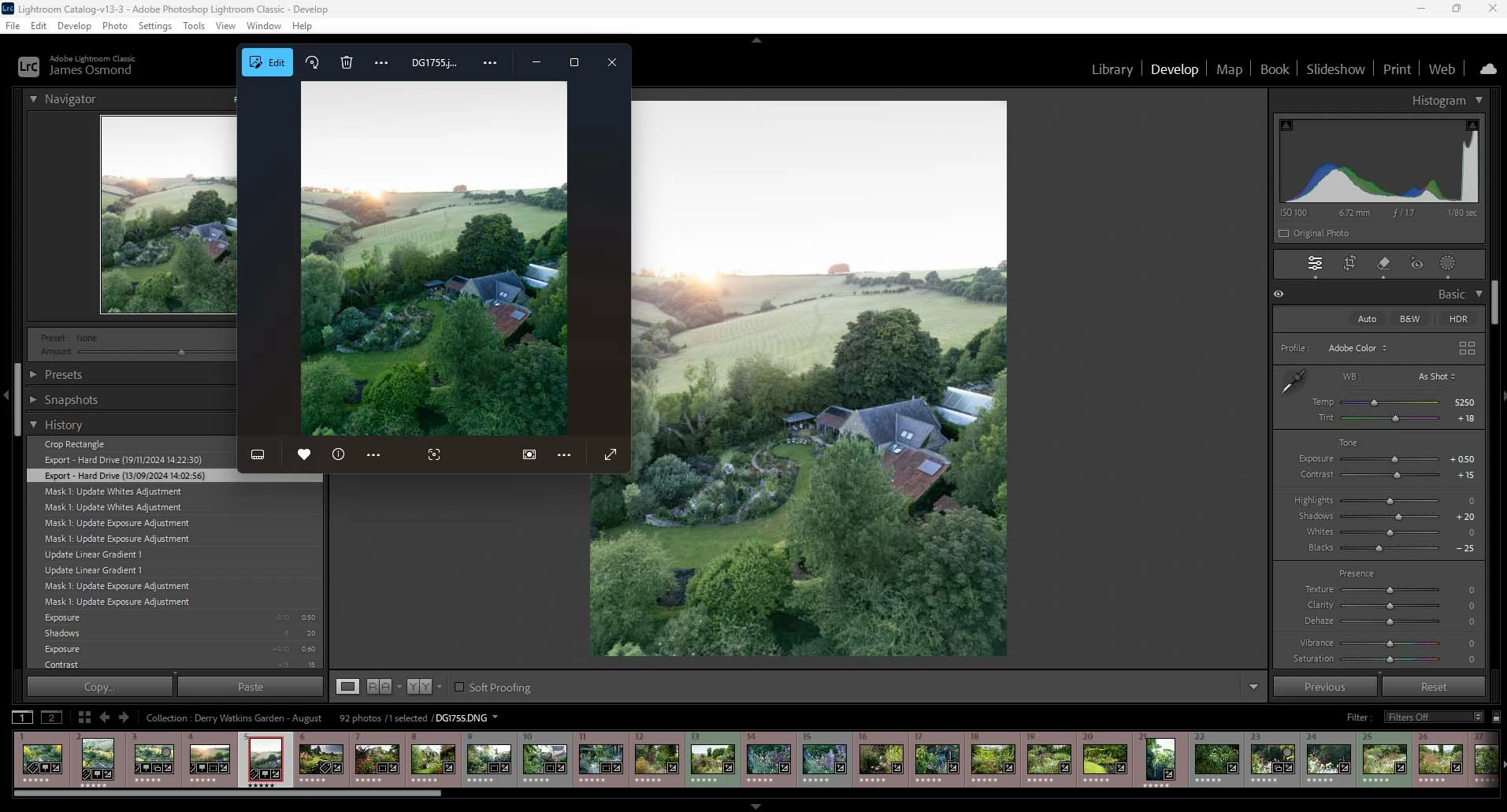
I've attached 2 example screen shots showing the washed out preview in LRC with a previous export of the file before the sudden random change. If I export the file again now after the change, the export will be all washed out as well. Does anyone know what is going on and whether I can revert to my previous profiles?
Thanks. James.
 AdChoices