Known Participant
October 17, 2018
Question

Do Sony a7riii Picture Profiles bake into the RAW Files??

  • October 17, 2018
  • 1 reply
  • 6299 views

I can't seem to import ARW files into lightroom without huge changes to the image.

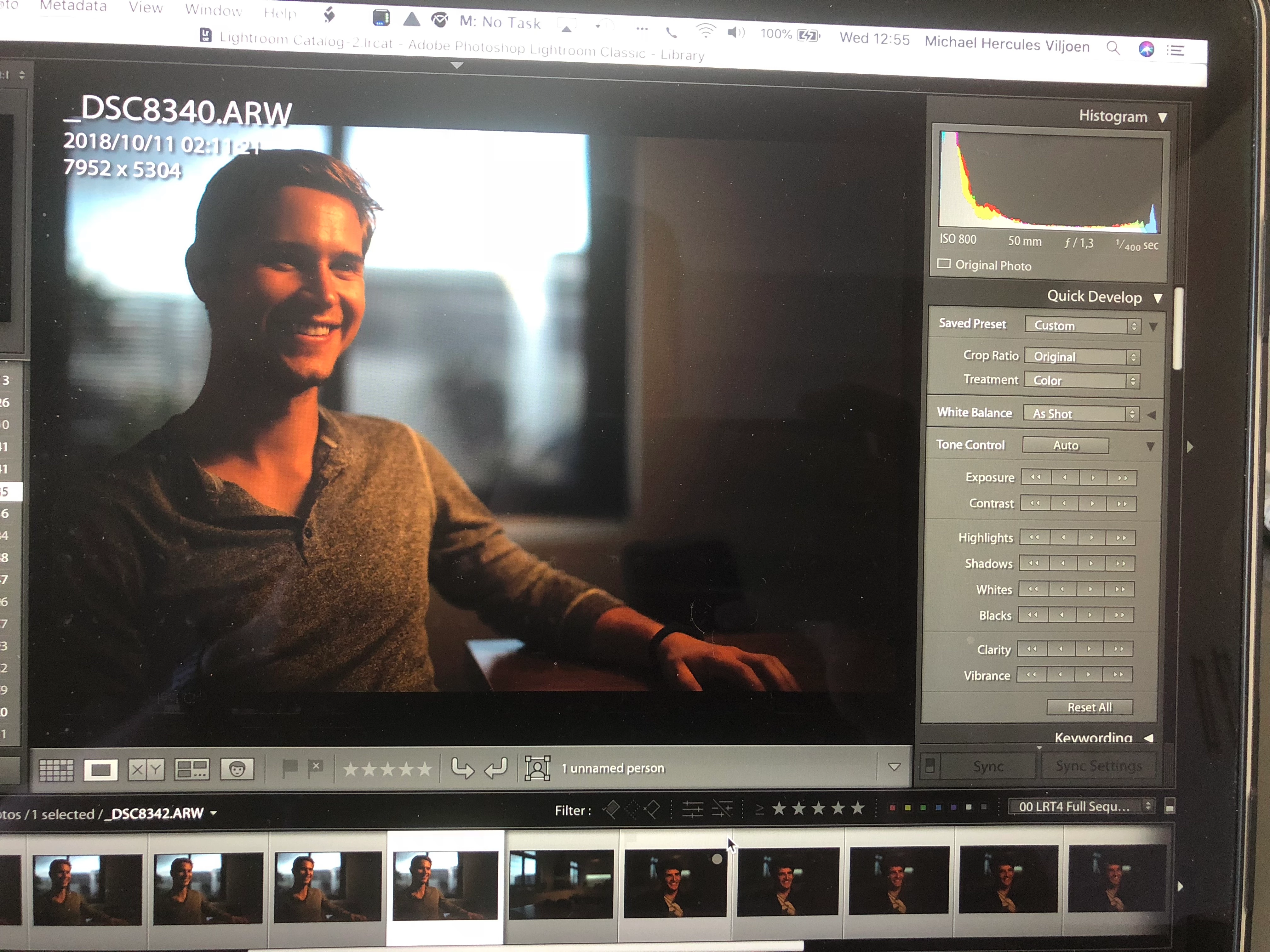
Here is an example:
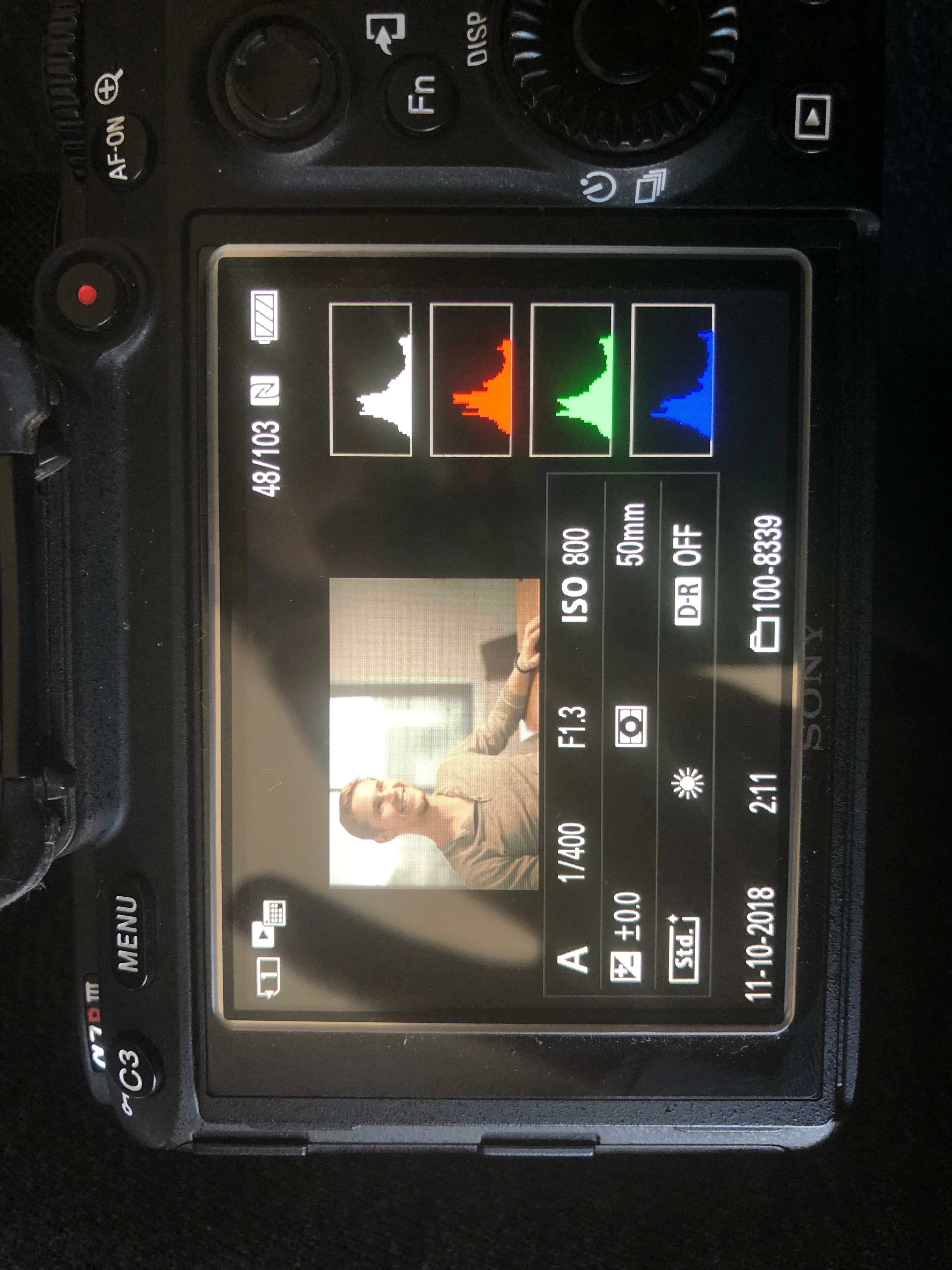
This is exactly the same image as seen on camera and after the import into LR. I haven't applied an import preset and changing the quick develop preset to default doesn't change anything. Why is the histogram so different once I bring it into LR? How do I get to see the image without the Picture Profile applied? I just want to see the RAW file to edit from.

Any help would be appreciated!

1 reply

AxelMatt
Community Expert
Community Expert
October 17, 2018

The image that you see in you camera display is the in the RAW file embeded jpeg preview picture. This contains all settings that you made in the camrea menue (sharpen, contrast, assigning picture styles and so on). The picture that shows after import in Lightroom is the preview of the original RAW file without these assignments.

My System: Intel i7-8700K - 64GB RAM - NVidia Geforce RTX 3060 - Windows 11 Pro 25H2 -- LR-Classic 15 - Photoshop 27 - Nik Collection 8 - PureRAW 6 - Topaz Photo AI
Known Participant
October 17, 2018

One question on that - The exposure on my camera is acceptable (if a little underexposed) but when I import it, the image is clipping quite badly. How do I go about exposing for stills then? Do you have a picture profile you recommend to use?

elie_dinur
Participating Frequently
October 17, 2018

Yes, completely agreed and I suppose that is what I am finding frustrating. Picture profiles should be irrelevant but I thought I was exposing correctly when taking the image in camera and bringing it into LR - it looks to be clipping in the shadows. Does it mean that I just need to overexpose more to compensate, as I've heard one should do for Sony?

Here is a screenshot of the same shot, no import presets were applied.


This is a problem that photographers who shoot primarily or only Raw have been wrestling with forever, or at least for the last 20 years that I've been doing digital photography. It stems from the nature of a Raw file and the way that camera sensors work. Sensors react only to the intensities of the light coming through the lens, not colors. The Raw sensor data is greyscale (black and white) and linear (which makes it dark and flat). Simply put, it is not fit for viewing without at least a bare minimum of processing: Demosaicing to interpolate in computer generated color, gamma correction to boost midtones and highlights and increase contrast, and  White Balancing because sensors are more sensitive to green light than red and blue.

The result is that you are always seeing a processed image, either produced the way the camera maker thinks best or produced the way that Adobe thinks best (camera makers tend to go for a more "finished" look and Adobe defaults to a more "starting point" look). But neither directly tells you what the Raw was like, although indirectly it is possible to make some guesses. In order to make the guessing easier Raw photographers shut off the enhancement processing and override their camera's jpg defaults to make the in-camera processing minimal - low contrast and low saturation. And for ages they have been pleading for a histogram derived from the pre-processing Raw data. To no avail.

But there is software available so that at least when you get home and review your shots you can see the Raw histogram and actual exposure data, and with experience you learn to make the mental correlation between the jpg histogram and the Raw reality. I use this:  https://www.fastrawviewer.com/about-and-features