Known Participant
October 17, 2018
Question

Do Sony a7riii Picture Profiles bake into the RAW Files??

  • October 17, 2018
  • 1 reply
  • 6299 views

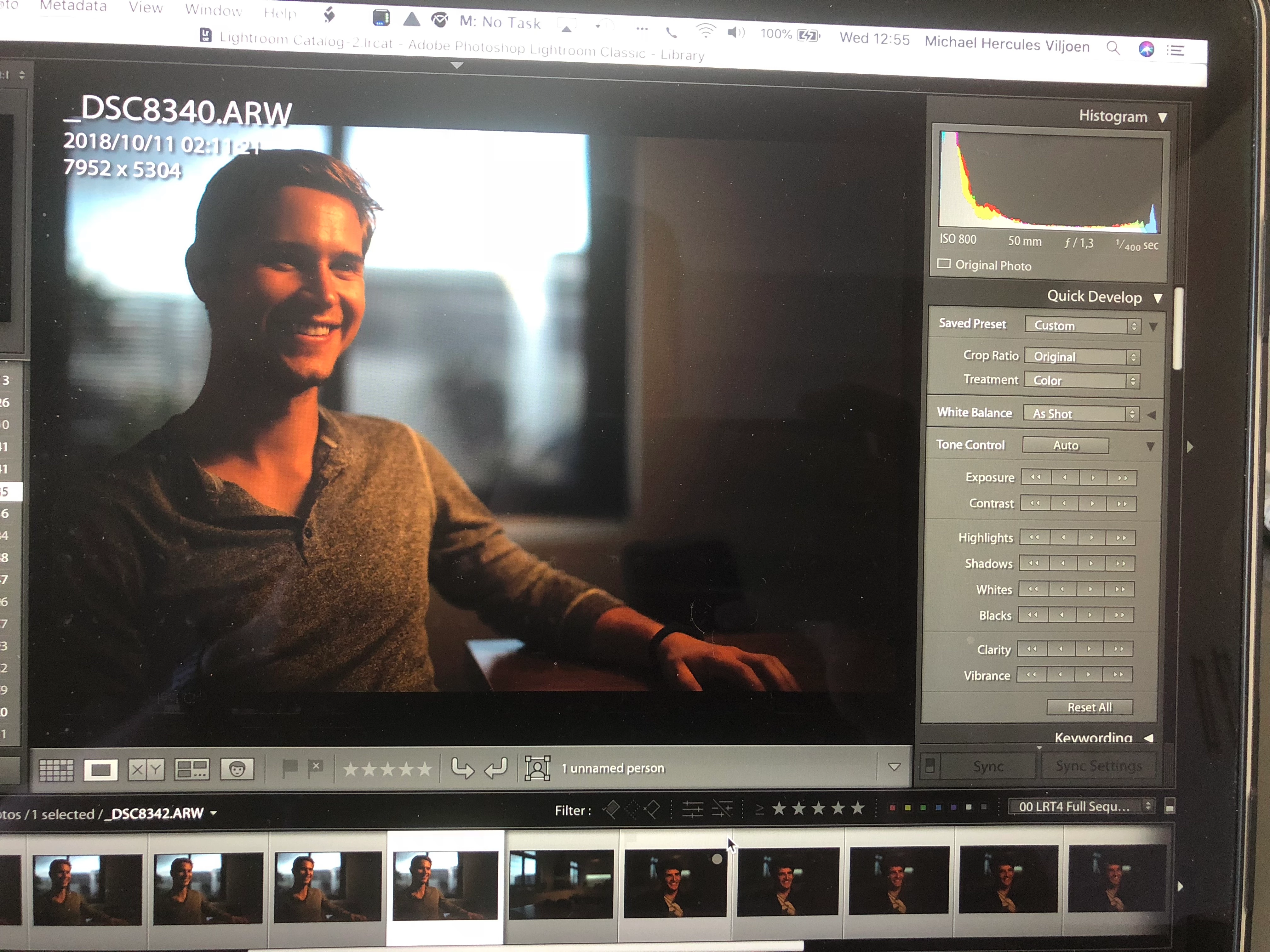
I can't seem to import ARW files into lightroom without huge changes to the image.

Here is an example:
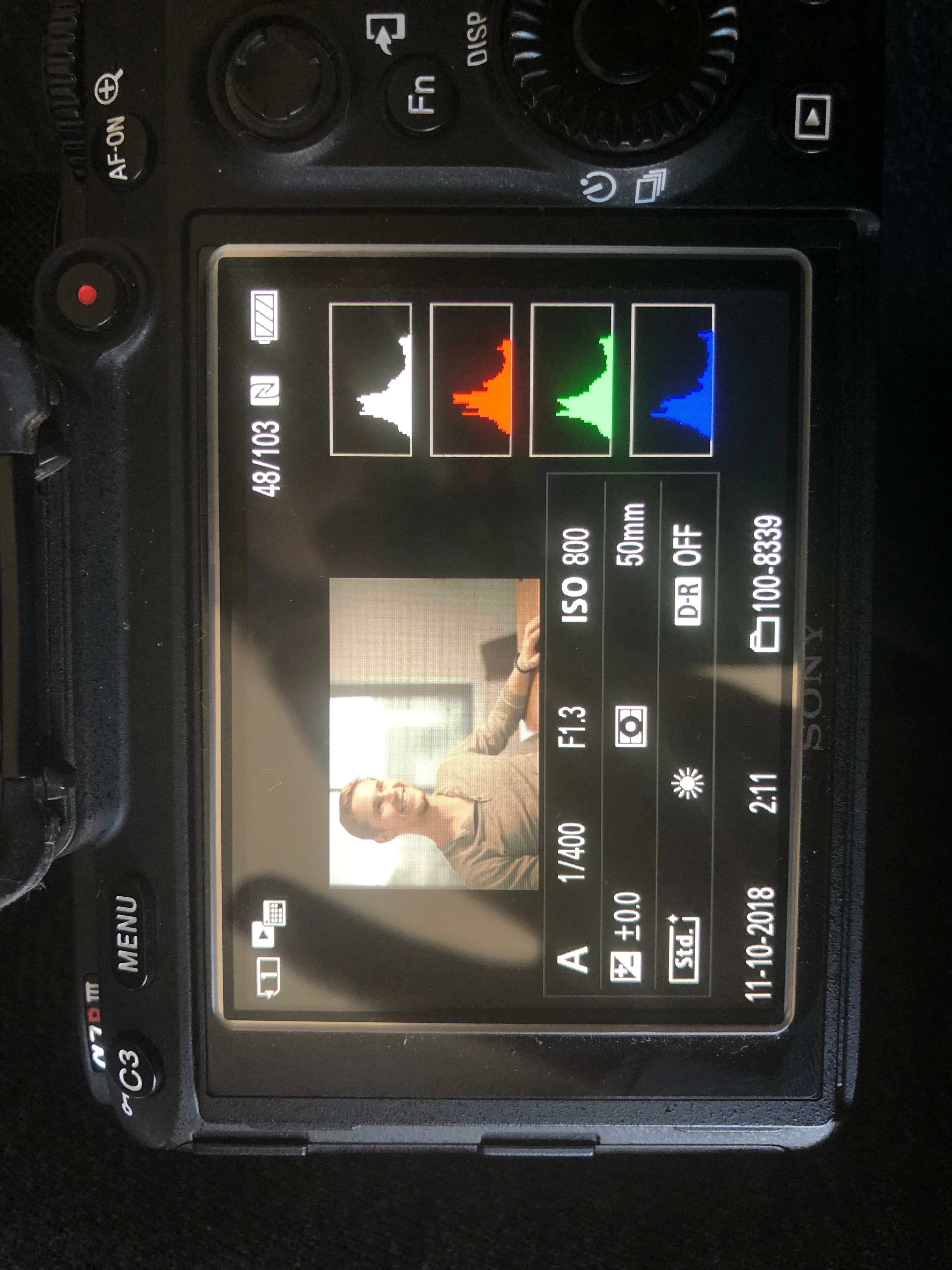
This is exactly the same image as seen on camera and after the import into LR. I haven't applied an import preset and changing the quick develop preset to default doesn't change anything. Why is the histogram so different once I bring it into LR? How do I get to see the image without the Picture Profile applied? I just want to see the RAW file to edit from.

Any help would be appreciated!

1 reply

AxelMatt
Community Expert
Community Expert
October 17, 2018

The image that you see in you camera display is the in the RAW file embeded jpeg preview picture. This contains all settings that you made in the camrea menue (sharpen, contrast, assigning picture styles and so on). The picture that shows after import in Lightroom is the preview of the original RAW file without these assignments.

My System: Intel i7-8700K - 64GB RAM - NVidia Geforce RTX 3060 - Windows 11 Pro 25H2 -- LR-Classic 15 - Photoshop 27 - Nik Collection 8 - PureRAW 6 - Topaz Photo AI
Known Participant
October 17, 2018

One question on that - The exposure on my camera is acceptable (if a little underexposed) but when I import it, the image is clipping quite badly. How do I go about exposing for stills then? Do you have a picture profile you recommend to use?

JohanElzenga
Community Expert
Community Expert
October 17, 2018

When shooting raw, turn off all special settings in the camera. They won't carry over. A raw file is just a data dump from the sensor.

I have an a7r II, and the Lightroom defaults match the camera-processed jpeg fairly well. They're not supposed to, and indeed cannot, match perfectly, but basic exposure is pretty close.

I see more of a difference with my Nikon D810 and D800, where the difference is about 1/3 to 1/2 stop.

This is important to remember: it's the same data from the sensor. If the camera version is brighter, it's only because they stretch the available data further. There isn't "really" more exposure there.


There is one exception to this rule. Long Exposure Noise Reduction does carry over, because the principle behind it (dark frame subtraction) works on raw files too.

-- Johan W. Elzenga