Participant
January 22, 2020
Answered

Download Lightroom 6.14 on macOS

  • January 22, 2020
  • 3 replies
  • 25856 views

Hi. Ich benötige nach see Neuinstallation von lr6 auf meinem mac unbedingt das letzte Update auf 6.14 (aufgrund der letzten Kamera Unterstützungen). Leider finde ich keinerlei Downloads hierzu.  Bitte, bitte um Hilfestellung!


{Thread renamed by moderator}

This topic has been closed for replies.
Correct answer Rob_Cullen

and even if I have Mojave or High Sierra? I can't since I can't get the installer, which is the gist of the problem.


PERPETUAL v6 DOWNLOAD

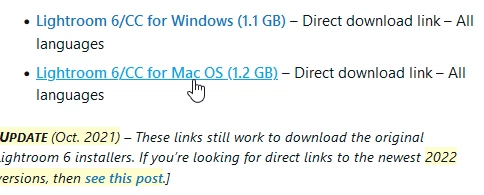
ProDesign Tools kindly offers a download link that is for Lr v6.14 (Perpetual)- There is no telling how much longer Adobe will allow this to work. It is the only source now for v6.14

https://prodesigntools.com/adobe-lightroom-6-cc-direct-download-links.html
 

Time you considered the Photography Plan that will upgrade you to v11 of Lightroom-Classic.  ($9.99 PHOTOGRAPHY PLAN (USA)

Lr  v6.14 is now well past End-of-Life! No support is available from Adobe. Lr v6.14 cannot be installed on any Mac OS later than Mojave. Windows-11 unknown compatability! Several functions in Lr6.14 now do not work- (Maps, Face recognition).

Activation reset (for maximum 2 installs) is becoming very difficult and can only be done by Adobe Staff via a Chat box. You need to be logged in and allow cookies in your Browser. You must ask ONLY for “Activations Reset”. If you ask for “Support” there is no answer.

 https://helpx.adobe.com/contact.html?rghtup=autoOpen

v6 is Falling Apart- Petapixel article

3 replies

GoldingD
Legend
January 23, 2020

What MACOS do you have?


If Catalina, V6.14 will not install. Oh v6.14 is 64bit, but the installer is 32bit, Catalina absolutly forbids 32bit.


see: https://www.lightroomqueen.com/lightroom-macos-catalina-compatibility/


Rob_Cullen
Community Expert
Community Expert
January 22, 2020

Much has changed since the posts in the link by Sahil were written!

As of December 2019 there is only two legitimate ways you might get v6.14 download-


1) If you Purchased AND Downloaded v6.0 direct from Adobe, then follow the directions at this link-

https://helpx.adobe.com/download-install/kb/downloaded-older-app.html

or-

2) Contact Customer Care and ask the agent for a v6.14 Download link-

Click the 'Chat' icon at base of the page link above-

Regards. My System: Windows-11, Lightroom-Classic 15.1.1, Photoshop 27.3.1, ACR 18.1.1, Lightroom 9.0, Lr-iOS 10.4.0, Bridge 16.0.2 .
AxelMatt
Community Expert
Community Expert
January 23, 2020

Take a look here: https://prodesigntools.com/adobe-lightroom-6-cc-direct-download-links.html

Scroll down on the linked site to the section "Adobe Lightroom 6/CC 2015 Direct Download Links"


My System: Intel i7-8700K - 64GB RAM - NVidia Geforce RTX 3060 - Windows 11 Pro 25H2 -- LR-Classic 15 - Photoshop 27 - Nik Collection 8 - PureRAW 6 - Topaz Photo AI
Sahil.Chawla
Adobe Employee
Adobe Employee
January 22, 2020

Hi there,

As you're looking to download Lightroom 6.14, please have a look here and let us know if it helps: https://community.adobe.com/t5/get-started/issue-downloading-6-14-update-to-lightroom-6-0/td-p/10438660


Regards,
Sahil

Participating Frequently
November 5, 2021

It doesn't. I know this is almost 2 years later, but the link doesn't lead to any installer for macOS that can run on Catalina or later.


And if I login to my account, I'm told it's no longer available.


None of the donload links lead to something useful.

Rob_Cullen
Community Expert
Community Expert
November 5, 2021

@hfiguiere  Lightroom v6.14 (Perpetual) cannot be installed on ANY Mac OS later than Mojave.

So there is no purpose in you searching for a download. You cannot install!


Regards. My System: Windows-11, Lightroom-Classic 15.1.1, Photoshop 27.3.1, ACR 18.1.1, Lightroom 9.0, Lr-iOS 10.4.0, Bridge 16.0.2 .