
Participant
September 18, 2017
Answered

Dual monitors & Lightroom

  • September 18, 2017
  • 2 replies
  • 1168 views

Hi All

Setup

Monitor 1: Benq BL2711U 3840 x 2160

Monitor 2: Dell U2415 1920 x 1200

Graphics card: Gigabyte - GeForce GTX 970 4GB

Use graphics processor: Disabled

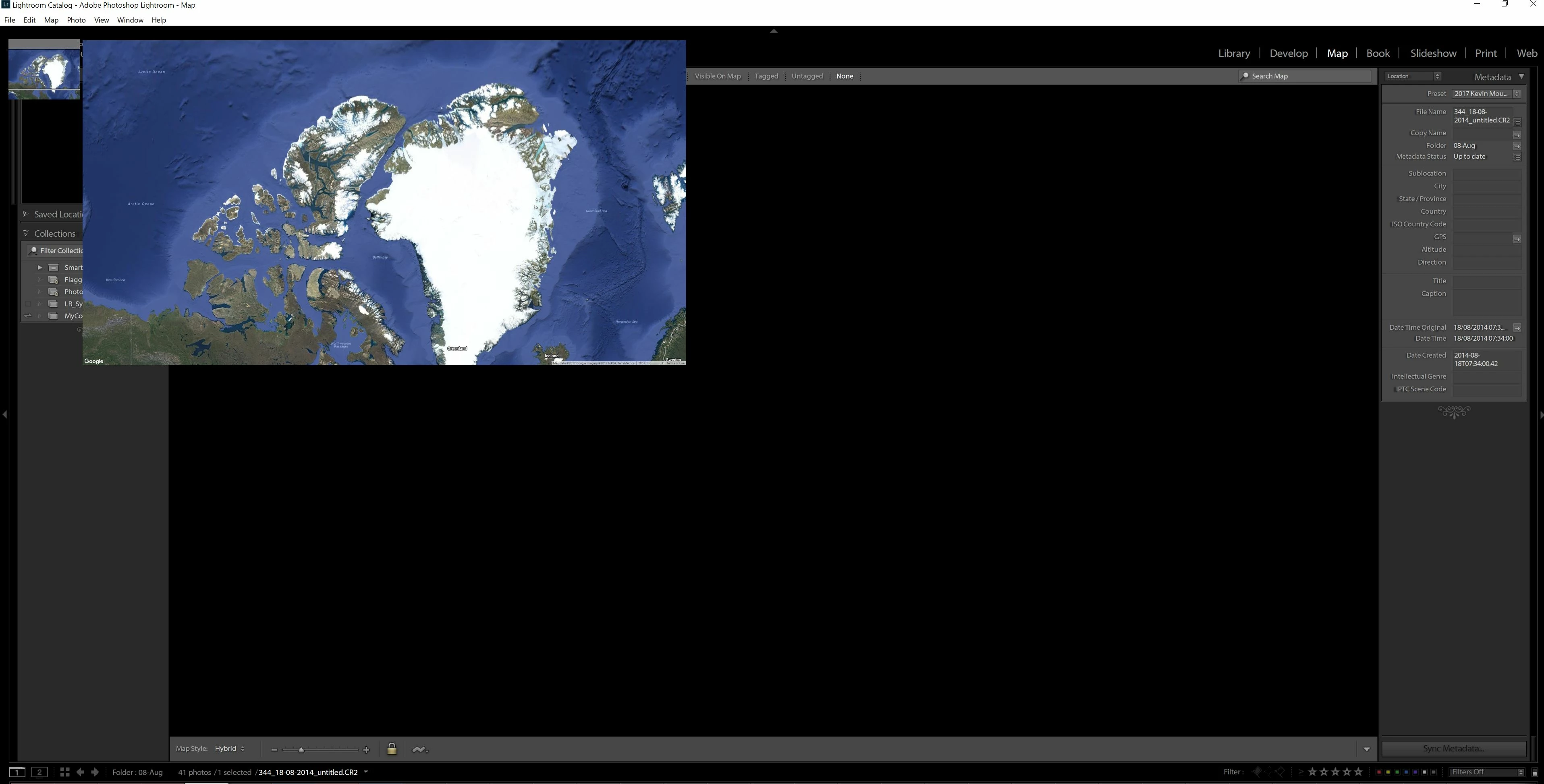
The Map & web modules displays correctly on the 1920 x 1200 monitor (some of the names in the panels do not display properly), on the 3840 x 2160 they display as the attached picture.

If I have the graphics processor enabled it displays correctly in all the modules on the 1920 x 1200 monitor. But displays as the attached picture as well as develop module

Does any one know a solution so every thing displays properly on either module with the Use graphics processor: Disabled or enabled.

I have posted elsewhere so out of courtesy here is the link.

https://www.lightroomforums.net/threads/dual-monitors-lightroom.31852/

Picture below is what I get in map and web and sometimes develop

Regards

Kevin
    This topic has been closed for replies.
    Correct answer Akash Sharma

    Hi Kevin,

    I've gone through the article you've posted and found some very helpful advice's.

    I would recommend you to create a new user account with Administrative nature, and check if the issue is reproducible.This will indicate whether it is account related or related to the way the GPU's are setup. We'd also need some more system info to trace something similar we might've noticed in previous versions.

    Thanks,

    Akash

    2 replies

    Participating Frequently
    January 3, 2023

    I just had this exact issue but I don't understand the response that was given to Kevin.  Are there settings I need to adjust?


    Monitor 1:  Dell 23.8" U2414H 1920 X 1080

    Monitor 2:  Dell 27" Ultrasharp UP2720Q  3840 X 2160

    Graphics Card NVIDIA GeForce GTX 1650 Max-Q 4GB

    Lightroom Version 12.0.1

    Operating System Windows 10


    GoldingD
    Legend
    January 3, 2023
    quote

    I just had this exact issue but I don't understand the response that was given to Kevin.  Are there settings I need to adjust?


    Monitor 1:  Dell 23.8" U2414H 1920 X 1080

    Monitor 2:  Dell 27" Ultrasharp UP2720Q  3840 X 2160

    Graphics Card NVIDIA GeForce GTX 1650 Max-Q 4GB

    Lightroom Version 12.0.1

    Operating System Windows 10


    By @Terry27442780tn7o


    hmm, you have posted your related problem in a 5 year old discussion. Many many changes in OS, in LrC, in GPU drivers, etc, since then.


    Please please consider creating a brand new post for your current problem.


    When you do, please provide some additional info. Members that might be able to help may need some more info, especially system info as LrC reports it. OS version, OS build, LrC version, GPU driver version,  Library path, Plug-ins active (well that one maybe/maybe not)


    This is best done by clicking on Help (in LrC) clicking on System Info, copying that, then pasting much of that into your fresh new posting. (info from first line down to just after plug-in is helpful)


    Participating Frequently
    January 4, 2023
    Thanks. Will do.
    Akash Sharma
    Akash SharmaCorrect answer
    Legend
    October 3, 2017

    Hi Kevin,

    I've gone through the article you've posted and found some very helpful advice's.

    I would recommend you to create a new user account with Administrative nature, and check if the issue is reproducible.This will indicate whether it is account related or related to the way the GPU's are setup. We'd also need some more system info to trace something similar we might've noticed in previous versions.

    Thanks,

    Akash