kentmcpherson
Inspiring
September 23, 2017
Answered

Duplicate Photo - Not a Virtual Copy

  • September 23, 2017
  • 2 replies
  • 34972 views

If I want 2 copies of a photo in my library with 2 different names, how do I create the 2nd independent photo?  I don't want a virtual copy because if I rename one, the virtual copy gets renamed as well.  I don't see a Duplicate function anywhere.   Thanks.
This topic has been closed for replies.
Correct answer Abambo

Lr does everything to avoid duplicates. And you do not need it. As simple as that:

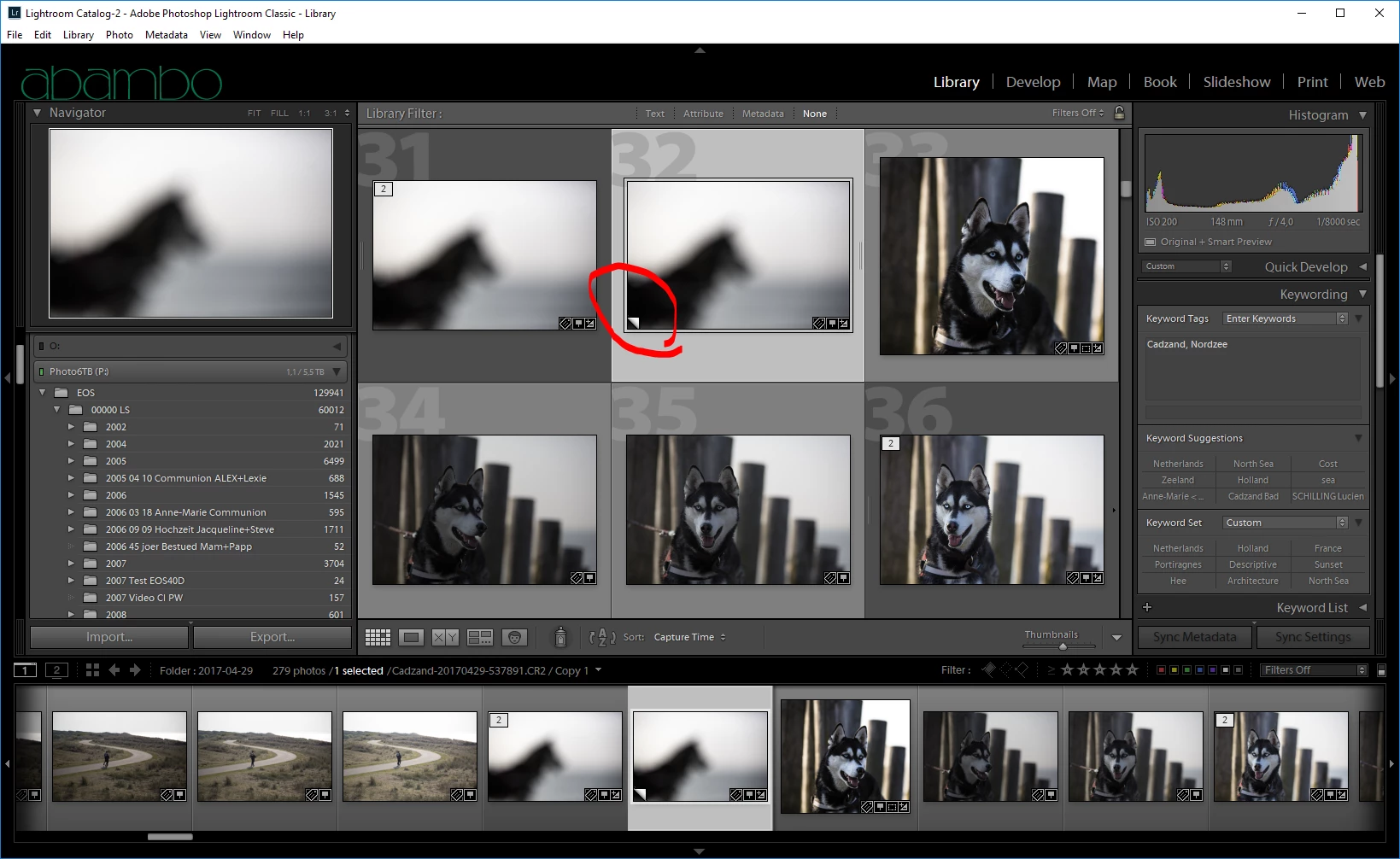
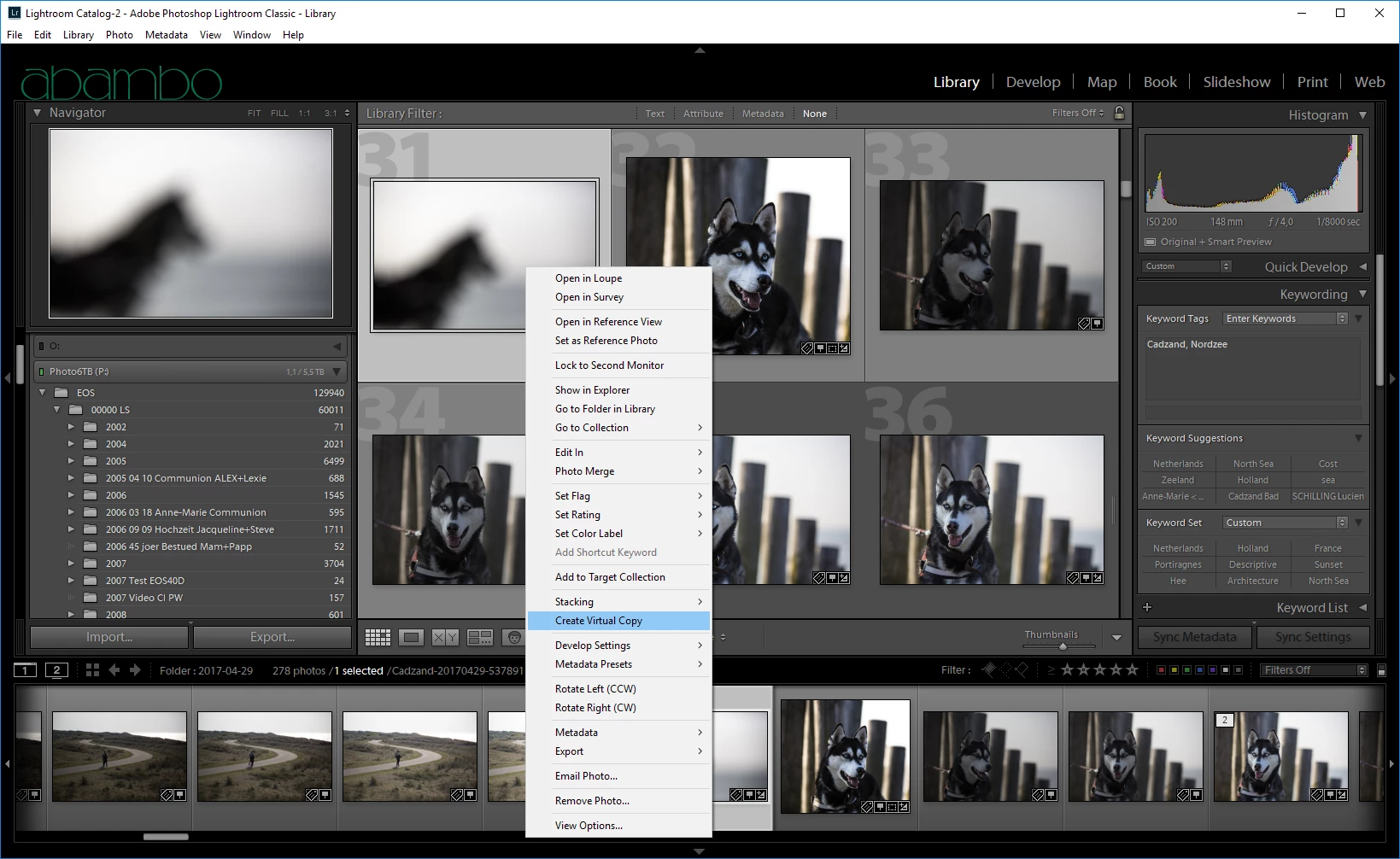
  1. Select your file, RMB, Virtual Copy
  2. Virtual Copy done:
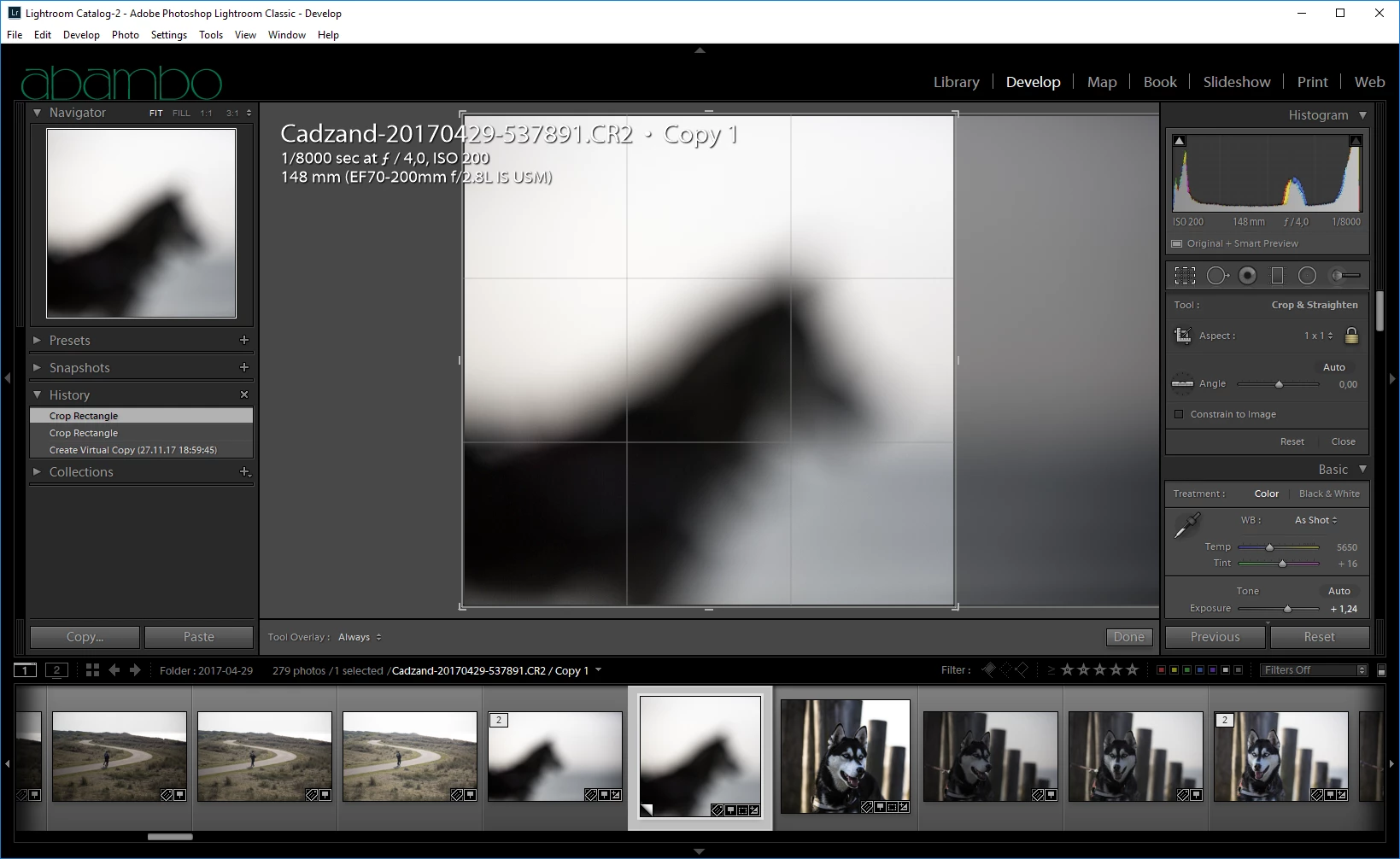
  3. Do your square crop (or what ever you want doing):
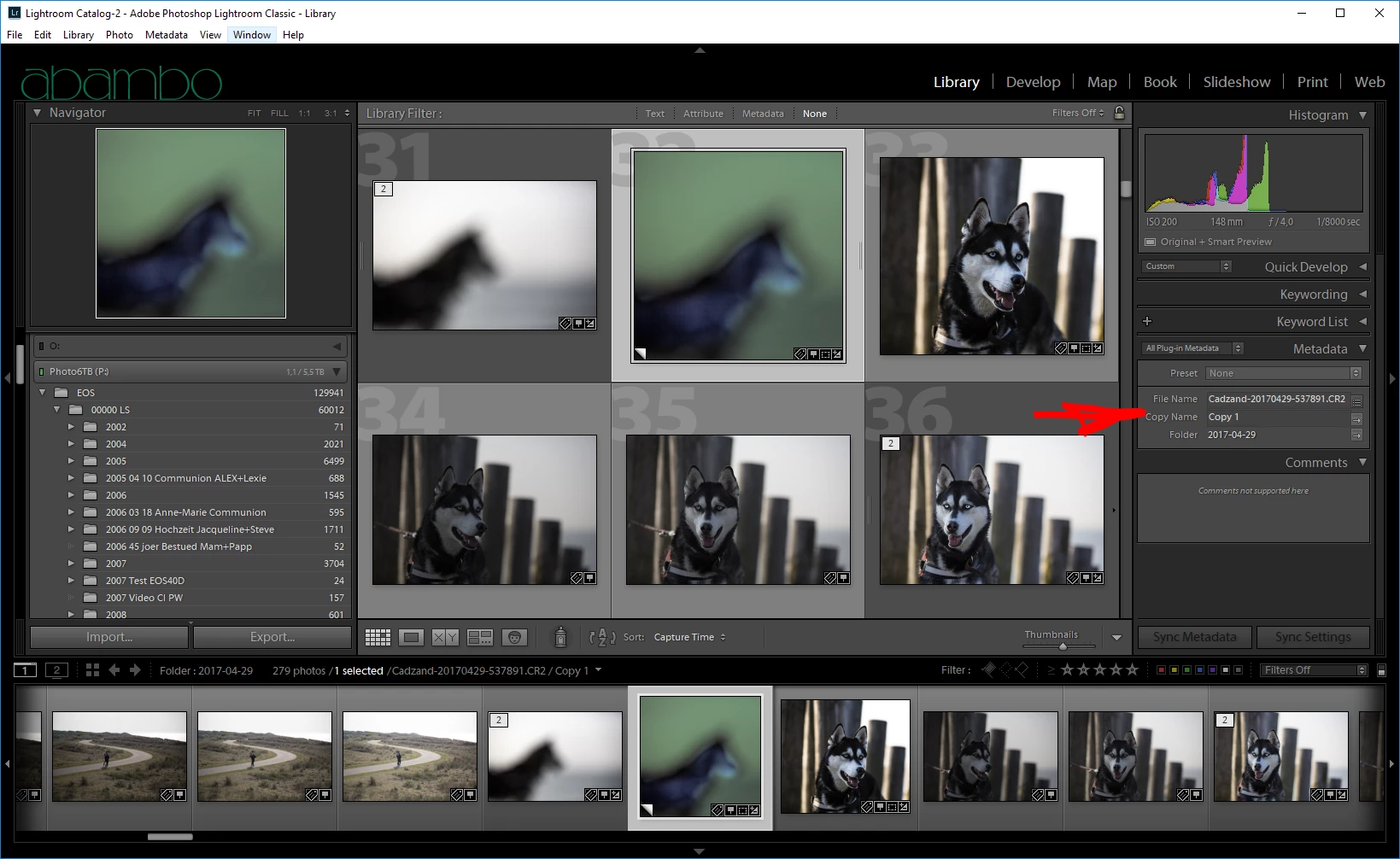
  4. Give your virtual copy a name:

2 replies

dj_paige
Legend
September 23, 2017

Agreeing with Abambo, and stating furthermore that your request is for the opposite of what Lightroom does. I think you DO want a virtual copy. And you can rename the virtual copy. It's certainly the easiest thing to do.

If you must make an actual COPY of the photo, then please know that there is no function or capability in Lightroom to make actual copies of photos.

kentmcpherson
Inspiring
September 24, 2017

OK I'll use the copy name field. Thanks.

Abambo
Community Expert
Community Expert
September 23, 2017

This is a strange request, as Lr does everything to awoid this. You have for virtual copies a field, called copy name, that is used for this purpose. By default, Lr writes "copy" in this field for virtual copies.

ABAMBO | Hard- and Software Engineer | Photographer
tomash20714083
Participant
November 27, 2017

It is not a strange question at all, I for instance can have a photo which I like to with square composition and for prints I print the rectangle composition so I want to have two copies to work with

Legend
August 4, 2018

Thanks for your input! I know what you are explaining. That is what happens with the files from the EOS 5DIII and EOS7DII. Exactly what you describe, and it works very well.

Now, with the files from the EOS 5DIV, the pop-up that gives the option to render using Lightroom does not appear. Photoshop launches but nothing happens, no pop-up menu, nothing. Blank screen. I don't know if you are familiar with these cameras.

I solved the problem by duplicating the original to make a DNG copy that now can be open with Photoshop. Unfortunately, there is no way to make a duplicate directly in Lightroom (the original topic of the OP).

From there, this discussion derived into virtual copies. That discussion, not the issue of making real copies, is what in fact has nothing  to do with the original topic. Ok Mr. dj_paige?


It may not have anything to do with DNG/VC's etc. ...Does it work if Photoshop is already open/running?

There was a bug with files sent via 'Edit in Photoshop' did not work unless PS was currently running.

I cannot remember which version the bug existed in/when it got fixed but this may be your root issue?