
Edit in Photoshop opening with limited Photoshop functionality
Hi,
I've not used Photoshop editing from Lightroom Classic in a while. It used to be the case that when I opened a photo using Edit in Photoshop in LR Classic it gave me the option to edit original or edit with Lightroom changes and I could take the changes over, edit in Photoshop, save, and it'd create a .tiff which Lightroom would then show in my catalog alongside the original.
Now when I click edit in Photoshop I instead get no option, and it shows the photo with LR edits, but the options available are limited; I can no longer do things like expand the canvas and do content aware fill; options like crop are just greyed out.
It's as though Photoshop is nowadays just getting the raw file with the Lightroom edits and can't do things like crop because it can't operate on raw files or something.
All my settings look right, Ligthroom is set to use tiffs and such:
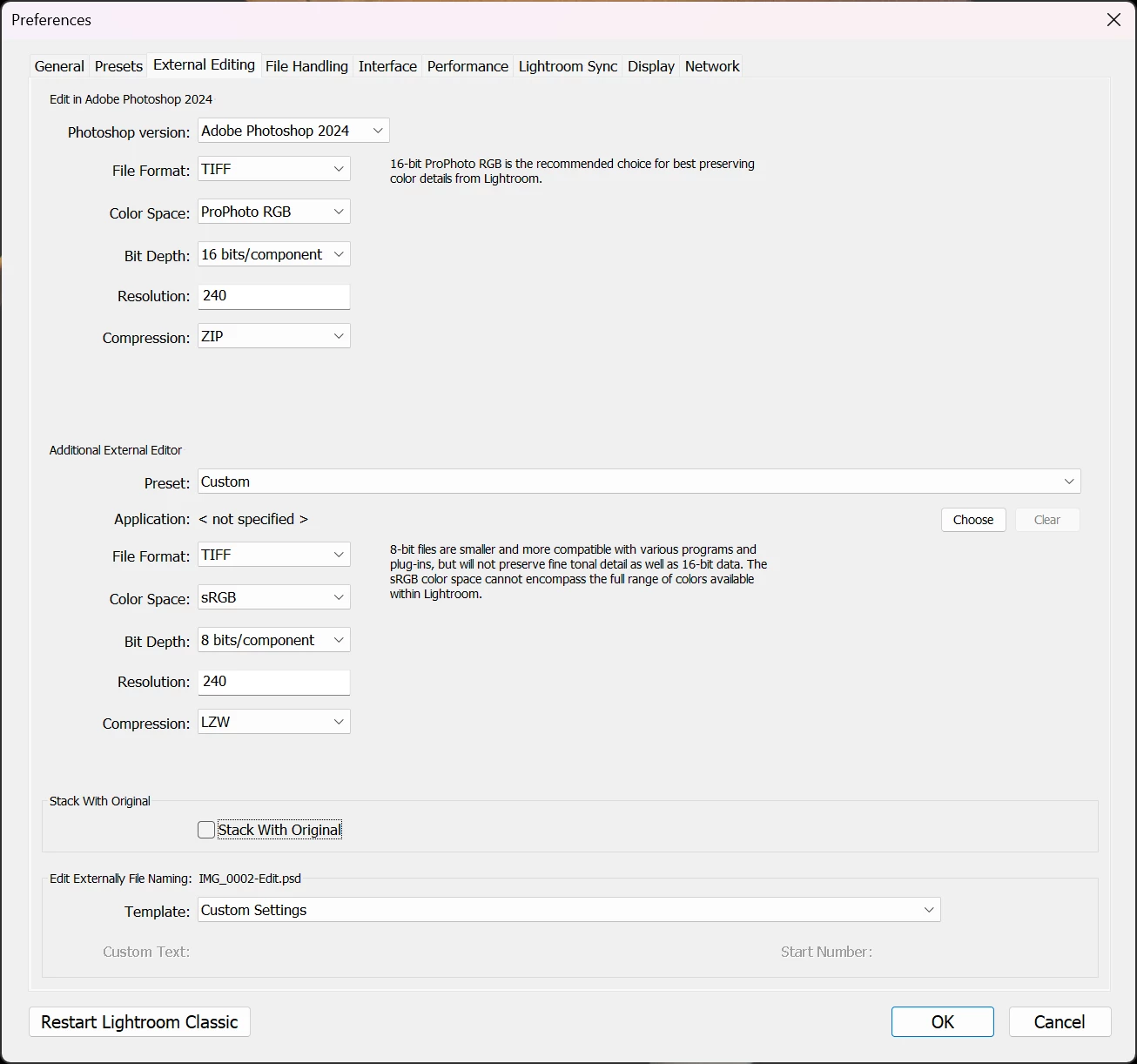
Is there anything I can do to get the old functionality back where I just get to edit a tiff of the raw with the lightroom changes applied in Photoshop so I can have the full range of Photoshop options back like content aware fill?
 AdChoices