
Participant
March 29, 2025
Question

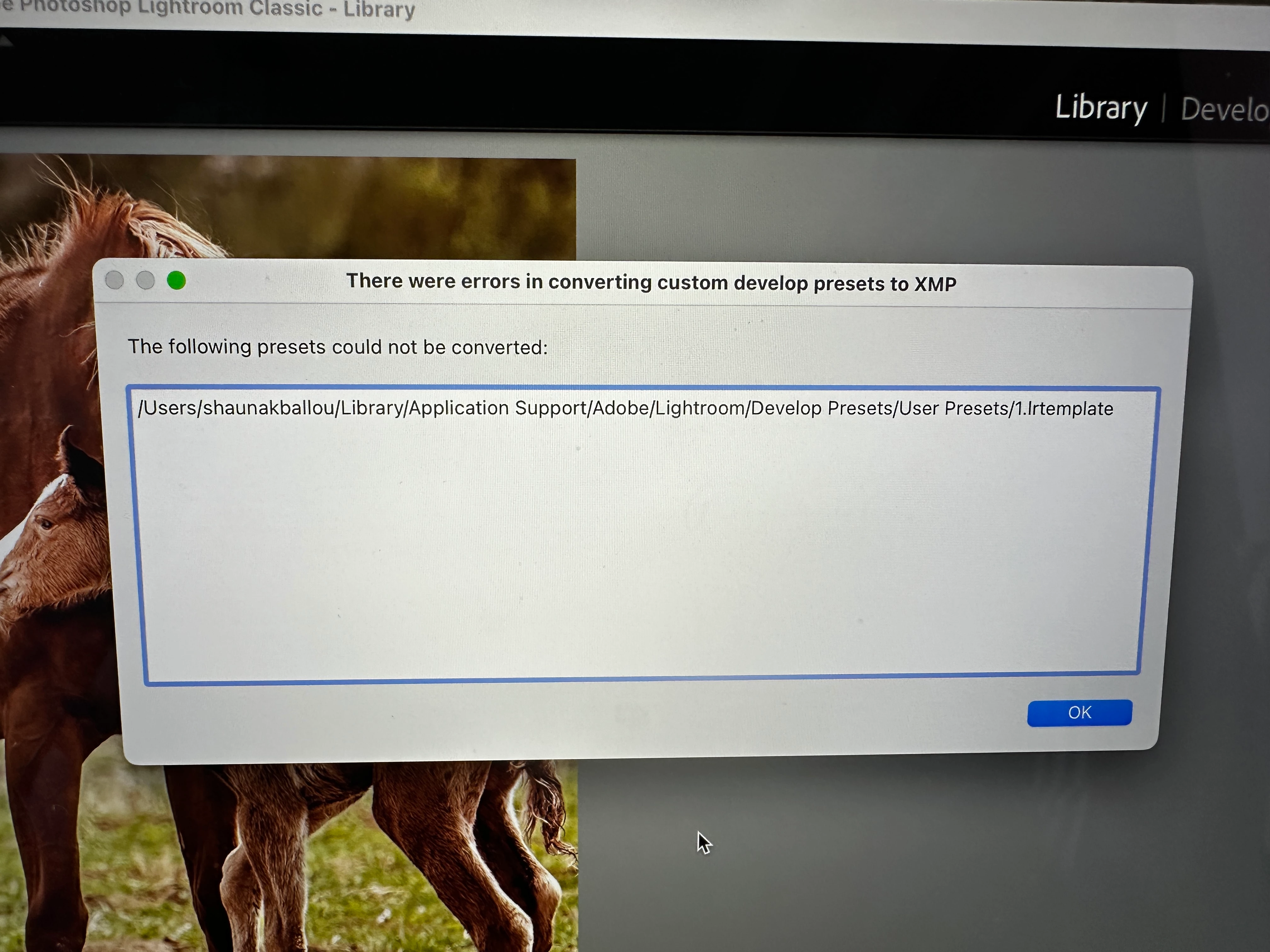
Error message every time I open LR CC: there were errors in converting custom develop presets to XMP

  • March 29, 2025
  • 2 replies
  • 264 views

This error appears every time I open LR Classic.: 

I have reset preferences it didn't help. I don't care about keeping the preset--don't even know what it is. I just need to get rid of the annoying error message. I'm using a MacBook Pro. 
2 replies

johnrellis
Legend
March 30, 2025

1. Select this line and type Cmd C to copy it:

/Users/shaunakballou/Library/Application Support/Adobe/Lightroom/Develop Presets/User Presets


2. In Finder, do the menu command Go > Go To Folder.


3. Paste the copied line by doing Cmd V.


4. Hit Enter. Finder should open the folder "User Presets". 


5. In that folder, you should see "1.lrtemplate". Delete that file.

PeoaAuthor
Participant
March 31, 2025

Thank you JRE, this has plagued me for a long time and you're solution worked perfectly  

johnrellis
Legend
March 30, 2025

Use Finder to delete that file. 

PeoaAuthor
Participant
March 30, 2025

Thank you, I'm embarrassed to say that I don't know how to find the file I finder copied and pasted it in finder but nothing came up. 

Ian Lyons
Community Expert
Community Expert
March 30, 2025

Please don't answer your own reply as 'Correct' when it clearly is not the right answer. It helps nobody, including yourself.


I've reset the thread.