

bartonlew
Legend
October 10, 2022
Answered

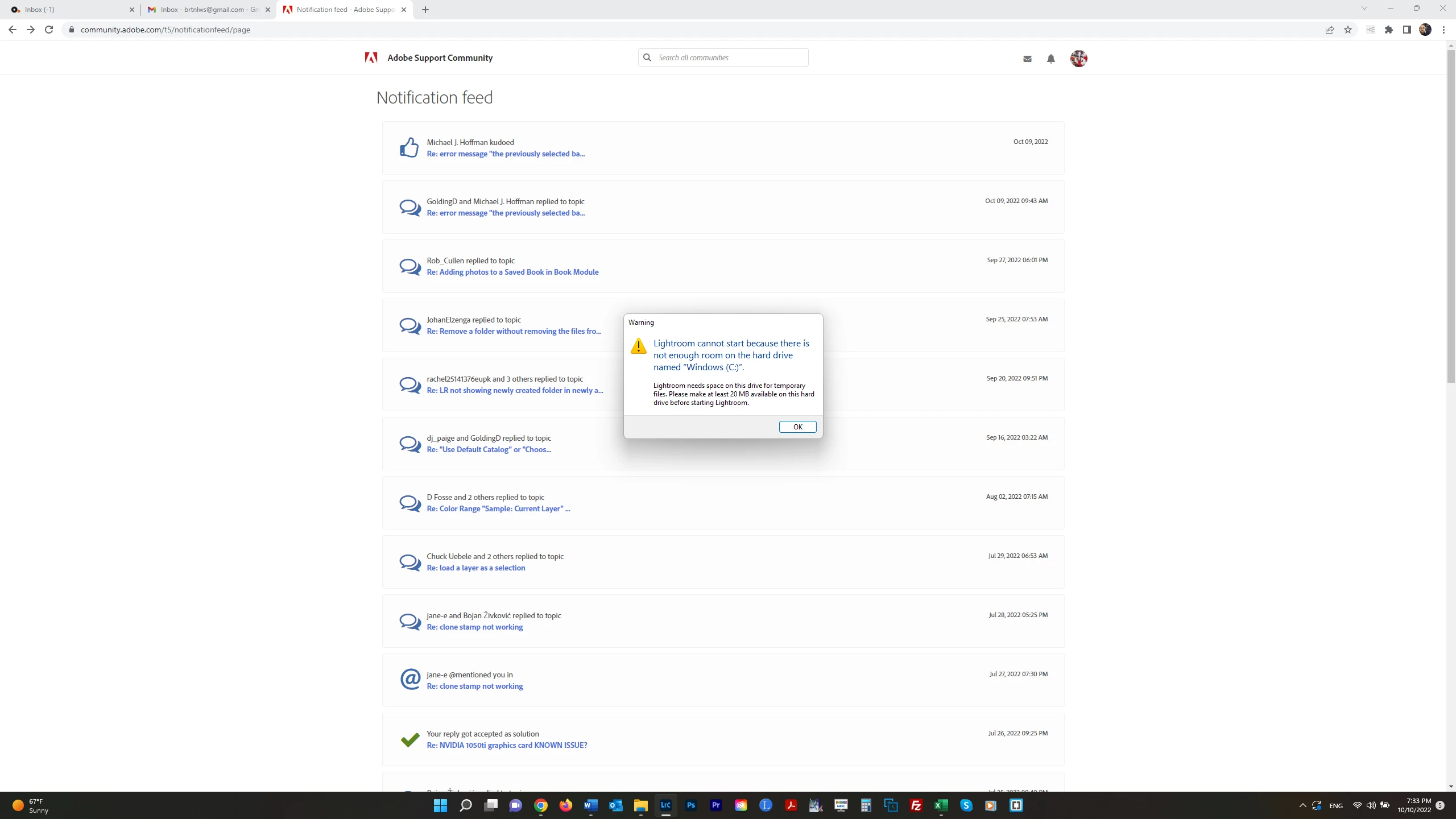
error message "Lightroom can't start because there isn't enough room on the hard drive..."

  • October 10, 2022
  • 2 replies
  • 360 views

I recently added a SSD to my computer and moved the files from the HD to the SSD, leaving operating system files on the HD (C).  I relinked my Catalog to the new (D) drive and all was working well for awhile.  Now, LR thinks the catalog is back on the C drive and I'm geting the message below.  BTW, I am now also getting a message that the C drive is full even though its subfolders total only about 350 GB (the drive is 1 TB).  Dell Support told me this is probably because the operating system is corrupt and has "duplicated" itself, and I need to reinstall the OS to correct the problem.  Is this "screw-up" by Windows also why LR thinks the catalog is back on the C drive?  I am reluctant to reinstall the OS; I will have to restore everything from a backup (as I understand it) as the computer will be wiped clean.  If I just can get LR working again for now I'll be happy.  Thanks.  


This topic has been closed for replies.
Correct answer GoldingD

Use your Windows File Explorer to locate your catalog. Then double click on it.

If that works, bring up LrC preferences, select the General tab, look at what is set for default catalog.


As for Windows OS and drive space. hmm


2 replies

DdeGannes
Community Expert
Community Expert
October 11, 2022

Just a thought, it may have been better to do “copy to the External drive” then when that was completed successfully then proceed to delete the files from the internal drive.


Regards, Denis: iMac 27” mid-2015, macOS 11.7.10 Big Sur; 2TB SSD, 24 GB Ram, GPU 2 GB; LrC 12.5,; Lr 6.5, PS 24.7,; ACR 15.5,; (also Laptop Win 11, ver 24H2, LrC 15.0.1, PS 27.0; ) Camera Oly OM-D E-M1.
GoldingD
GoldingDCorrect answer
Legend
October 11, 2022

Use your Windows File Explorer to locate your catalog. Then double click on it.

If that works, bring up LrC preferences, select the General tab, look at what is set for default catalog.


As for Windows OS and drive space. hmm


bartonlew
bartonlewAuthor
Legend
October 13, 2022

Thanks.  "Load most recent catalog" was selected under Default.  But there was the option to select the Catalog on the D drive where it now lives.  I think all the problems I was having had to do with the fact that Photoshop had *deselected* the drive I had specified as the Scratch Disk and had *selected* my C drive, which has only about 500 GB available free space.  The C drive is also where my OS is stored.  This has happened before - somehow the Scratch Disk changes drives. I guess I should just periodcally check it.