

Establishing new Catalog after an external hard drive failure.
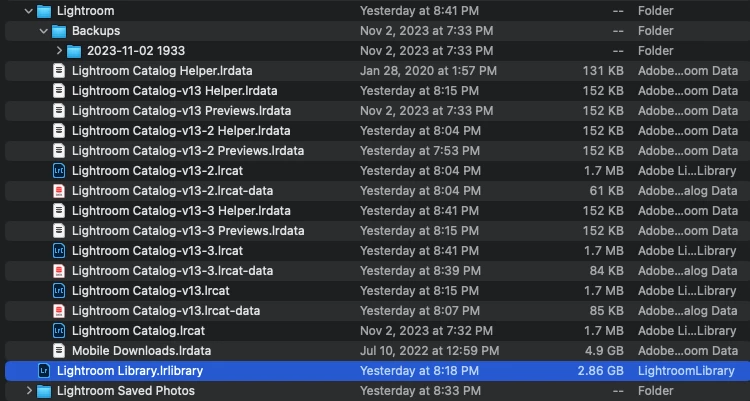
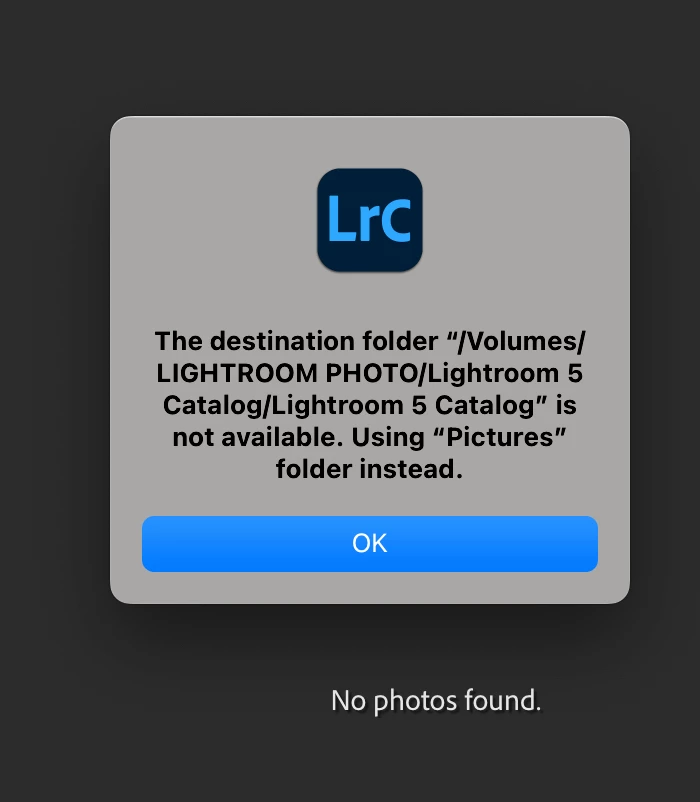
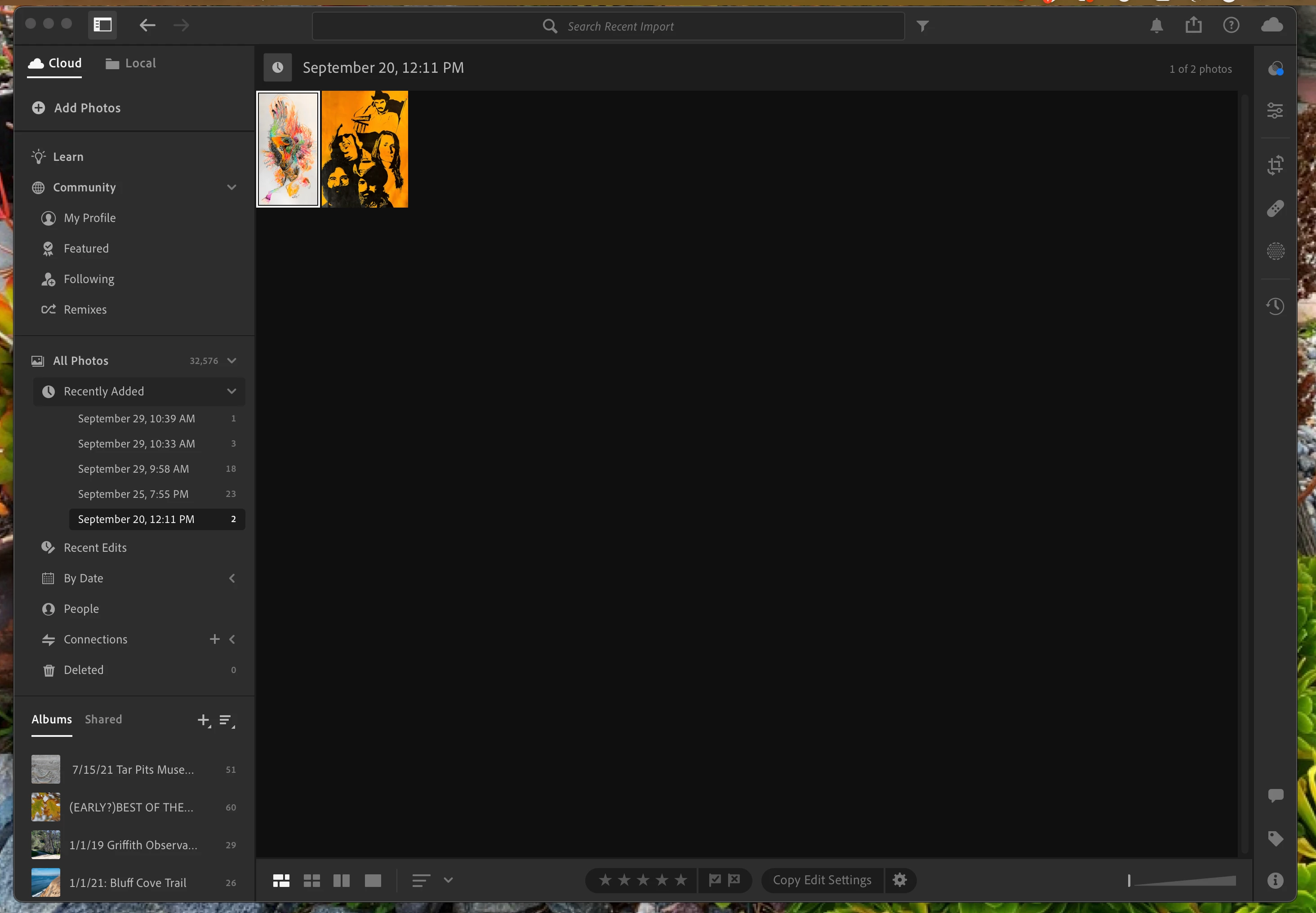
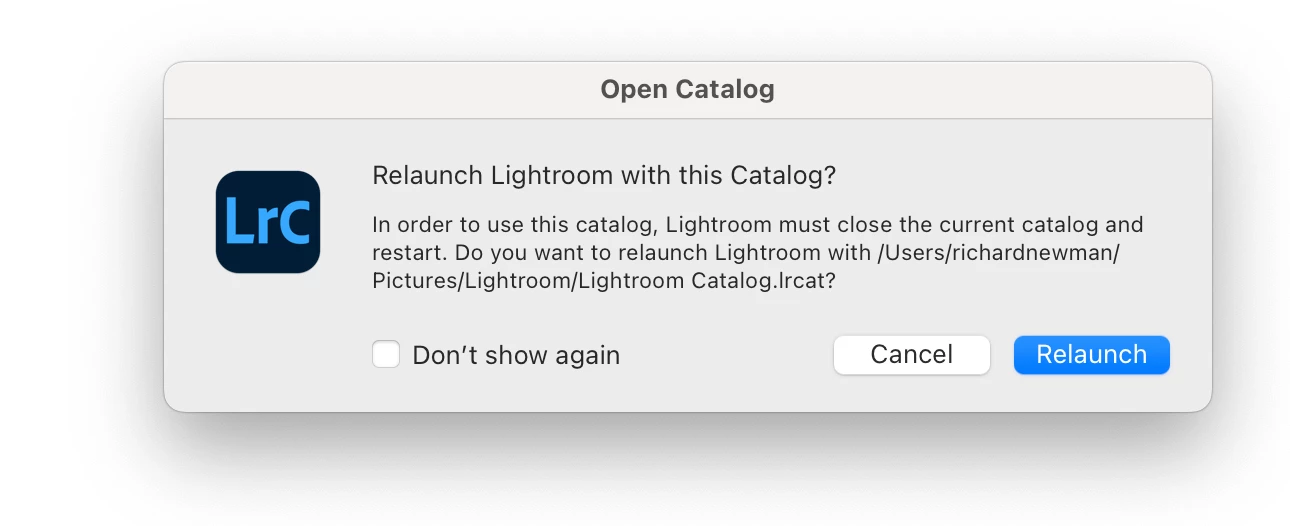
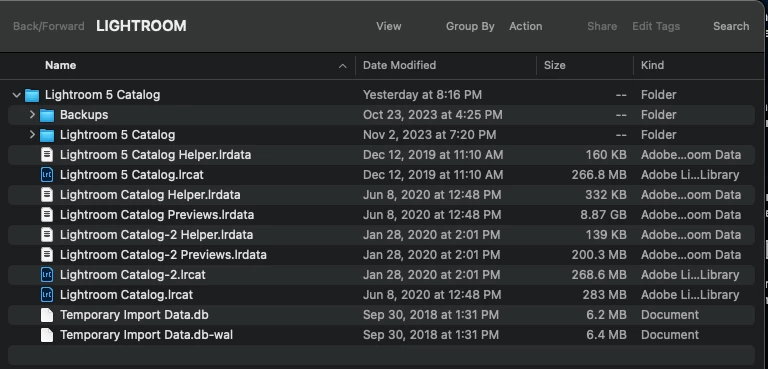
Hi. I'm running Lightroom Classic 13.0.1 with a 2023 Apple MacBook Pro on Ventura 13.5.2 (M2 Pro Chip). I keep LR backups and more on a 2 TB hard drive with only Lightroom on it. Yesterday that drive failed just after I imported some 150 photo from a Nikon D7100, and froze my computer and restarted it. I have been always copying that drive to a second drive daily with Carbon Copy Cloner. My first response was to buy a new hard drive, and yesterday I copied everything on the backup drive to the new drive and named it Lightroom (like the failed one's name) (took 2 hours to transfer). Of course, when I opened Lightroom Classic after the computer was restarted, it could not find its destination. In this process, at one point I was asked to perform an update to v13ircat, which apparently was supposed to transfer all my 35,000+ photos to the new catalog. I did that, from apparently "Lightroom Catalog.ircat" according to searching Most Recent. The v13 catalog can find none of my thumbnails, folders, or collections. In some fit of desperation I went to my Apple Pictures folder and found Lightroom Library.Library. I opened it, and IT seems to be the Cloud version of Lightroom on my laptop (???), and it populated with all my image thumbnails. Not Classic at all. Looks just like on my phone. It also populated with 4 - just 4 apparently - of my collections, of which there are way over 100 (and NO parent folders, just like I was on the iPhone version of LR). I actually created two more catalogs v13-2 and -3, once again desperate, which of course can't find anything either. I am enclosing five screen shots showing: 1. What is in Apple Pictures folder concerning Lightroom; 2. The prompt that shows upon opening my old import destination, which is titled: /volumes/LIGHTROOM PHOTO/Lightroom 5 Catalog, which worked perfectly before the HD failure, and which caused me to do the update; 3. What shows when opening the Lightroom.Lightroom Library - the cloud result; 4. The prompt that appears when choosing Catalog v13; 5. Contents of the new Lightroom hard drive. At this point I am completely lost and of course want to have a catalog that includes all my thumbnails, folders, and collections in place. I can be reached by phone as this might be extremely complicated. . . 310-850-2725. Thank you.
2
3
4
5
 AdChoices