
Participating Frequently
April 14, 2022
Question

EXIF data

  • April 14, 2022
  • 2 replies
  • 372 views

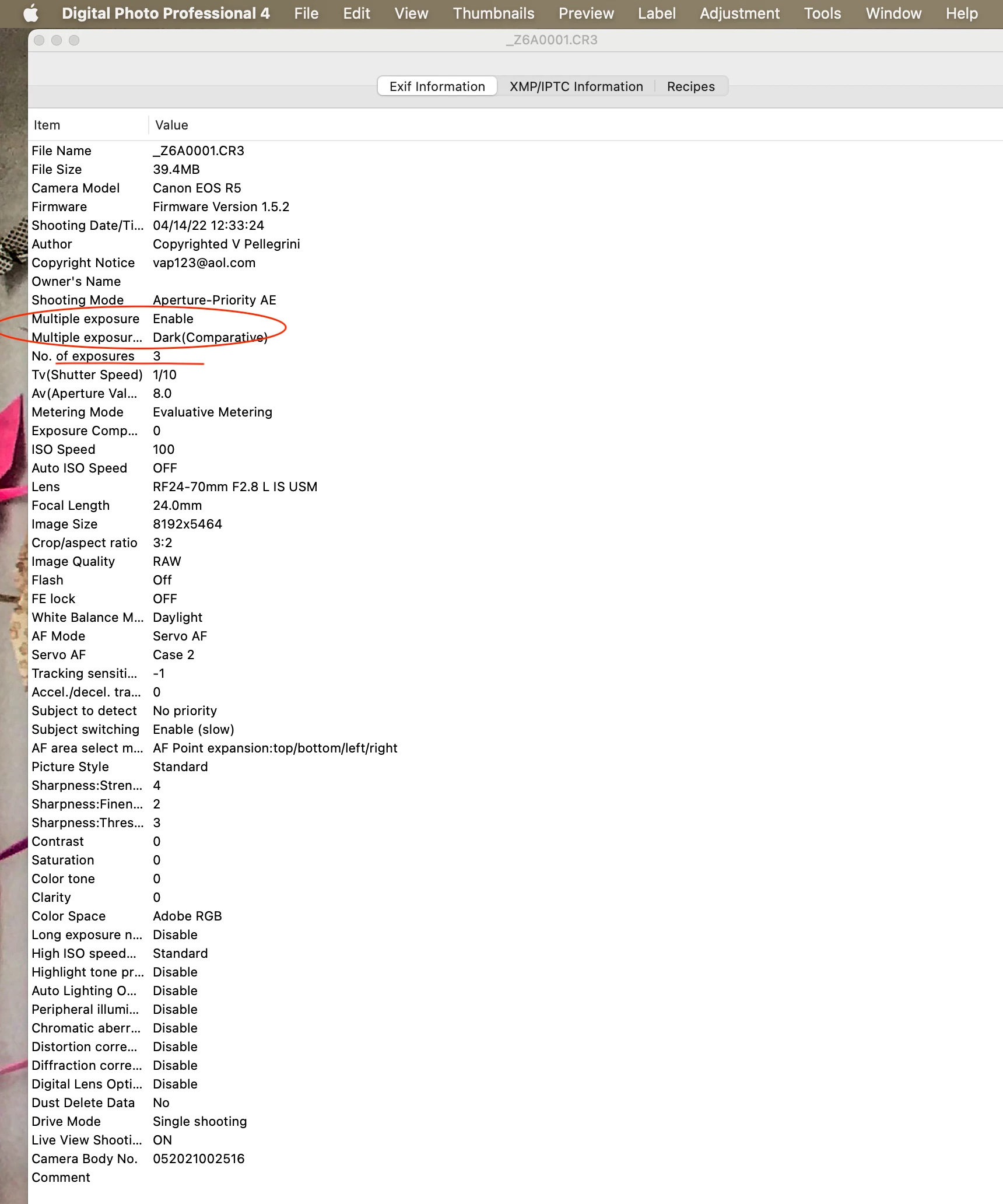
I shoot a Canon R5 & often do in-camera multiple exposures that get composited in-camera as a single file. I cannot distingush or seperate or find these ME files from my single shot files within Lightroom. The EXIF data is within the file & is read using Canon's Digital Photo Professional 4 application. It tells me that the file is a ME, how many exposures were used for the in-camera composite & which of the 4 composite modes was used. Why can't I see this info within Lightroom? Can that feature be added?

Vince Pellegrini
This topic has been closed for replies.

2 replies

Participating Frequently
April 17, 2022

John, This looks perfect. Can't wait to try it. 
Vince

johnrellis
Legend
April 14, 2022

[This post contains formatting and embedded images that don't appear in email. View the post in your Web browser.]


Technically, those fields are stored in the manufacturer-specific Makernotes section of the photo's metadata (they're not industry standard).  


There was a feature request on the old Feedback forum for displaying all metadata stored in a photo. But that feature request wasn't copied here (probably because it didn't have many votes). 


But there's a further hurdle to this: In past threads, Adobe engineers have indicated that Adobe has a policy of requiring contractual permission from manufacturers to read non-industry-standard fields from photos.  It took years for Adobe to get permission from Apple simply to read capture-date time zones in videos made on iPhones.


Meanwhile, while waiting for this to be implemented, you could use the Metadata Viewer plugin to view all the metadata for a file and the Any Filter plugin to browse and filter by any metadata field, including those Canon fields: