
Participant
April 21, 2022
Question

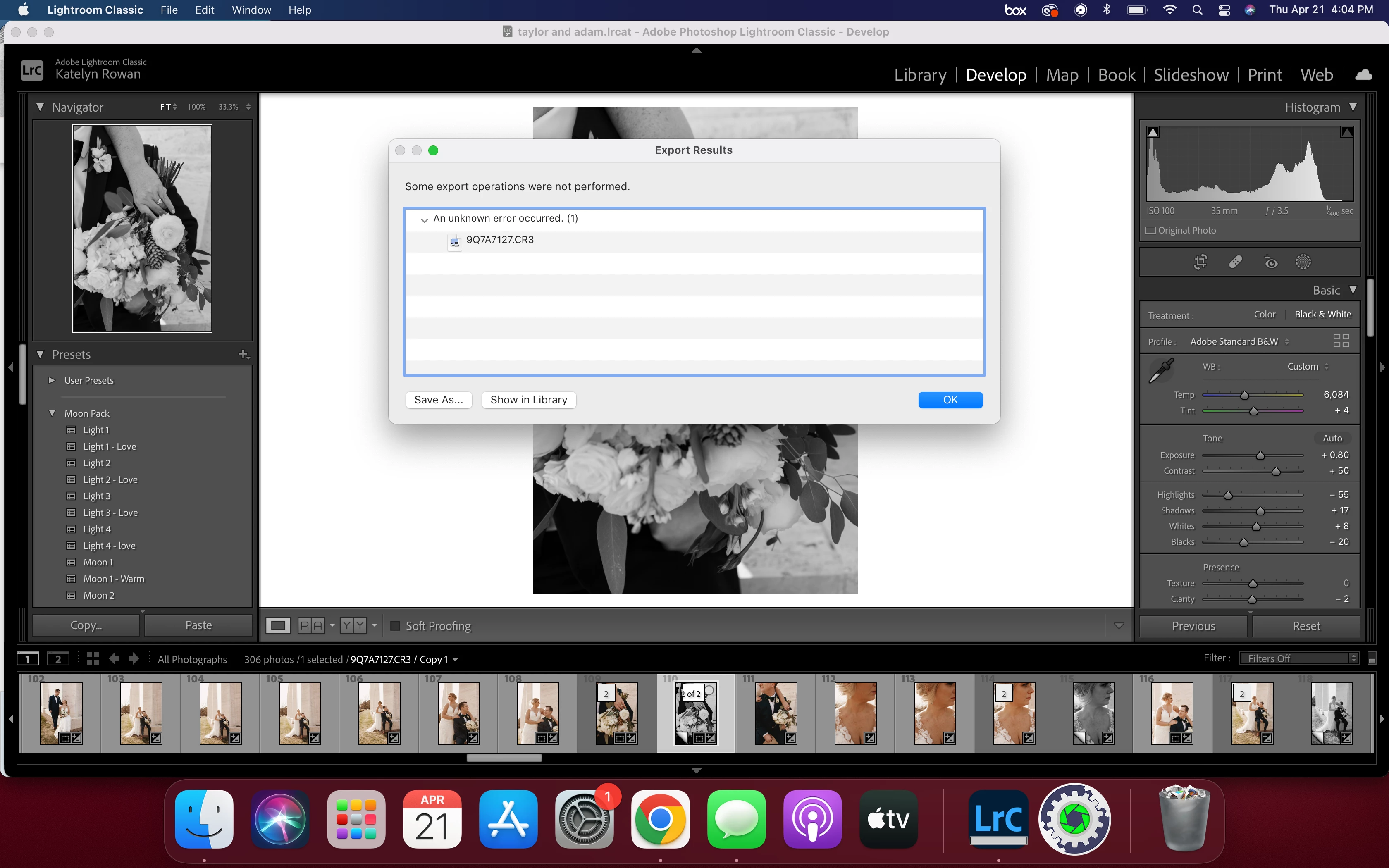
Export From Lightroom Classic not working

  • April 21, 2022
  • 2 replies
  • 318 views

Hello all, 

When I am trying to export from a lightroom catalog (I have tried multiple catalogs as well as tried changing where I axporting to ie. external hard drive vs desktop.) I am getting an error messsage stating that some exports were not performed and an unknown error hass occured. 
This topic has been closed for replies.

2 replies

Participant
April 21, 2022

I have exactly the same problem. Please let me know i you work it out. Br Hans-erik

TheDigitalDog
Inspiring
April 21, 2022

In System Preferences, >Security & Privacy, >Full Disk Access, do you see Lightroom listed? If not, do add it and try again.

Author “Color Management for Photographers" & "Photoshop CC Color Management/pluralsight"
Participant
April 21, 2022

It is indeed listed in the Full Disk Access Folder

TheDigitalDog
Inspiring
April 21, 2022

This happens with any document you try to export? 

First try resetting preferences, might fix the issue. 

Quit Lightroom Classic.
MacOS: Press and hold the Shift + Option keys.
While holding down the keys, launch Lightroom Classic.
When asked, select "Yes". 

If that doesn't work, next few areas to look into:

Try logging into another account (you may need to make one), can you now save? 
Try starting up in Safe mode (hold down Shift Key when booting), can you now save? 
You might want to try running a free utility like Onyx: 
https://www.titanium-software.fr/en/onyx.html
Also view:
https://www.macworld.com/article/352902/onyx-review-macos.html
https://www.macworld.com/article/224955/how-to-reset-a-macs-nvram-pram-and-smc.html
From Adobe:
https://helpx.adobe.com/photoshop/kb/basic-troubleshooting.html

Author “Color Management for Photographers" & "Photoshop CC Color Management/pluralsight"