Participant
December 20, 2019
Answered

Export not working on edits Lightroom Classic

  • December 20, 2019
  • 5 replies
  • 1602 views

Hi, I have tried exporting my image with a number of edits however when I come to export the edited image the original photo is exported instead. I have ensured the export settings save the image as a JPG instead of original which still doesn't work. Any help would be appreciated.

This topic has been closed for replies.
Correct answer D Fosse

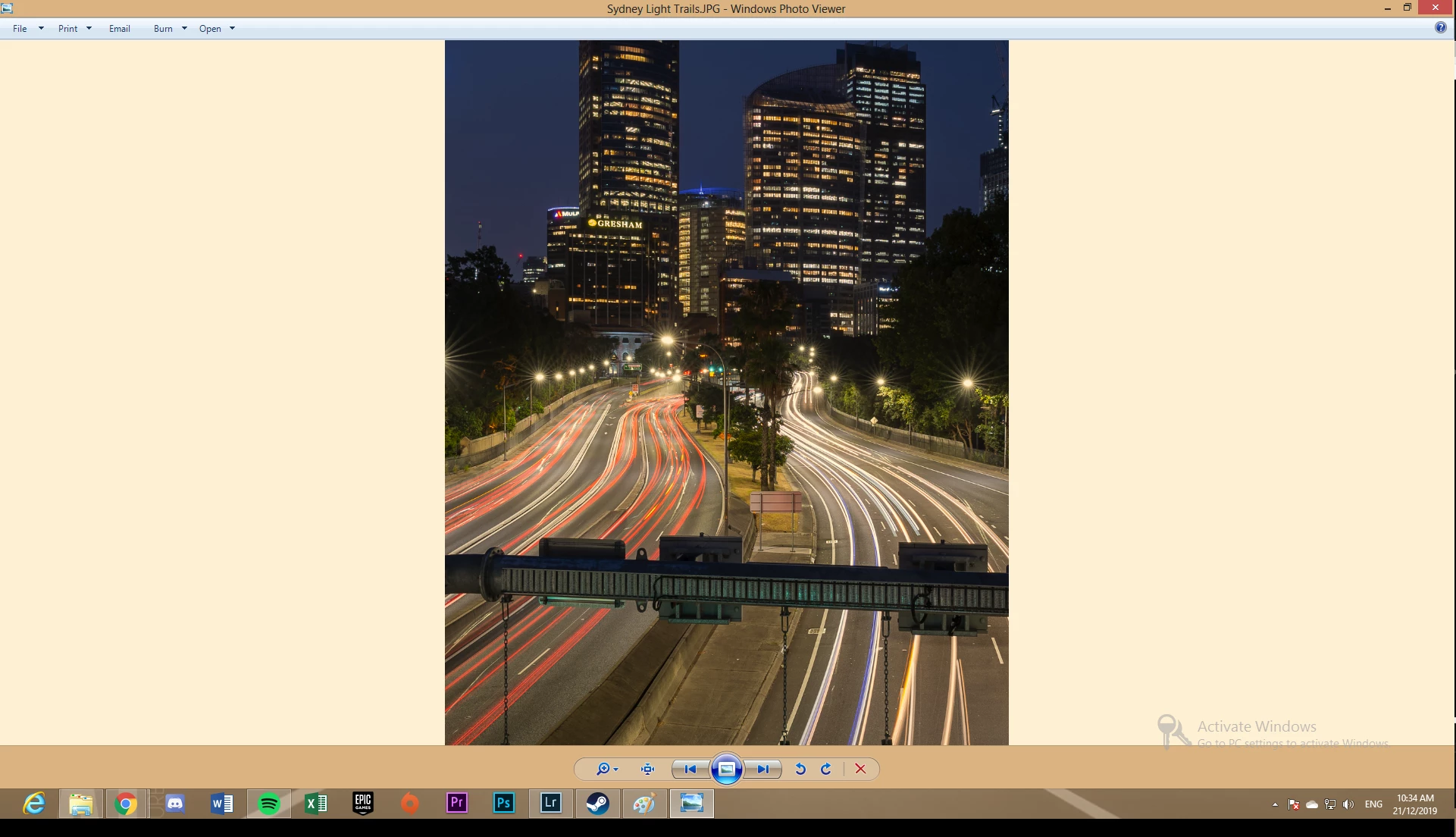
That's "Windows Photo Viewer" (from Windows 7), which actually is fully color managed. It's the new Windows "Photos" (from Windows 10) that dropped color management.


So the difference in this case is most likely caused by a defective monitor profile, which can affect applications differently.


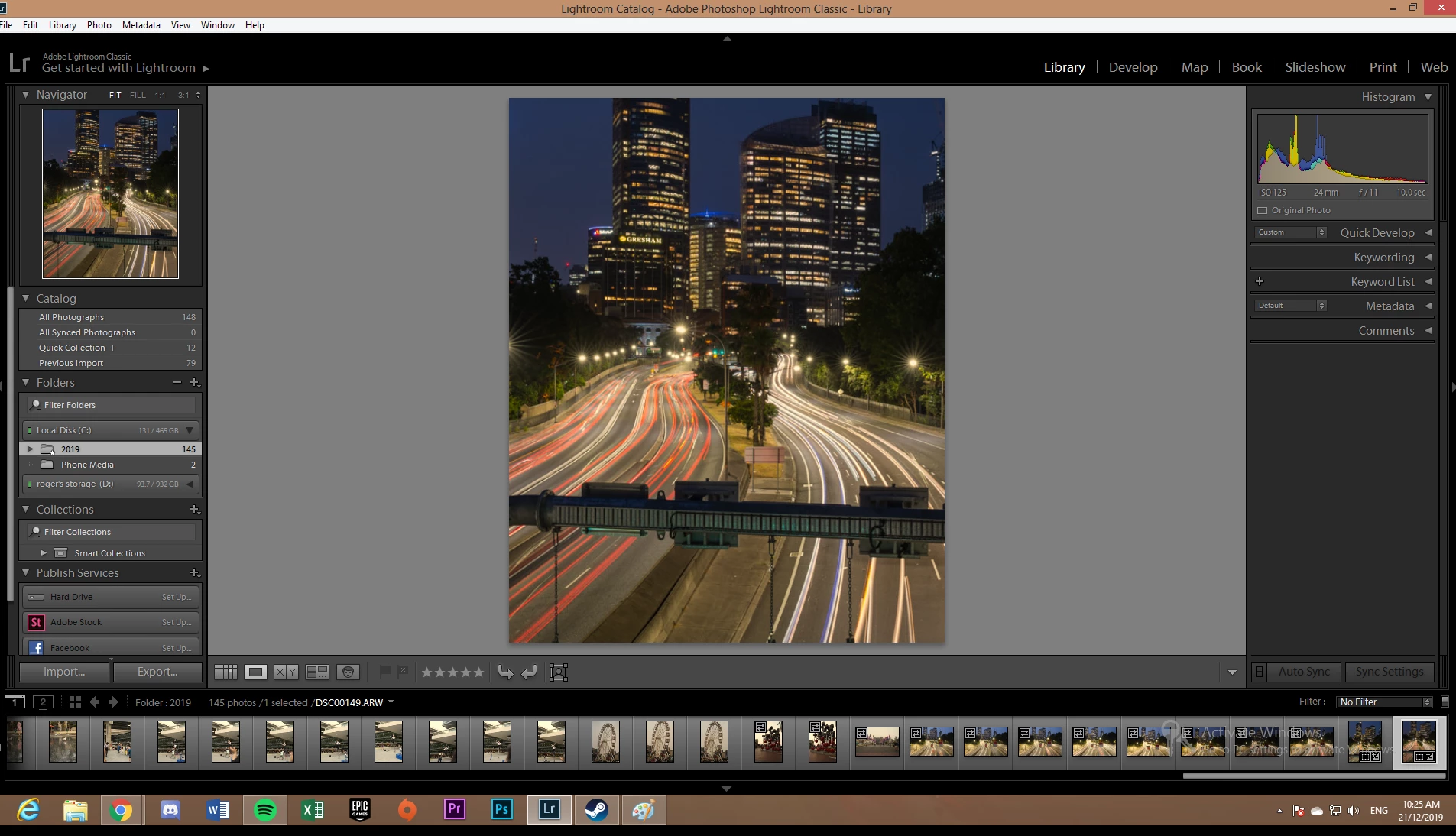
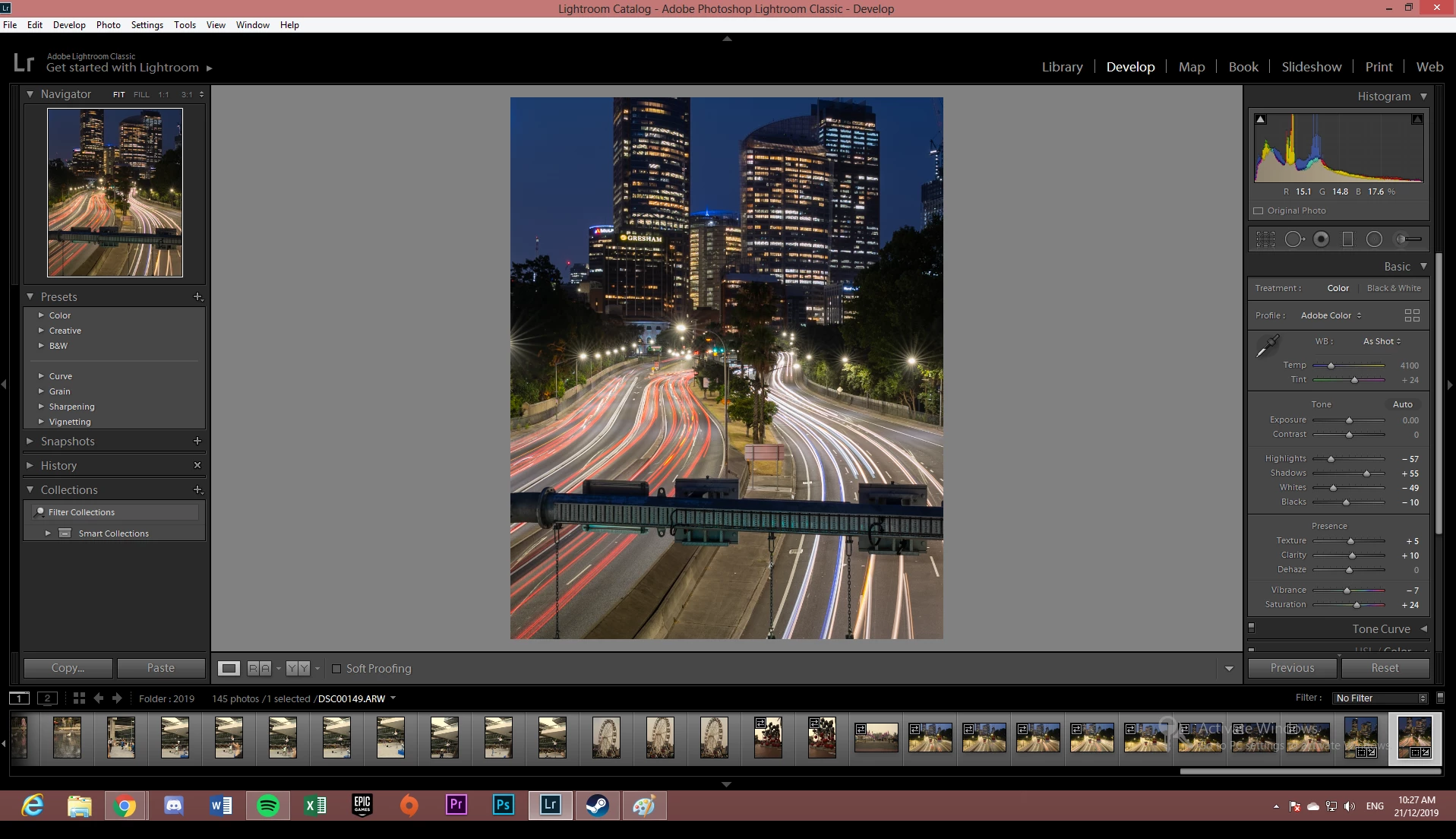
You'll notice the same difference between Library and Develop in the screenshots above. The OP apparently misinterprets this as "before" vs "after". But it's not. They are both "after" - but one is incorrectly represented because of the broken monitor profile.


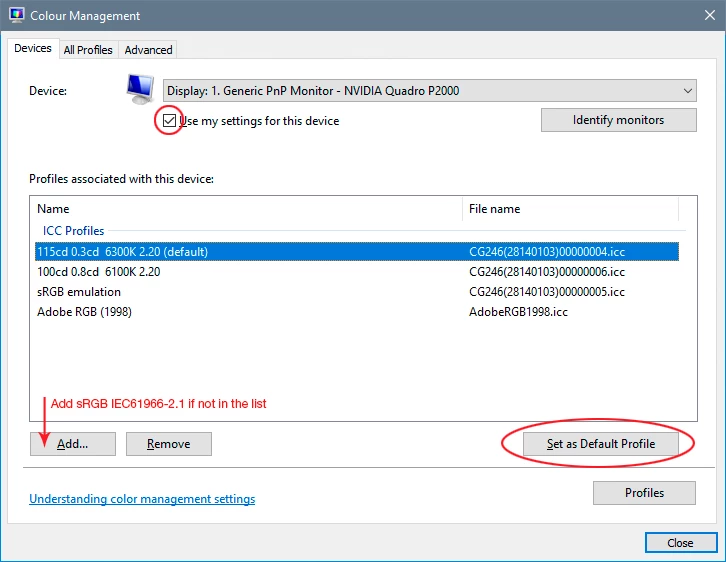
To correct this, use a calibrator to make a new profile. If you don't have one, use sRGB IEC61966-2.1 as a temporary measure until you do (Adobe RGB if it's a wide gamut monitor). It won't be entirely accurate, but better than a broken profile.

5 replies

D Fosse
Community Expert
D FosseCommunity ExpertCorrect answer
Community Expert
January 6, 2020

That's "Windows Photo Viewer" (from Windows 7), which actually is fully color managed. It's the new Windows "Photos" (from Windows 10) that dropped color management.


So the difference in this case is most likely caused by a defective monitor profile, which can affect applications differently.


You'll notice the same difference between Library and Develop in the screenshots above. The OP apparently misinterprets this as "before" vs "after". But it's not. They are both "after" - but one is incorrectly represented because of the broken monitor profile.


To correct this, use a calibrator to make a new profile. If you don't have one, use sRGB IEC61966-2.1 as a temporary measure until you do (Adobe RGB if it's a wide gamut monitor). It won't be entirely accurate, but better than a broken profile.

Known Participant
January 13, 2020

Thank you.  I will give it a try. 


GoldingD
Legend
December 21, 2019

Ahh Microsoft Windows Photo Viewer. Not color calibrated.


First compare export to original w/edits in Lightroom Develop.


Participant
December 21, 2019

Yea, I've realised windows photo viewer does not show any of the basics edits I have done to the image when I view it, all the images show the edits when I upload it on social media.

Known Participant
January 6, 2020

Is there a solution to getting the Win Viewer to display photos with edits?  I'm giving photo files to someone else and would like them to see the edited photos. Thanks for any any help! 


Denise

GoldingD
Legend
December 21, 2019

One thing to look at, the background behind the image. In Lightroom Classic you are using a dark gray. The resultant 'export is being displayed with a bright whatever background. For comparison make the background the same, Probably change the one in Lightroom if that last one is what you want in final.


GoldingD
Legend
December 21, 2019

And not shown, anything happening in terms of presets


GoldingD
Legend
December 21, 2019

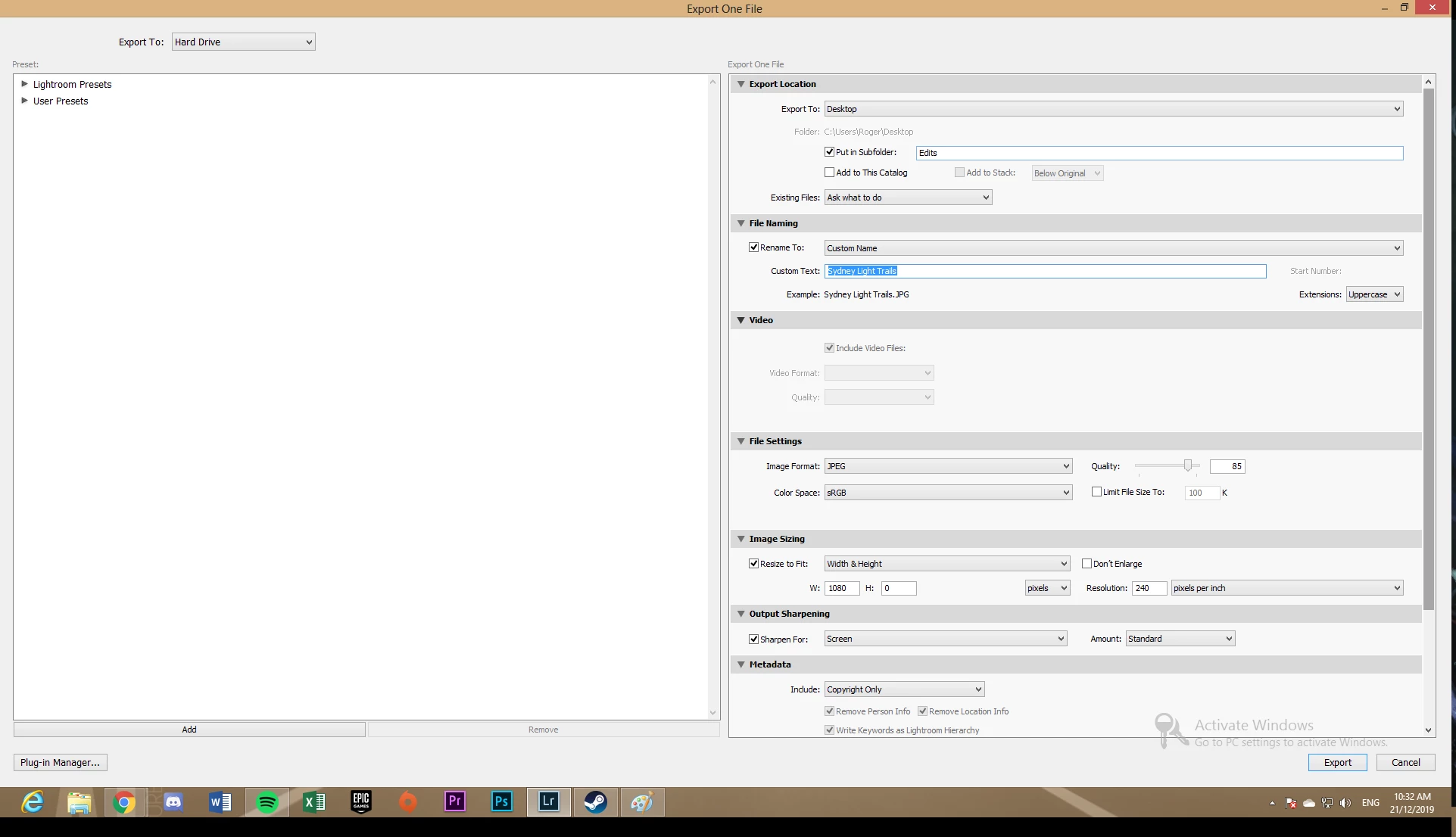
In your export dialog, the resize section, what happens  if you change it long dim on long side? That specifying size by geheight and width with one of the set to 0 seems so odd.