
Export Slideshow to Video: How to make embedded videos full screen?
MacOS 11.3 Big Sur
Lightroom Classic 10.4
MacBook Pro 2013
I've created a small test slideshow three 1080p videos and a few images. I use the built in Widescreen template for the slideshow. I am expecting that an exported video of the slideshow would show the 1080p videos filling the screen.
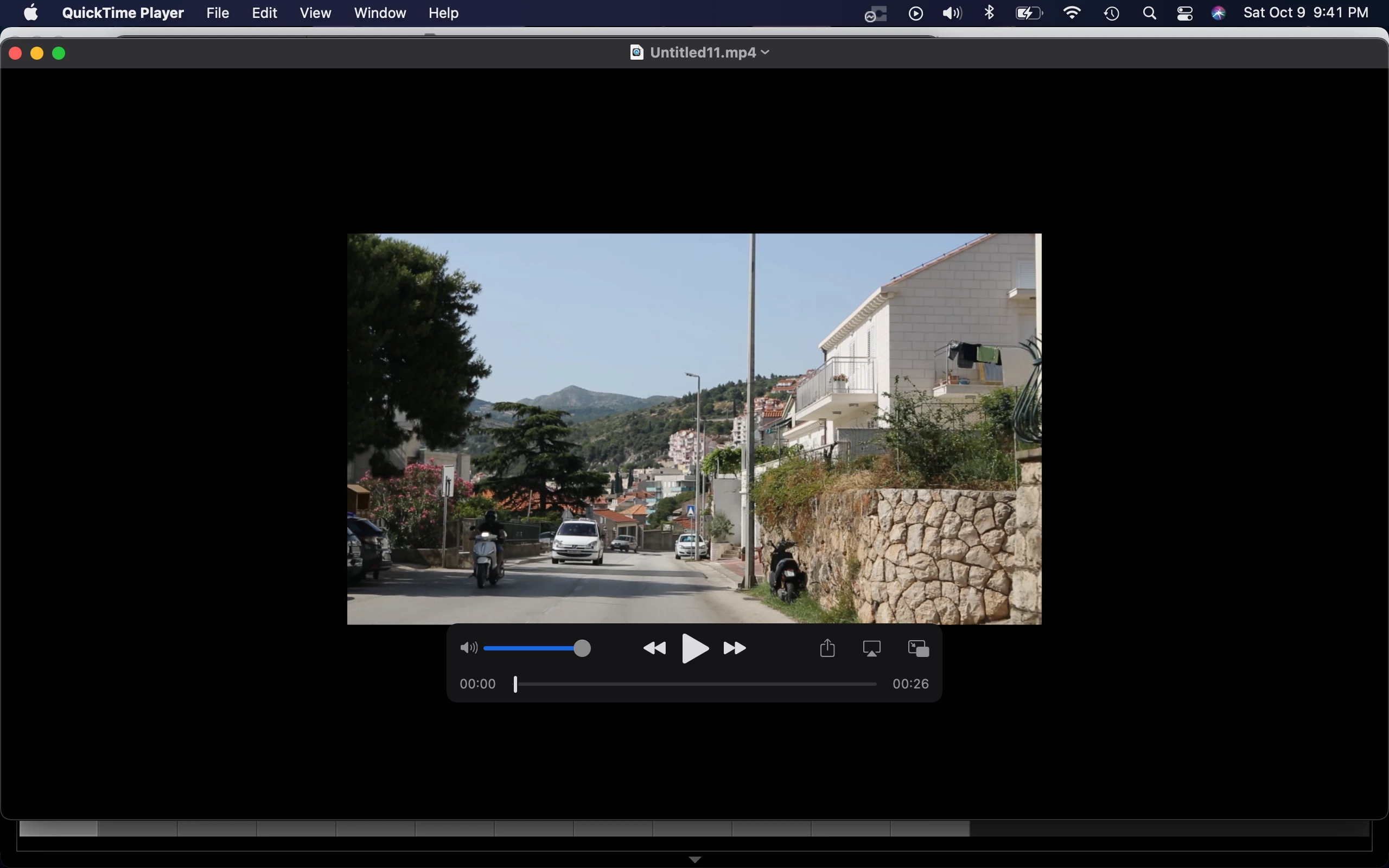
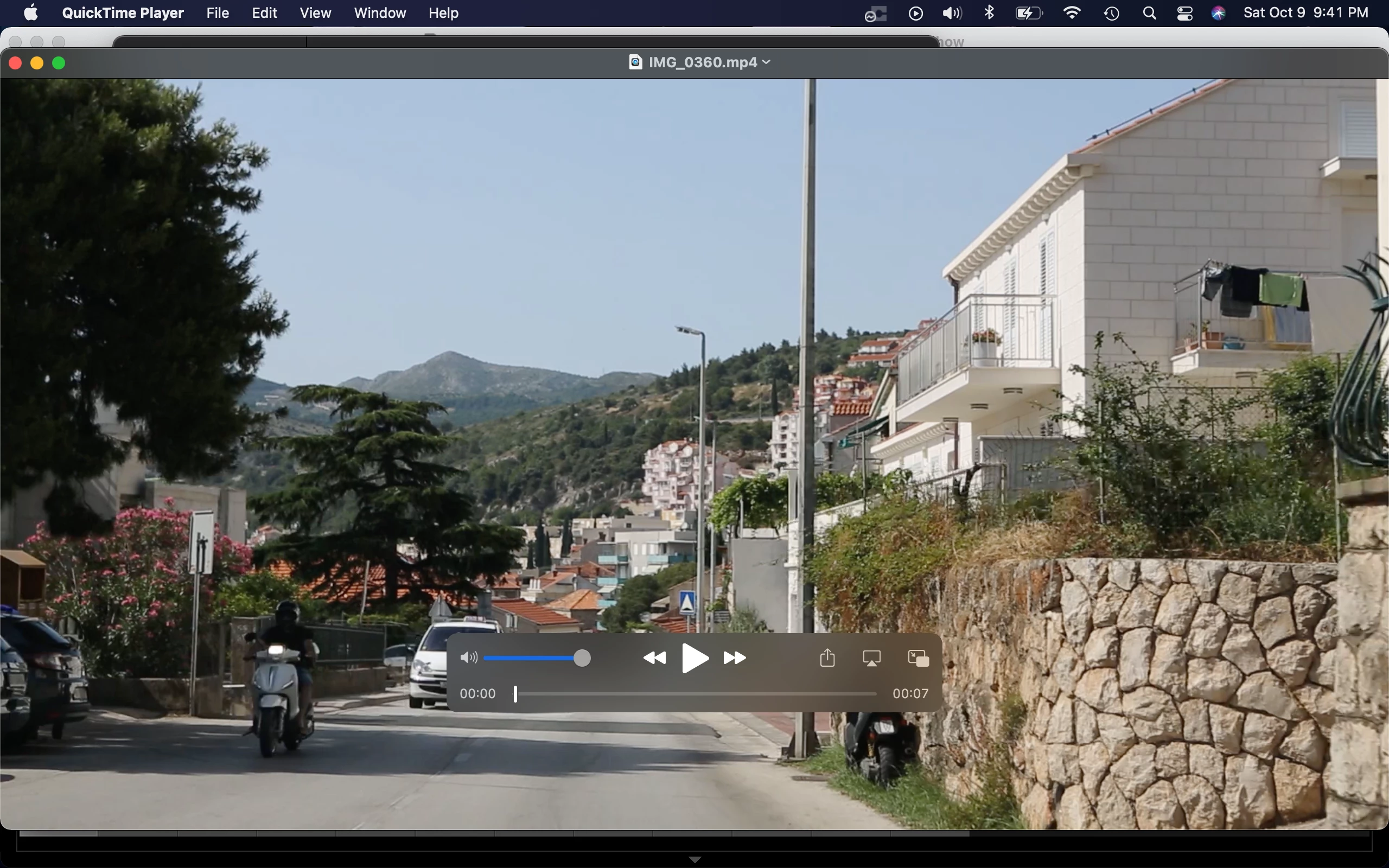
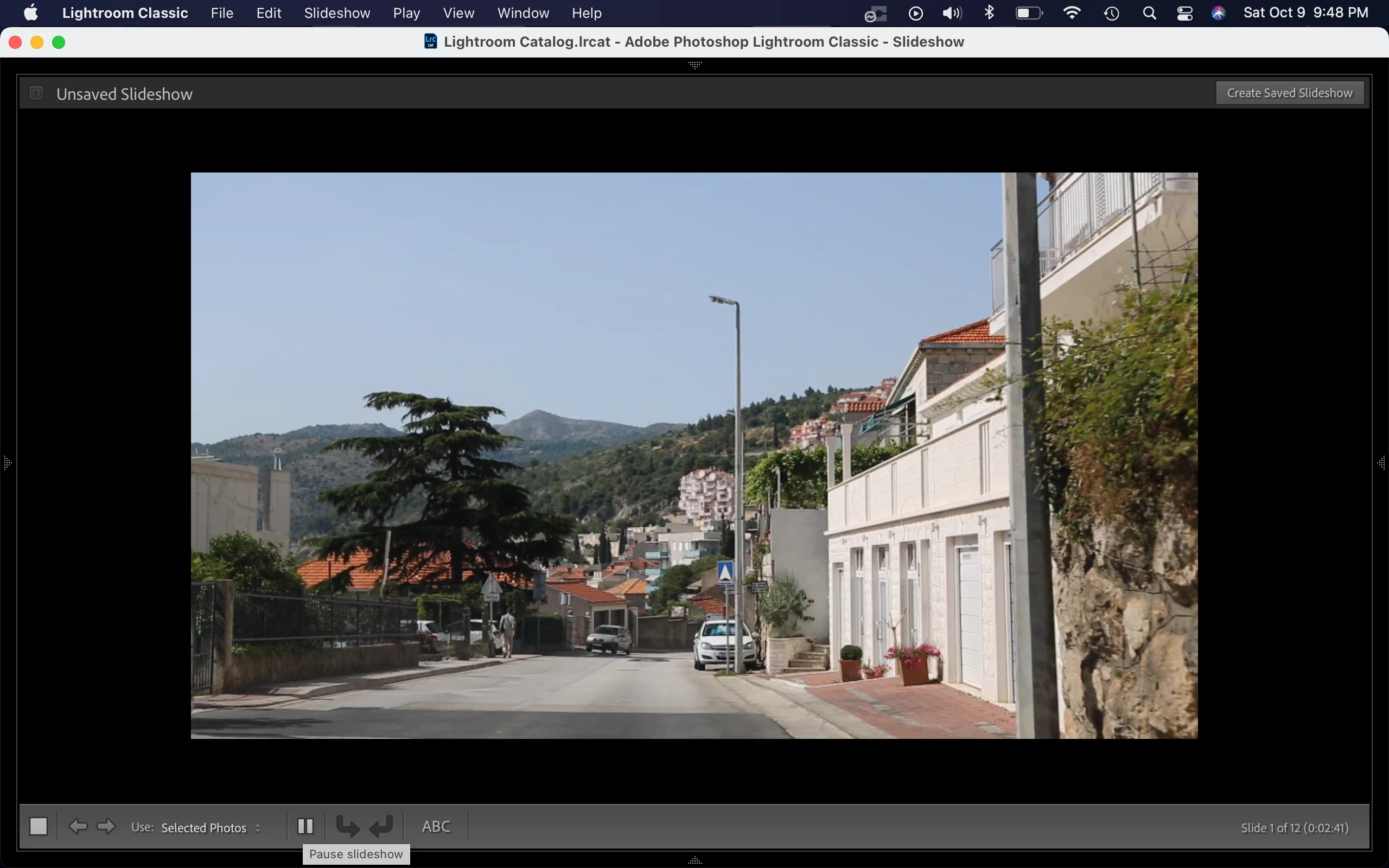
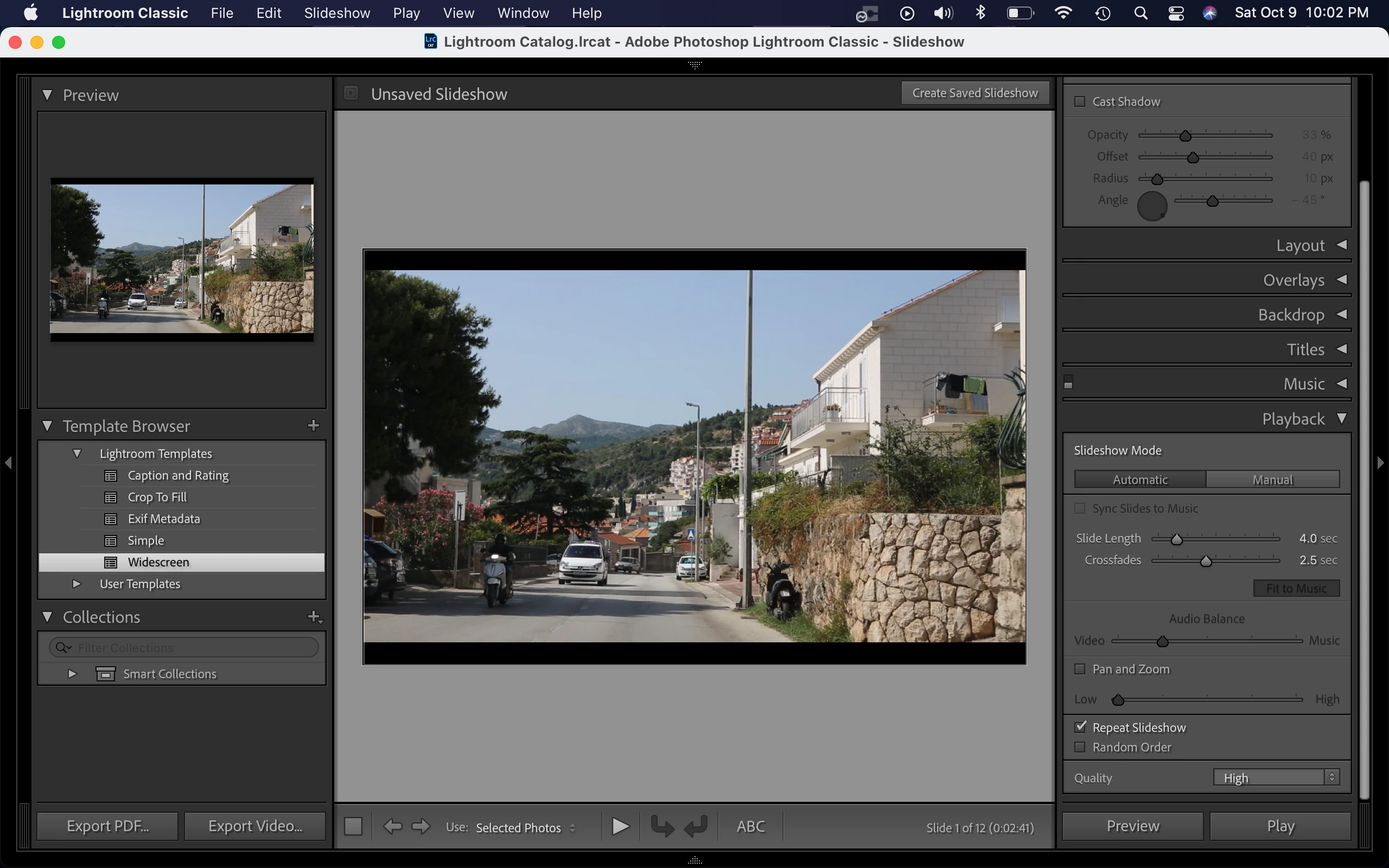
When I play the slideshow, the videos are surrounded by black areas instead of being displayed full width. When I export the slideshow to video at 1080p, the videos appear about half the size of the 1080p video screen, surrounded by even larger black areas than when the slideshow is played live. If I use the standard Export... feature of Lightroom to export one of the videos to 1080p H264, it fills the 1080p export screen as expected. I've attached screenshots below of the various views of the video being played and exported.
There is no difference if "Zoom to Fill" is chosen, and no difference if the GPU is enabled or disabled.
How can I get the videos to play at the correct size? Any suggestions would be appreciated!
Thanks!
Jon
Results of Slideshow "Export to Video" at 1080p:
Results of "Export..." at 1080p
Video appearance in Slideshow Preview mode:
Video appearance in Slideshow Play mode:

Video appearance when not being played:


 AdChoices