
Participating Frequently
November 24, 2022
Question

Exported images degrade when uploaded

  • November 24, 2022
  • 3 replies
  • 1037 views

Hey all, 


I've recently upgraded to a Canon 90D from a bridge camera and started shooting in RAW. 


I happily edited an image and exported it but when I go to upload it anywhere or move it to my phone it really degrades and I don't understand why. I know the original image isn't stunningly sharp as I'm still getting used to the settings on the new camera, but I don't understand what is happening. I've tried exported as a DNG then saving it through Photoshop as a PNG, JPEG or TIF but the same keeps happening. 
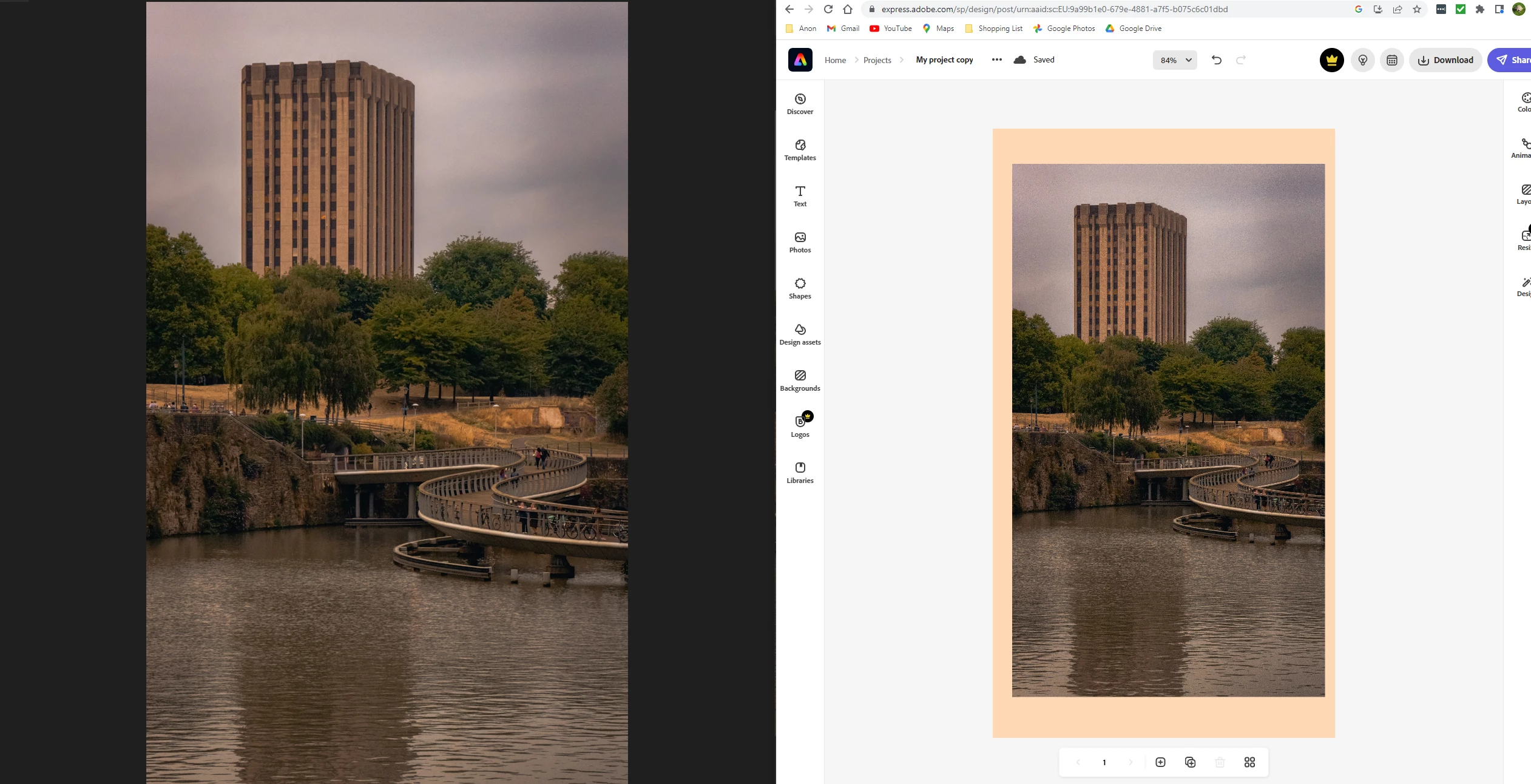
I even compared it with two unedited versions of the same photo - the DNG degraded when uploaded but the JPEG version maintained quality (second image) - what am I doing wrong? 
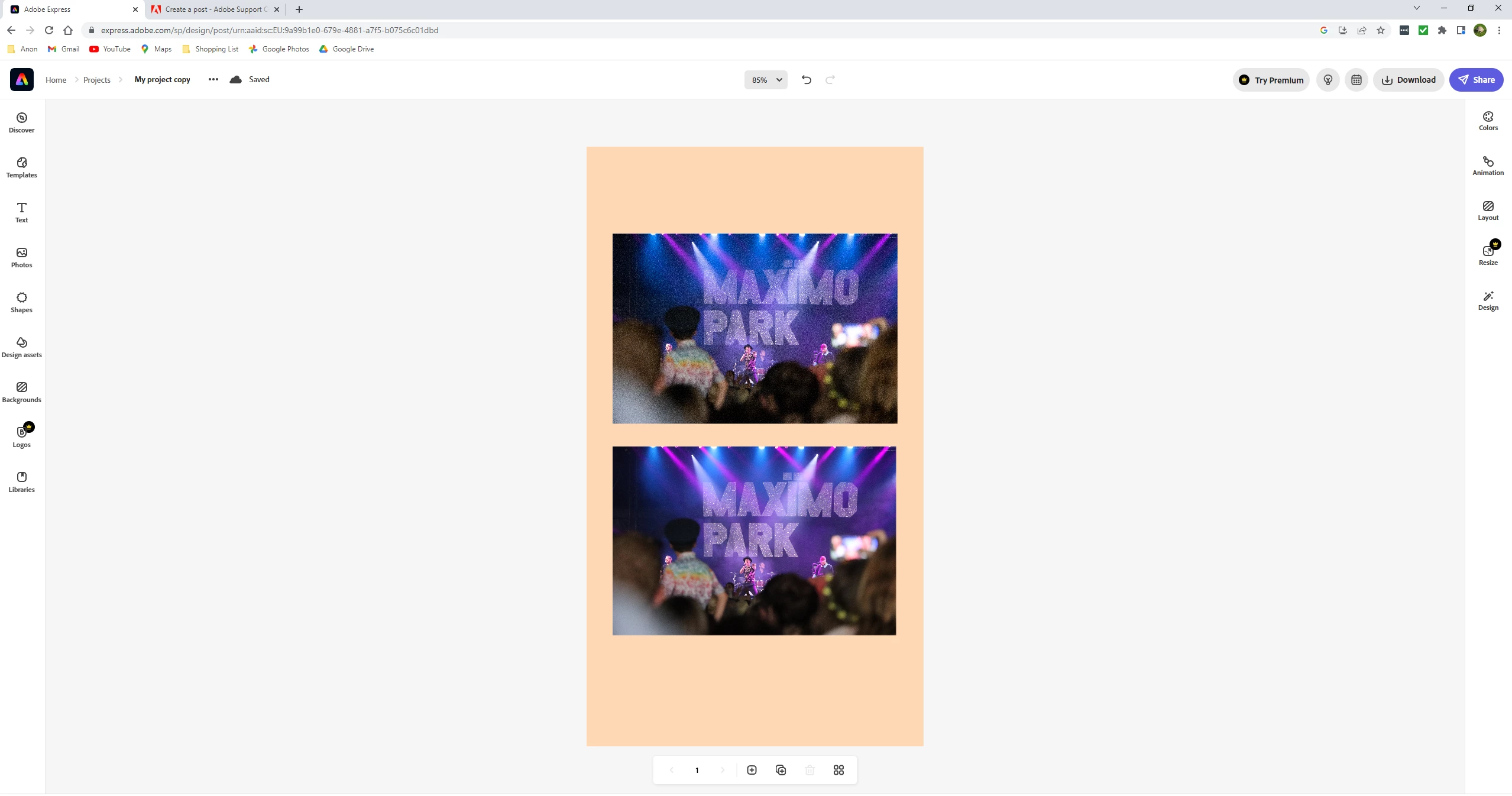
This topic has been closed for replies.

3 replies

GoldingD
Legend
November 25, 2022

Not familiar with Express, but, in the web address in that screenshot, the file name looks a lot like a LrC library preview file, not an full image file.

Participating Frequently
November 25, 2022

I thought maybe it was a preview image and the full image would appear when I exported, but when I export from Adobe Express it still looks like that 

dj_paige
Legend
November 24, 2022

Did you compare the exported photo to the photo as it appears in LrC?


What export settings did you choose?

Participating Frequently
November 25, 2022

Thanks for your reply. Yes, on my computer it looks the same as it does in LrC but as soon as I move it off my computer to upload it or copy it to another device, it degrades. I checked some JPEG images photos from the same camera in case it was my computer that's the issue and it's only the two CR3 images I've edited that are doing this

Participating Frequently
November 25, 2022

Also just to add, I've been using the default LrC setting but I also tried Export to DNG because Burn Full Sized JPEG's is greyed out for me 

Sean McCormack
Community Expert
Community Expert
November 24, 2022

Firstly I wasn't aware that Express accepted DNG as an upload and it makes me wonder if that uses the Embedded Preview inside the DNG rather than processing the DNG itself. Personally I've only ever used JPEG upload to Express (and when it was formerly Spark) and been happy. Is there a particular reason you're not exporting JPEG to make use of it's faster upload compared to the others? 

Sean McCormack. Author of 'Essential Development 3'. Magazine Writer. Former Official Fuji X-Photographer.
Participating Frequently
November 25, 2022

Thanks for your reply, that would make sense if it's just a preview. They're CS3 files that have been uploaded but when I export them they get exported as a DNG and I can't find a way in Lightroom Classic to change them to anything else. I started using RAW because all the reading and learning I've been doing kept saying how RAW is better than JPEG and you get more information to edit with so I started using RAW.