Known Participant
January 12, 2022
Answered

Exporting picture with Caption

  • January 12, 2022
  • 3 replies
  • 2274 views

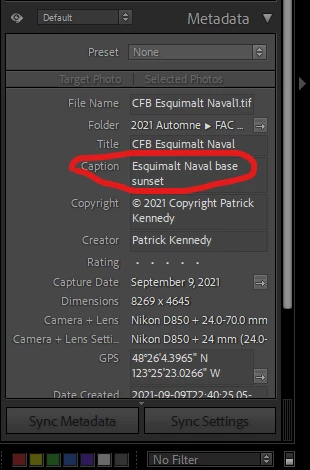
Ive started exporting picture with caption from lightroom cc, BUT... when i view my picture on cmy PC or anywhere else, the caption doesnt show. Could use some help here.

3 replies

Todd Shaner
Legend
January 12, 2022

"I don't want to use lightroom for picture presentation. My picture are share by Microsft OneDrive."


You can display the caption using the Slideshow module and then use menu Slideshow> Export JPEG Slideshow. That will create a folder with the exported JPEG files, which can be uploaded to OneDrive. At the below link scroll down to 'Add text and metadata to slides.'


https://helpx.adobe.com/lightroom-classic/help/adding-overlays-slides.html


PatKenoo7Author
Known Participant
January 12, 2022

I'll check that tonight. Thanks

Todd Shaner
Todd ShanerCorrect answer
Legend
January 12, 2022
PatKenoo7Author
Known Participant
January 12, 2022

I will check it out later today and comeback with some feedback. My only concern is, will it work outside lightroom when I want to view picture on my pc? I don't want to use lightroom for picture presentation. My picture are share by Microsft OneDrive.

johnrellis
Legend
January 12, 2022

[This post contains formatting and embedded images that don't appear in email. View the post in your Web browser.]


In the Export window, make sure that Metadata > Include is set to All Metadata:


If that doesn't help, what specific application are you using to check for the presence of the caption in the metadata?


PatKenoo7Author
Known Participant
January 12, 2022

I already check all metadata, but i didnt check the write keyword option.  So one the picture as been exported, i use the photo viewer in windows or the one on my phone. When I check for the description of the picture, all I see is the name files. There is no title or caption. 

johnrellis
Legend
January 12, 2022

"i use the photo viewer in windows"


I don't think the Windows Photos app displays captions.  Try this: In File Explorer, navigate to the exported photo, right-click it, and select Properties. In the Properties window, click Details:


The LR caption should appear in the Title field -- does it?