Inspiring
January 31, 2019
Answered

Exports to JPEG getting very blurry and pixelated

  • January 31, 2019
  • 3 replies
  • 7111 views

Greetings,

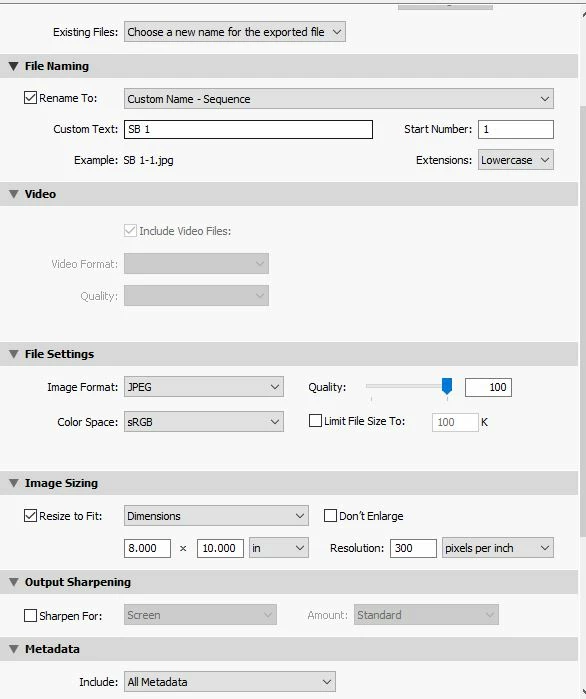
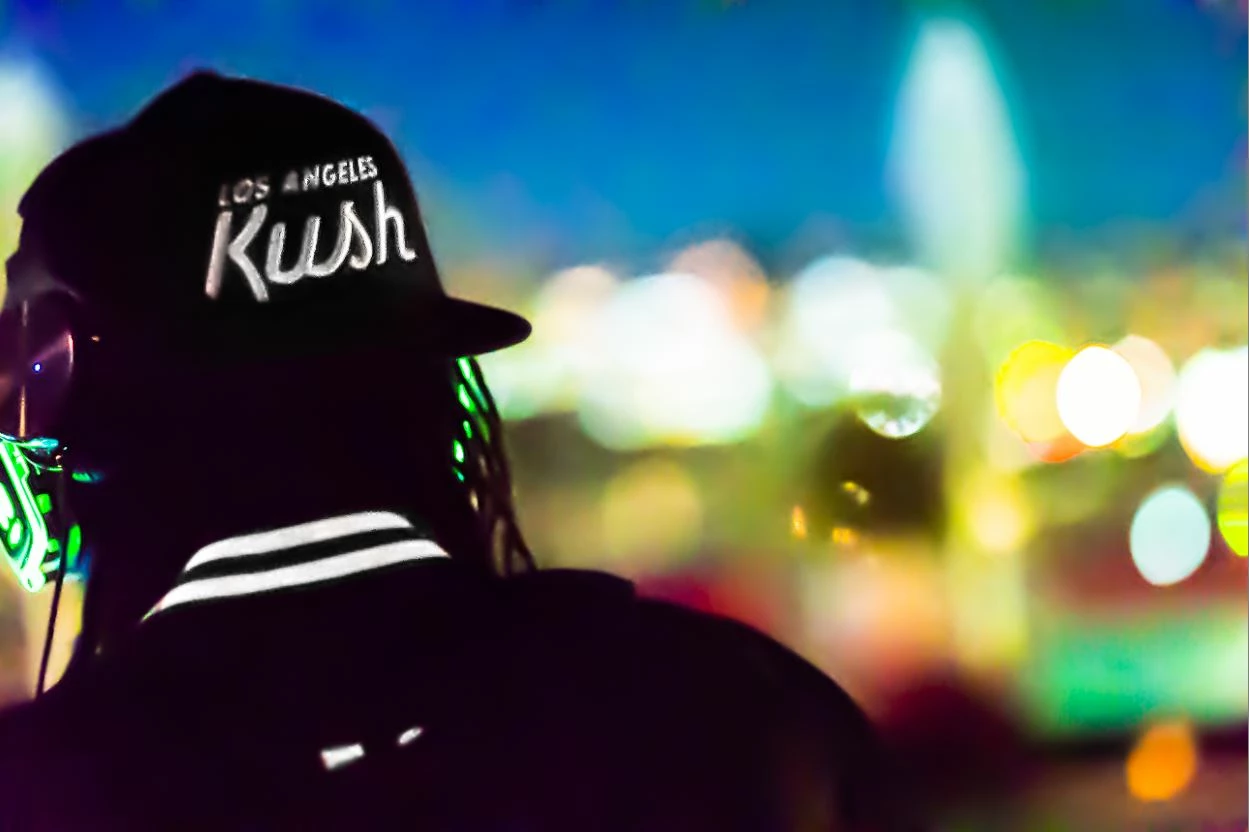
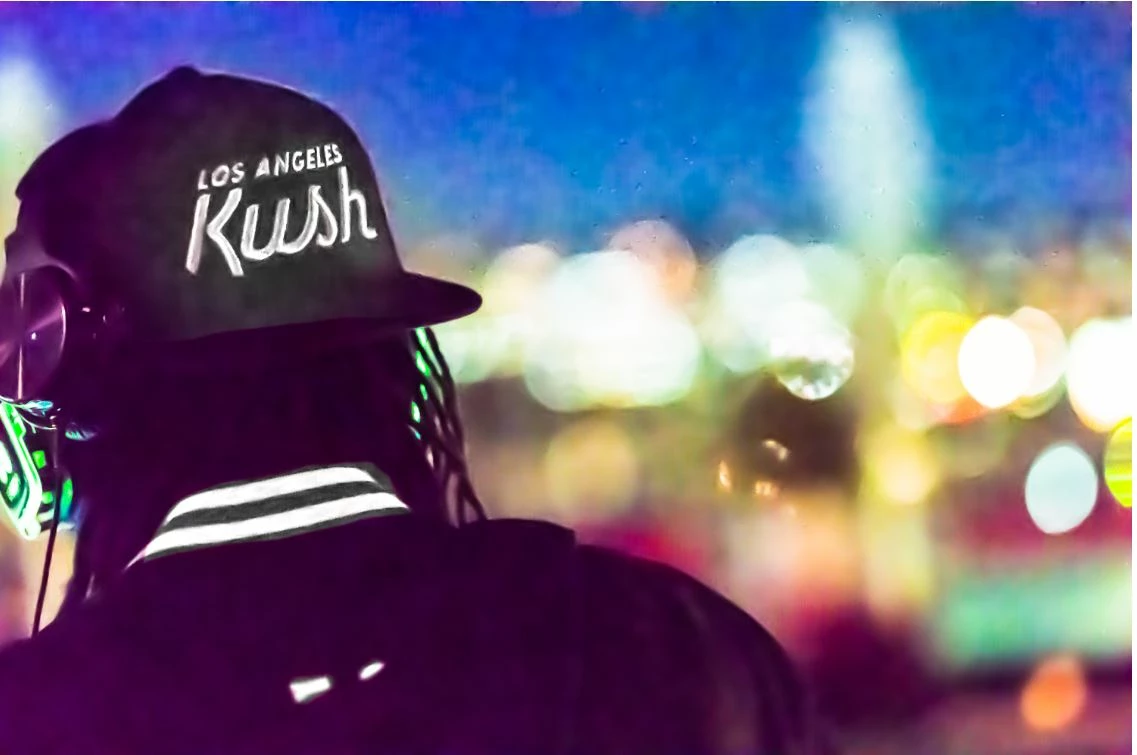
I'm trying to export some photos for a client but they are coming out very blurry and pixelated compared to the Lightroom image. I am stylizing them heavily but can't quiet figure out what is causing this in the export. I have attached photos of the image in lightroom, the export, and the export settings... any help would be very much appreciated.
    This topic has been closed for replies.
    Correct answer Marco_Stark

    If you are looking to Print that image to a  8" x 10" piece of paper then you need to crop it to that ratio, 8:10. For that ratio you need that same 3448 pixels on the short side and only 4310 pixels on the long side.


    Thank you for the reply. That setting was leftover from a previous project. I've since unchecked the box altogether. I'm ultimately hoping to get the image to export as close as possible to the look in Develop module. The export seems to be emphasizing the adjustment layers particular on the stripes of the collar as well as the heavy pixellation in the sky.

    3 replies

    GoldingD
    Legend
    February 1, 2019

    First off the issue about 8000 by 10000 was probably just a oops moment for that member overlooking 8 inch by 10 inch, not pixels.

    Moving on

    Instead of sharing a screenshot, present us with a jpeg, need not be big.

    I would suspect the member talking of monitor calibration would be more spot on.

    And if you have dropbox, and are willing, perhaps examples their? (copyright and contract issues might arise with your client???)

    Just Shoot Me
    Legend
    January 31, 2019

    What are the Pixel Dimensions of the original image?

    Inspiring
    February 1, 2019

    looks like 5168 x 3448

    Just Shoot Me
    Legend
    February 1, 2019

    If you are looking to Print that image to a  8" x 10" piece of paper then you need to crop it to that ratio, 8:10. For that ratio you need that same 3448 pixels on the short side and only 4310 pixels on the long side.

    TheDigitalDog
    Inspiring
    January 31, 2019

    Look at the Resize to Fit area! 8K by 10K, that's kind of insane.

    And you don't need the quality set to 100 FWIW.

    Jeffrey Friedl's Blog » Lightroom JPEG Export-Quality Settings, Full-Resolution Examples

    Author “Color Management for Photographers" & "Photoshop CC Color Management/pluralsight"
    Inspiring
    January 31, 2019

    I've also tried changing that to 100% percent image size with the same results. Would you recommend a setting?

    TheDigitalDog
    Inspiring
    February 1, 2019

    Marco_Stark  wrote

    I've also tried changing that to 100% percent image size with the same results. Would you recommend a setting?

    Turn off the check box all together for one. Then maybe post an example. Is the original a raw?

    Author “Color Management for Photographers" & "Photoshop CC Color Management/pluralsight"