

bartonlew
Legend
April 28, 2023
Answered

exposure information missing

  • April 28, 2023
  • 1 reply
  • 545 views

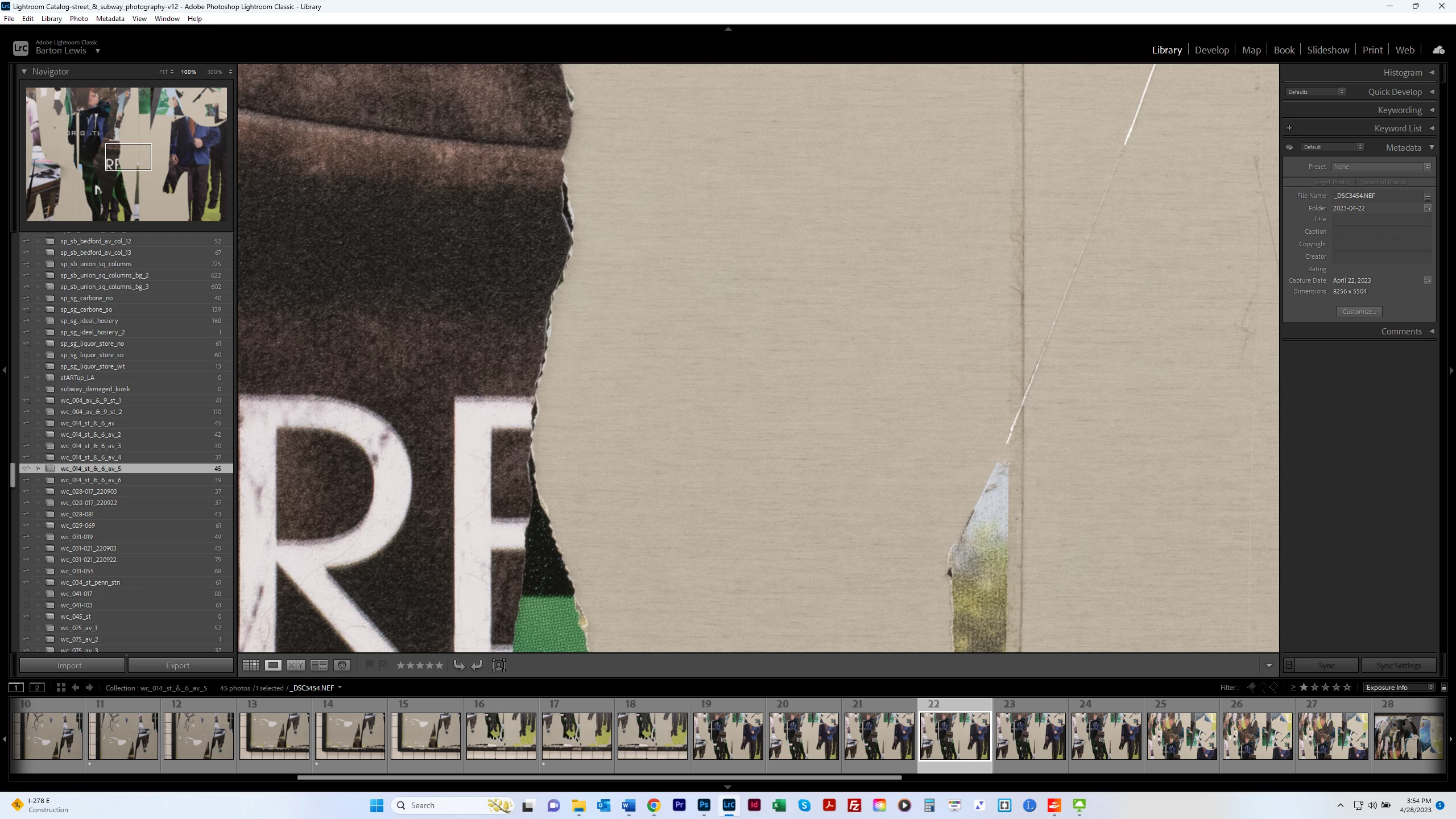
It used to be the case that I could see information about my image in the panel at the upper right, including f stop, ISO etc.  That is missing, and when I click on "Exposure Info" in the dropdown at the bottom right, nothing changes.  That data is still now showing above.  Why is this?  Thanks.


This topic has been closed for replies.
Correct answer Jim Wilde

The OP may have meant top right, i.e. the exposure info that shows under the Histogram. But of course to see that the Histogram panel needs to be shown, not collapsed as it is in the screenshot.

1 reply

dj_paige
Legend
April 28, 2023

Top left, not top right.


Press letter I once or twice. If that doesn't provide the proper infomration on your screen, you will need to set the option to show it by Ctrl-J

Jim Wilde
Community Expert
Jim WildeCommunity ExpertCorrect answer
Community Expert
April 28, 2023

The OP may have meant top right, i.e. the exposure info that shows under the Histogram. But of course to see that the Histogram panel needs to be shown, not collapsed as it is in the screenshot.

bartonlew
bartonlewAuthor
Legend
April 28, 2023

Thanks.  I misremembered where the exposure was showing (in the Histogram).