
Participant
October 18, 2023
Question

External editing does not work in Lightroom Classic

  • October 18, 2023
  • 4 replies
  • 1098 views

After updating the Lightroom Classic to version 13.0.1 (updated 2 days ago), the external editor stopped being called (Ctrl E).
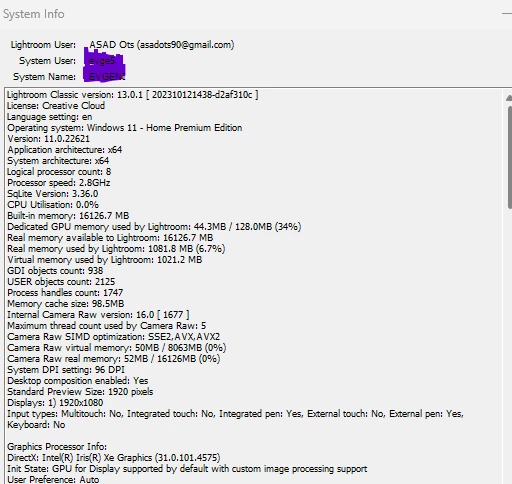
 

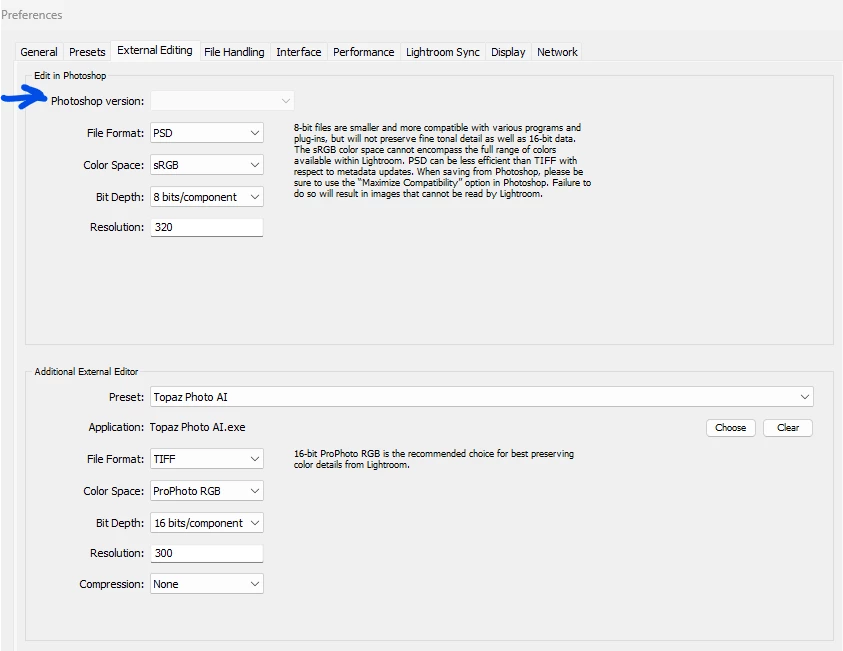
Also, in the Preferences section you cannot install Photoshop as an external editor. The corresponding field is gray.
 

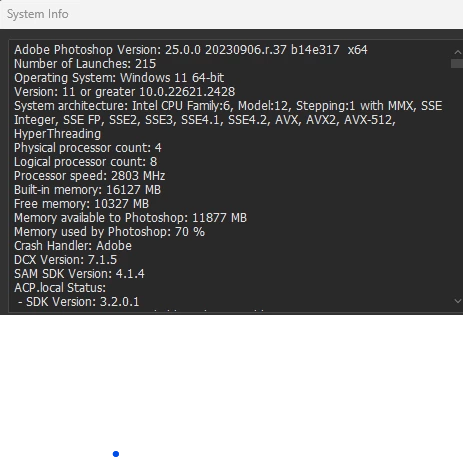
Photoshop version 25.0.0 (18 days ago)

Operating System- Win 11


This topic has been closed for replies.

4 replies

CardoCardo
Participating Frequently
November 14, 2023

I'm getting the same problem and have tried the fixes so far suggested but no sucess. However it shows <Photoshop 2024> set as the External Edirtor but when I go to <Edit In> all options are greyed out. See attached images. 

GoldingD
Legend
November 14, 2023
quote

I'm getting the same problem and have tried the fixes so far suggested but no sucess. However it shows <Photoshop 2024> set as the External Edirtor but when I go to <Edit In> all options are greyed out. See attached images. 


By @CardoCardo


Your screenshot (annotated):


 And the mentioned grayed out options. Typically that means your original photo is missing in LrC.


You can see this in your grid view, You would see something like this:


That sample from the following link that you will want to read:


https://www.computer-darkroom.com/lr2_find_folder/find-folder.htm


P.S. I see you are new to the community. Can I request that in the future, when you have a nice picture to post, that you use the insert photo button, not the attachment. use attachments for huge documents like crash reports. Having the screenshot actually showing in the reply//post is better/helpful. And is mentioned in the community How To Guide:


Community How-To Guide - Tips & Best Practices


GoldingD
Legend
October 18, 2023

Tyically, but this is not an absolute, that means you need to use the Adobe Creative Cloud Desktop App (ACCDA) to uninstall PS, then reinstalll PS. In some nasty cases you also need to uninstall PS and LrC, then reinstall PS, and after the PS install (not before) reinstalls LrC.


You will see lots and lots of postings just like yours in these community pages, typically in this LrC community.


Participant
October 19, 2023

Thank you

Participant
October 19, 2023

Thank you very much! Your advice helped.

Sean McCormack
Community Expert
Community Expert
October 18, 2023

Sometimes the order of installation can affect this. There were also issues with Photoshop Beta preventing it a bit ago. Uninstall Photoshop and the Beta and reinstall the one you're most likely to use. 

Sean McCormack. Author of 'Essential Development 3'. Magazine Writer. Former Official Fuji X-Photographer.
Participant
October 19, 2023

Thank you

jane-e
Community Expert
Community Expert
October 18, 2023

@asado9692071 


I've moved your post from Creative Cloud Desktop to Lightroom Classic for you.


Jane