Known Participant
January 30, 2025
Question

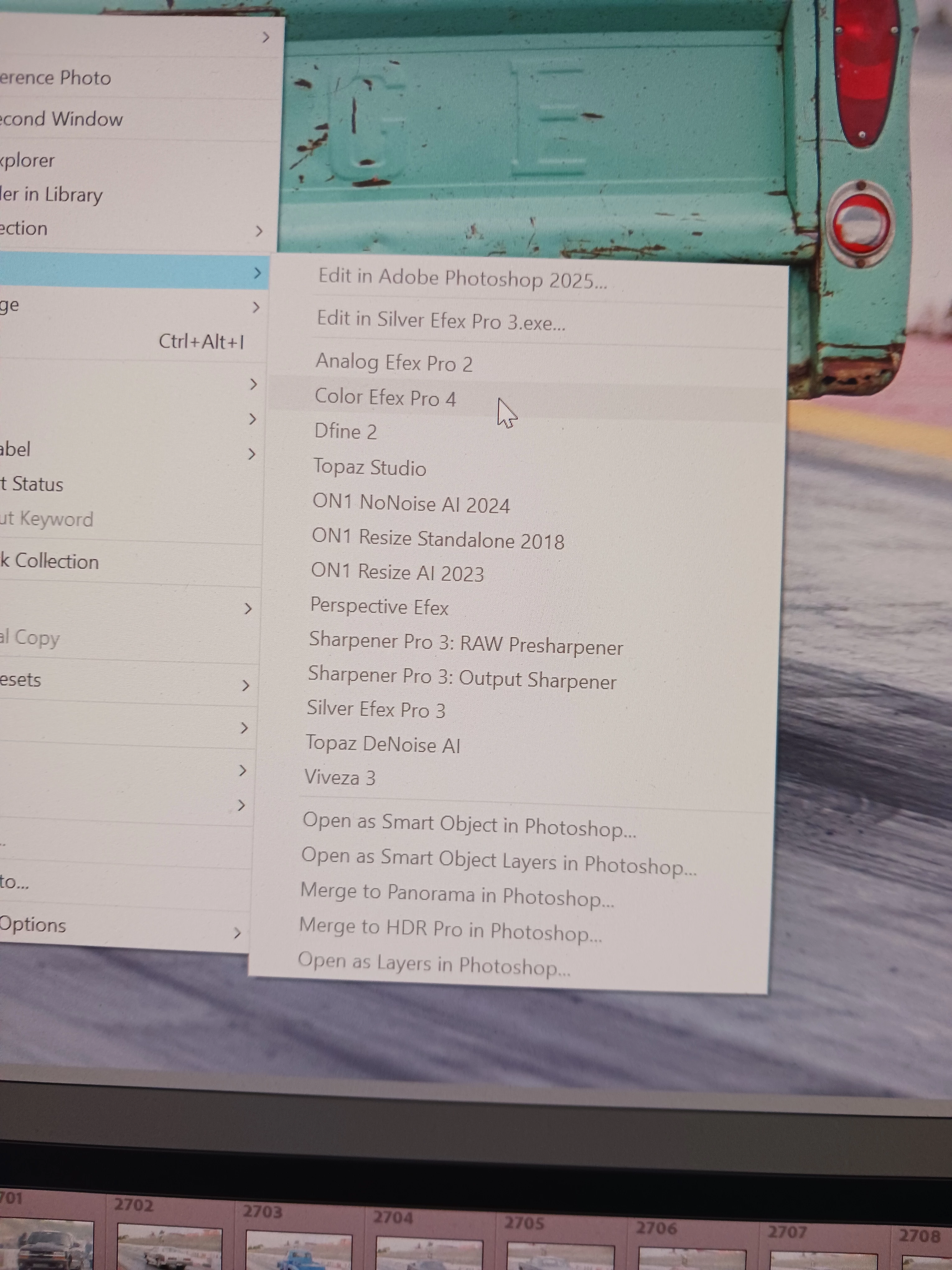
Externall Editors Greyed Out

  • January 30, 2025
  • 1 reply
  • 563 views

Subject pretty much explains it. Image is not a Smart Preview.Tried resetting the preference file. Did not help. Uninstalled LR/PS and the Creative Cloud App. Reinstlled the app, PS and LR. Did not help.

1 reply

Rob_Cullen
Community Expert
Community Expert
January 30, 2025

Grey 'Edit-In' menu may be caused by-

1) The photo is 'missing'. Lightroom does not know where the original photo is stored- it has been deleted, renamed, moved, by the OS outside of LrC.  Grid view thumbnail is showing a [!] on the border? or a Folder  showing a [?] (or possibly a corrupt file)

MISSING PHOTOS

2) You are using Smart Previews and the original file is not connected to the computer or available to Lightroom. (eg. external usb drive not connected). Plug in the external drive-

3) Check that an external drive is using the same Name/Letter as before. (Also see the link for Missing photos)

4) Lightroom-Classic and Photoshop are not linked correctly in Registry.  See this link-

EDIT IN Photoshop command missing


You filmstrip does not indicate 'missing' files, so more investigation is required.

So what do you see (a screen-clip) in the Library Grid of previews and the Folder panel?


Regards. My System: Windows-11, Lightroom-Classic 15.1.1, Photoshop 27.3.1, ACR 18.1.1, Lightroom 9.0, Lr-iOS 10.4.0, Bridge 16.0.2 .
Known Participant
January 30, 2025

All my images are on internal drives. If I go into the External Editor tab and change a setting, say for Silver EFEX and hit restart LR...LR will not restart. Have waitied 4 or 5 minutes, nothing. Try to reopen the program. Noothing. Go into Task Manager and there will be several Lightroom Classics running. Close them all and LR will reopen. I can send one image to an external editor before the problem reappears.

Known Participant
February 21, 2025

Fixed...I am an idiot at times. I had LR pinned to the task bar on my Windows 10 PC. For some reason this was causing all the problems. I opened LR once by using the Start button prgram list...all the weirdness went away. All External Editors work, can Export again (being able to export went away as well) and the hammering that the HD was doing stopped.


Problem has returned. Even opening LR using the start menu external editors are "greyed" out. Hard drives are hammering. Just tried senging an image to an external editor...the box popped up but external editor never recieved the file....