
Albiback
Participating Frequently
October 7, 2017
Question

files are not supported by Lightroom Raw support

  • October 7, 2017
  • 1 reply
  • 1036 views

Hello,

I've reinstalled my computer this week and since then Lightroom can't see anymore my CR2 files... Before it was working fine.

Now I get this error message during the import (files are not supported by Lightroom Raw support)
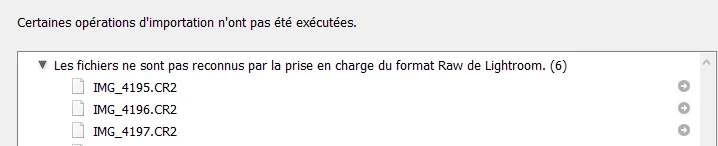
I tried to search for some update and it's blocked too...
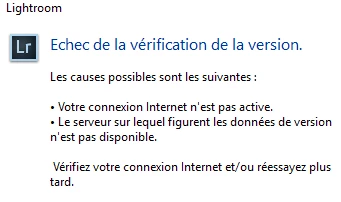
Does someone have an idea about what I should do ?

It's a fresh install of Lightroom CC.

Best Regards,

This topic has been closed for replies.

1 reply

99jon
Legend
October 7, 2017

Which version is installed? If you go to the menu:

Help >> System Info (Menu d'aide)

Do you see - Lightroom version: CC 2015.12

Which canon Camera and model are you using?

Albiback
AlbibackAuthor
Participating Frequently
October 7, 2017

Hello,

Here's what I have in the System Info menu :

My Canon Camera is an EOS 800D

Best Regards,

99jon
Legend
October 7, 2017

You have just the base version installed. Have you checked in Creative Cloud (Apps tab) for updates.

Or you can download the update manually.

Go to the link below and expand the LR6 tab by clicking the > icon

Download the latest update (at top of list) e.g. LR6.12/2015.12

Download Photoshop Lightroom