
mycc3
Known Participant
November 1, 2019
Answered

Filtering cropped images

  • November 1, 2019
  • 1 reply
  • 1697 views

Hi,

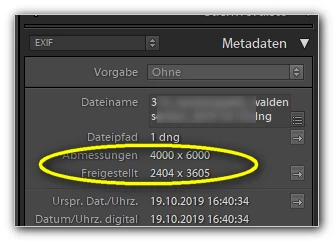
is there really no built-in option to show only (not) cropped images, to filter/sort by the cropped meta data entry ("Freigestellt")?

Thanks!

mycc


This topic has been closed for replies.
Correct answer richardplondon

You can include "Cropped" is true / is false in the selection rules for a Smart Collection.

You can also include image dimensions as-cropped (for example defining a size range, in pixels, for the images' Long Edge). 

1 reply

richardplondonCommunity ExpertCorrect answer
Community Expert
November 1, 2019

You can include "Cropped" is true / is false in the selection rules for a Smart Collection.

You can also include image dimensions as-cropped (for example defining a size range, in pixels, for the images' Long Edge). 

mycc3
mycc3Author
Known Participant
November 1, 2019

Oh no! Searched the web,  but not found this option 😞 Maybe the search results are related to an older version of Lightroom?

And I have used Bridge to search for (un-)cropped images, marked them and back to LR ...


Thanks a lot!


Sorry, related question:

Now I am using such a smart collection with uncropped images to crop the rest. But after it LR does not show me the next image:

 
mycc3
mycc3Author
Known Participant
November 1, 2019


Hmm, the editor removed this screenshot and the following line:


Is there a option for this behaviour?

thanks again!
