

Flickr plug-in for Lightroom Classic: Error mentioning CryptUnprotectData
I recently replaced an old PC running Windows 10 with a new PC that came loaded with Windows 11. I installed fresh copies of Lightroom Classic and Photoshop on the new PC using Creative Cloud Desktop. I've had no problems at all for the past month or so, until now.
I just tried publishing one of my photos to my Flickr account, and ran into an issue. After dragging and dropping the image into the Flickr Collection (that worked fine), when I clicked on the "Publish" button, Lightroom threw up the following error message:
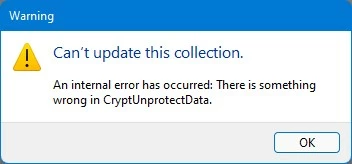
I did what I always do and Googled the error message. I found several forum posts (mostly on the Adobe site) that gave suggestions on resolving the issue. Most involved removing authorization and re-authorizing the plug-in. I tried that, several times, and it didn't help. I tried running Lightroom as an Administrator (another suggestion I read); still got the error message after trying to re-authorize with Flickr. I emptied the browser (Google Chrome) cache; that didn't work, either.
The only suggestion I didn't try was to set another Web browser as my default; under Windows 11, that involves changing the file association for a whole slew of extensions, and I really don't want to go through that unless it's absolutely necessary. (I've heard that Microsoft plans to improve this situation with a future update, but I'm not holding my breath.)
I opened the Flickr window in Lightroom Publishing Manager and saw the following:
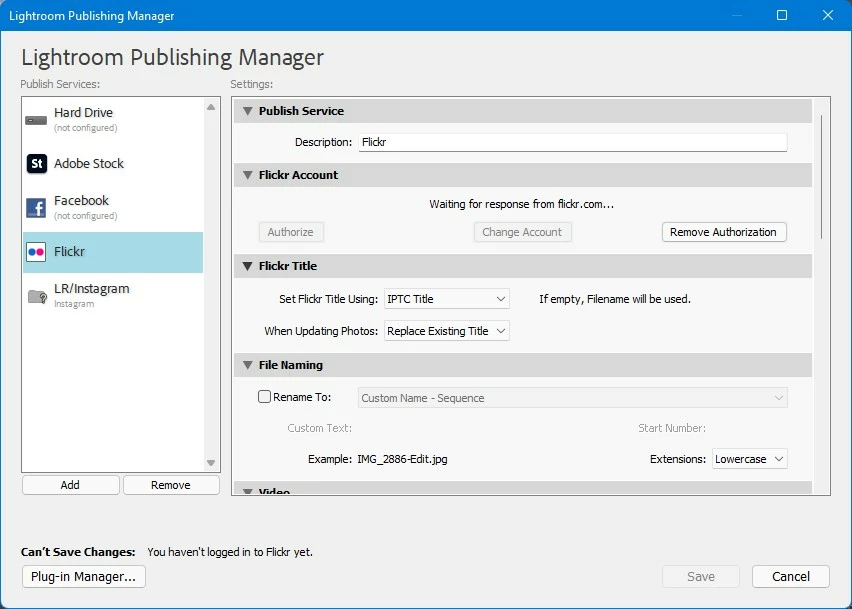
Apparently, Lightroom was waiting for a response from Flickr that never came. It also stated that I wasn't logged in to Flickr, which I suppose means the same thing.
As a last resort, thinking the installed copy of the Flickr.lrplugin file could be corrupted, I grabbed the (working) copy of the plug-in from the old PC and temporarily replaced the plug-in on the new PC. It made no difference, I still get the same error.
From the Lightroom Plug-In Manager, in the Flickr tab, I saved the Diagnostic Log to a file; that provided the following information:
Plug-in error log for plug-in at: C:\Program Files\Adobe\Adobe Lightroom Classic\Flickr.lrplugin
**** Error 1
An error occurred while attempting to test a connection to this service.
There is something wrong in CryptUnprotectData.
**** Error 2
This plug-in’s post-processing task did not finish successfully.
There is something wrong in CryptUnprotectData.
Windows 11 Home 21H2 (OS Build 22000.376)
Google Chrome Version 96.0.4664.110.
Lightroom Classic Version 11.1.
Anyone else seeing this error? Anyone have a suggestion I haven't tried yet?
Larry
 AdChoices