
Question
Folder will not update after sync it.
LR Classic 2020 will not update catalog folder after synchronizing it. I tried removing the folder, LR will not do this. I have tried a half dozen times to re-synchronizing the parent folder, No change. This is what the catalog looks like;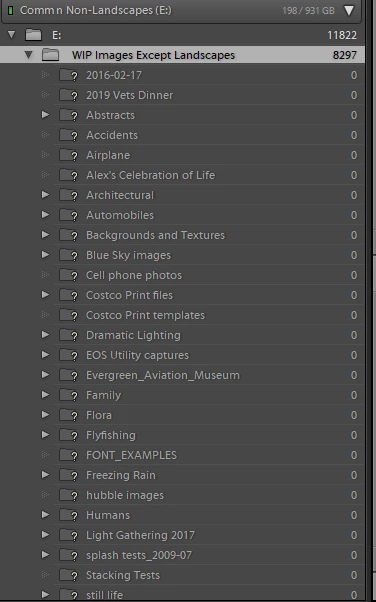
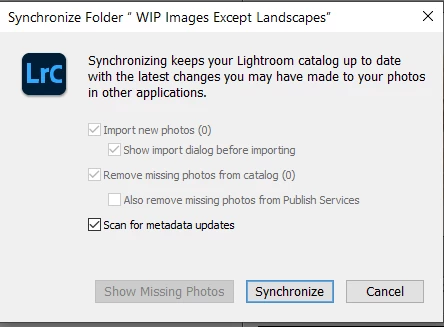
The above window is what I get when I try to synchronize the "E" drive and/or the Parent folder WIP Images Except Landscaptes.
I have checked the drive via Explorer and the image count is short over 7000 files. But if I right click on the folder in LR Classic and go to Properties, I get the correct number of files.
I am running a Windows 10 Pro 64bit machine with 64gb of RAM.
Any ideas.
 AdChoices