Participant
October 6, 2019
Question

fotos se corrompen

  • October 6, 2019
  • 5 replies
  • 411 views

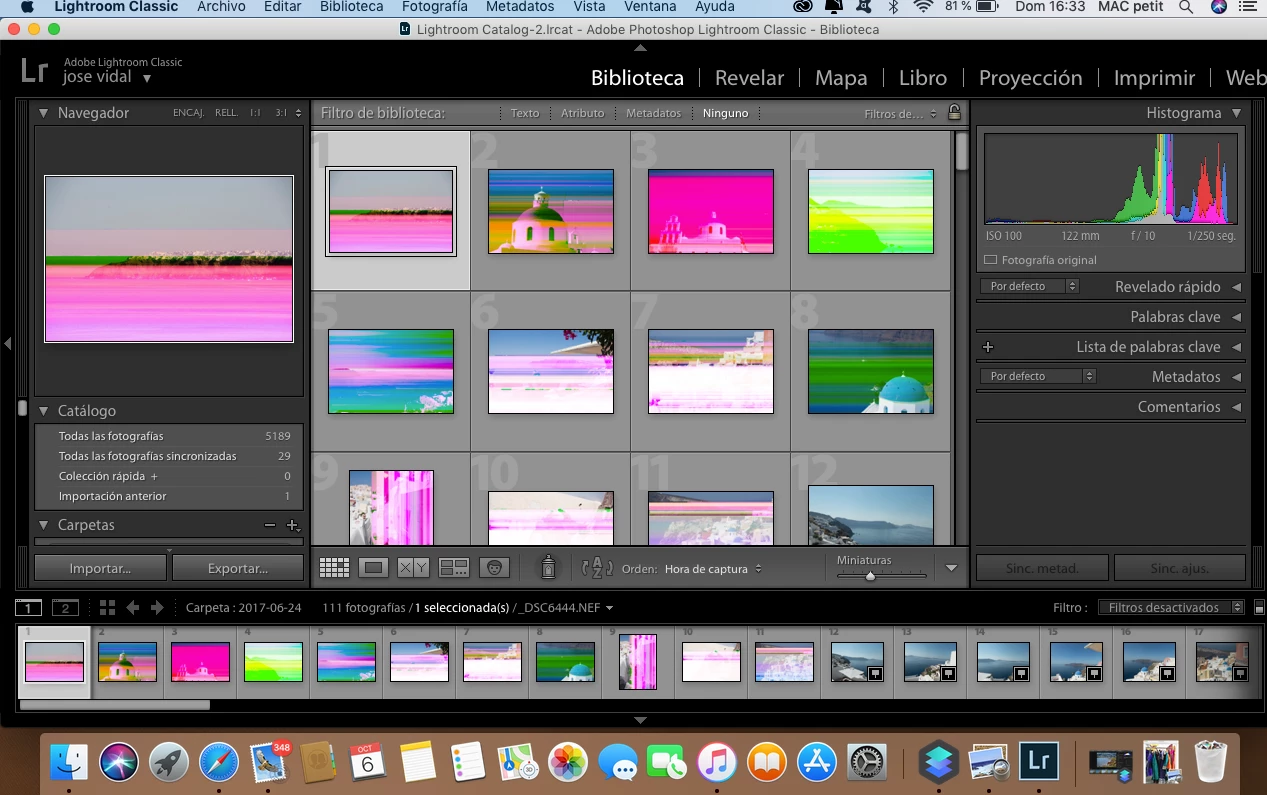
Al abrir programa todo va bien ,de pronto empiezan a modificarse las imagenes,una tras otra.

adjunto captura de pantalla.

Alguien puede ayudarme ?


GRACIAS
 

    This topic has been closed for replies.

    5 replies

    Rob_Cullen
    Community Expert
    Community Expert
    October 6, 2019

    Files are corrupt.

    Usually an indication of a hardware issue . A bad card, a bad cable, a bad sector on the hard drive.

    Some suggested answers for the same problem in this forum thread-

    https://community.adobe.com/t5/Lightroom-Classic/File-issue/td-p/10003206

    Regards. My System: Windows-11, Lightroom-Classic 15.1.1, Photoshop 27.3.1, ACR 18.1.1, Lightroom 9.0, Lr-iOS 10.4.0, Bridge 16.0.2 .
    GoldingD
    Legend
    October 6, 2019

    Hmm, was going to make an assumption, Without seeing your latest screenshot (missing) but while I started composing my new reply, it occured to me to ask


    Are you using smart previews?


    That might affect the image you see in the develop module.


    Thinking about possible corrupt library previews, but that would probably not be the case if the develop module center screen was also fouled up. But what if smart previews are corrupt?


    GoldingD
    Legend
    October 6, 2019

    To other members. That Histogram, is seeing more than Red, Green, and Blue normal? All those extra colors, a clue?


    GoldingD
    Legend
    October 6, 2019

    Were these ones just imported? If not, did they look Ok previously?


    318Author
    Participant
    October 6, 2019
    Antes se veían bien
    GoldingD
    Legend
    October 6, 2019

    And in develop module?


    GoldingD
    Legend
    October 6, 2019

    What do they look like in develop module
