Participant
March 2, 2018
Question

Fuji camera profiles

  • March 2, 2018
  • 3 replies
  • 390 views

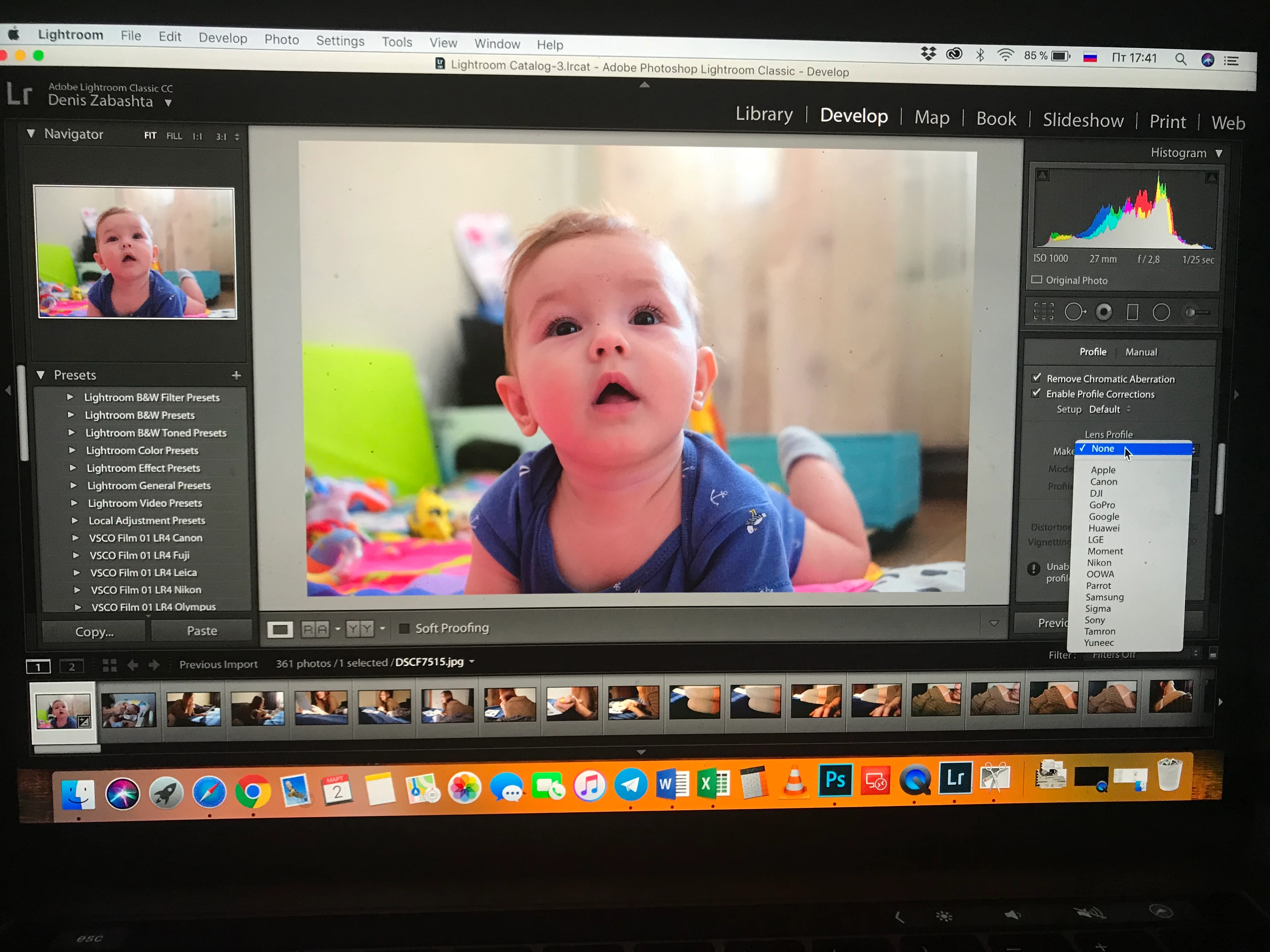
Can't find Fuji Camera profiles, and reinstalling didn't help.

Are there any opportunity to paste it manually?

Shooting Fuji x-t10 with 16-50 lens
    This topic has been closed for replies.

    3 replies

    Just Shoot Me
    Legend
    March 2, 2018

    The reason you are getting the warning at the bottom of the Lens Correction section, "Unable to locate a matching profile automatically", when you check Enable Profile Correction is because there aren't any profiles for JPG images. The lens profile is applied In the Camera at the time the sensor data is converted to a JPG file or even if you export a RAW file to JPG in LR the profile is burnt into the file itself and Adobe does not supply lens profiles for JPG images for most camera makers.

    Just Shoot Me
    Legend
    March 2, 2018

    Camera Profiles are in the Camera Calibration section not in the Lens Correction section.

    .

    They are only available for RAW images as the Camera Profile is applied in camera for JPGs.

    If you are actually looking for Lens profiles they are Built-In for Fujinon lenses and you will see this in the Lens Correction section.

    If you are using non Fuji lenses with an adapter then you'll have to create your own using the manual system.

    They are Built In for both RAW and JPG images

    Terri Stevens
    Legend
    March 2, 2018

    Lightroom CC does not have a lens correction profile for Fuji cameras, but Photoshop does. This would appear to be your only option.

    BleezeAuthor
    Participant
    March 2, 2018

    Unfortunately no (

    This screen of my colleague Lightroom

    Terri Stevens
    Legend
    March 2, 2018

    Hi Bleeze,

    I'm not a Lightroom specialist and something funny is clearly going on here so I'll move the thread to the Lightroom forum.