

bellevue scott
Inspiring
August 11, 2022
Answered

Fuji GFX100 doesn't work with LRC tethered capture with Apple Macbook pro with M1 chip

  • August 11, 2022
  • 3 replies
  • 1462 views

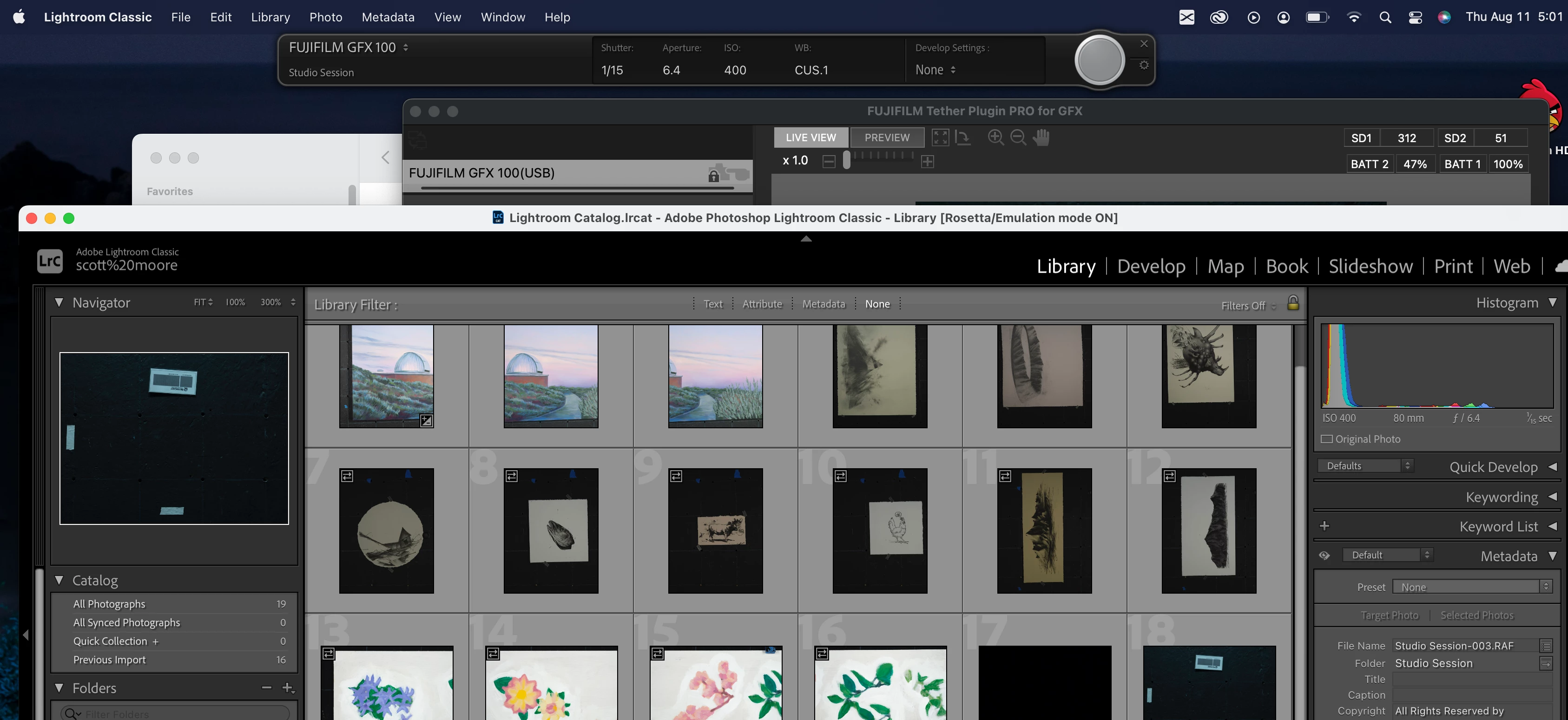
I have  Fuji GFX100 that I've used for several months now with a Mac Pro. I just bought a new Macbook Pro withi the M1 chip and it's not recognizing the camera using tethered capture with the FujiGFX100. It keeps saying detecting camera, then it doesn't work. But if I plug the camera into a Mac Pro and use tethered captured with the Mac Pro, it works right away. 


LRC on the Macbook pro is rebooting itself to go into Rosetta mode, but it's just not detecting the camera. 


Any ideas? I'm really disappointed that Adobe LRC is giving me problems with this new comptuer. 
This topic has been closed for replies.
Correct answer Scott_BFAR

I have the Fuji Plugin installed. I bought a new USB C to C cable, and the first time it didn't work, and the second time it did. 


3 replies

GoldingD
Legend
August 11, 2022
Scott_BFARCorrect answer
Inspiring
August 12, 2022

I have the Fuji Plugin installed. I bought a new USB C to C cable, and the first time it didn't work, and the second time it did. 


GoldingD
Legend
August 11, 2022
Whatever the very latest LRCC cloud version is

That answer is treated by many on this community as absolute trash. Can be meaningless. Too may post that only to find out after actually looking at the version as opposed to assuming the version, that they are years, not just a few versions behind. In this case, perhaps, pre MAC M1 native LrC.


So, prove me wrong, what exact version? Looking for a number, latest would be 11.4.1, not 10.1, or 6.14.


bellevue scott
Inspiring
August 11, 2022

11.41.1

GoldingD
Legend
August 11, 2022
LRC on the Macbook pro is rebooting itself to go into Rosetta mode

That makes me inquire, what exact LrC version?


bellevue scott
Inspiring
August 11, 2022

Whatever the very latest LRCC cloud version is. It's the latest version. It says it has to go into Rosetta mode to do tethered capture.