
Question
generative AI healing has stopped working in LRc and PS. Why?
14.1 release 17.7cr
It was working, I use it most days.
There have been updates from adobe but I have no date info as I auto update.
Basic steps:
use a healing tool (or any AI feature in PS) and after the usual AI timer a vauge message appears saying AI isnt working and it gives no reason. Here is the message:
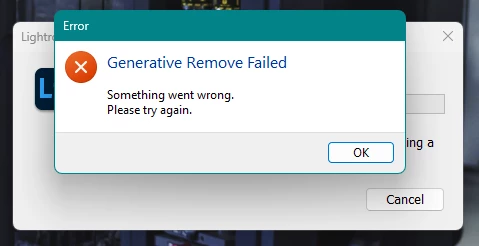
The issue is that I have learned to rely on this and now it has failed. I very much hope Adobe can get this one sorted quickly please!
I have a great internet connection between 200MBps and 1.3Gbps (depending what room Im working from). Previously it worked on this connection and far weeaker ones in cafes so I dont suspect this to be the issue.
Lightroom Classic version: 14.1 [ 202412062302-d2b56666 ]
License: Creative Cloud
Language setting: en
Operating system: Windows 11 - Business Edition
Version: 11.0.26100
Application architecture: x64
System architecture: x64
Logical processor count: 12
Processor speed: 2.2GHz
SqLite Version: 3.36.0
CPU Utilisation: 4.0%
Power Source: Plugged In
Built-in memory: 16118.1 MB
Dedicated GPU memory used by Lightroom: 709.9MB / 4007.0MB (17%)
Real memory available to Lightroom: 16118.1 MB
Real memory used by Lightroom: 1503.0 MB (9.3%)
Virtual memory used by Lightroom: 3280.5 MB
GDI objects count: 1036
USER objects count: 3702
Process handles count: 3702
Memory cache size: 566.3MB
Internal Camera Raw version: 17.1 [ 2098 ]
Maximum thread count used by Camera Raw: 5
Camera Raw SIMD optimization: SSE2,AVX,AVX2
Camera Raw virtual memory: 462MB / 8059MB (5%)
Camera Raw real memory: -3216MB / 16118MB (-20%)
 AdChoices