
luisrlebron
Participant
June 8, 2022
Answered

GPU accelaration causing problems in the develop module

  • June 8, 2022
  • 2 replies
  • 761 views

Lightroom Classic version: 11.3.1 [ 202204181225-f90ebff5 ]
License: Creative Cloud

When I enable the gpu accelaration my my Win 11 machine a get a small duplicate of the image I am working on in the top left corner (See below)
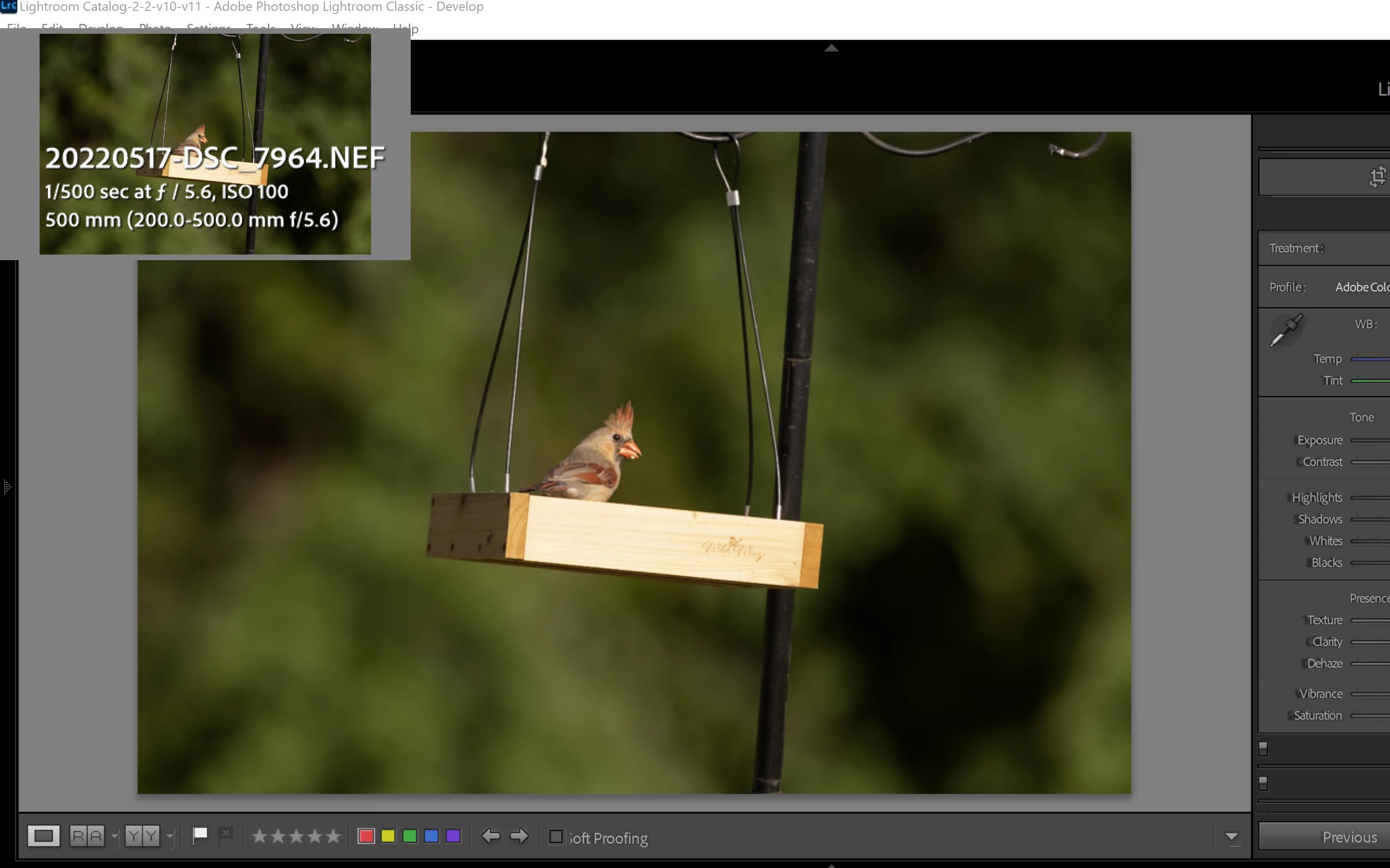


Language setting: en
Operating system: Windows 10 - Business Edition
Version: 10.0.22000
Application architecture: x64
System architecture: x64
Logical processor count: 16
Processor speed: 2.3GHz
SqLite Version: 3.36.0
Built-in memory: 16063.6 MB


I have tried updating the video drivers and changing from the Studio drivers to the Game drivers on the Nvidia RTX 3070 card but it makes no difference. 


thanks,


Luis

This topic has been closed for replies.
Correct answer dj_paige

The solves the immediate problem but it defeats the purpose of gpu accelaration does it not? In my opinion Adobe should fix the issue with gpus. And I don't even want to mention the issues with the 4k monitor. 


Adobe can't fix issues with bugs in drivers.

2 replies

Inspiring
September 20, 2023

I have exactly this issue with the same card. I've tried studio and game ready drivers. What's more is that even if I disable GPU, the presets in the develop module don't seem to really work. There's a twirl down arrow on each type of preset and when I mouse over, the arrows disappear. Even when I can get to a preset and click to apply, nothing happens. I can manually adjust the image, but the presets aren't working even with GPU off. 


Something is definitely amiss as here we are a year later from the original post and still the same behavior. I wonder if it's something to do with the specific card.

TheDigitalDog
Inspiring
June 8, 2022

If you disable GPU, it goes away? 

If so, it's a bug with the GPU itself. 

Author “Color Management for Photographers" & "Photoshop CC Color Management/pluralsight"
luisrlebron
Participant
June 8, 2022

The bug goes away if you disable the gpu. I have the same problem if I use either one of the video cards (Intel or Nvidia) that I have on the laptop. I don't think that both gpus can be broken.

TheDigitalDog
Inspiring
June 8, 2022

If you want the issue to go away, either disable the GPU's or roll back to earlier version of LR. 

Author “Color Management for Photographers" & "Photoshop CC Color Management/pluralsight"